Homebrew Official Mocha CFW - The sweet chocolate to your latte!

  • Thread starter Thread starter dimok
  • Start date Start date
  • Views Views 540,251
  • Replies Replies 1,423
  • Likes Likes 135

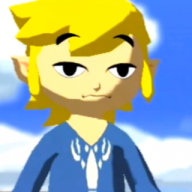
Just a small update for full details of the gamepad :D

mocha.png


mocha-icon.png


files
https://mega.nz/#!HUEGhZBA!cNnrU164C8BSQyldpwExkDJu7G1ZN51q_oq7VOpdmC0
 
Last edited by thaikhoa,
  • Like
Reactions: gbamix
That one is probably gonna get me in trouble with the wife if she uses the wiiu but I am willing to take an ear bashing lol.
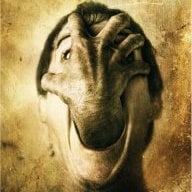
I've got the same "troubles" here at home. Ended up telling mine that these images are the "official" ones that the bad Wii U "hackers" included in their apps and I'm too much of a noob to change them so: "Wanna have a hacked Wii U? Than we must live with these awful pictures, darling." ;)

Hope it fits your "needs":
Kari Byron.png
 

Attachments

I've got the same "troubles" here at home. Ended up telling mine that these images are the "official" ones that the bad Wii U "hackers" included in their apps and I'm too much of a noob to change them so: "Wanna have a hacked Wii U? Than we must live with these awful pictures, darling." ;)

Hope it fits your "needs":
View attachment 72103

OK so this looks perfect but my problem is that I deleted the old launch image from the SD and put the Kari one on it yet it still loads with the old image what else do I need to do lol
 
OK so this looks perfect but my problem is that I deleted the old launch image from the SD and put the Kari one on it yet it still loads with the old image what else do I need to do lol
You definitely took the TGA from my attached zip and placed it here?
sd:/wiiu/apps/mocha/launch_image.tga

Edit: Try taking one of the other custom images from this thread which has been reported to work because I haven't had the chance to test that Kari one here right now.
 
Last edited by lordelan,
You definitely took the TGA from my attached zip and placed it here?
sd:/wiiu/apps/mocha/launch_image.tga
yep because I extracted the zip into a folder called Kari then moved it to the SD card now the Kari folder is empty lol.
 
yep because I extracted the zip into a folder called Kari then moved it to the SD card now the Kari folder is empty lol.
Wait, what? :blink:
In my ZIP is a folder called "Mocha Kari Byron". Inside this folder is the launch_image.tga. You take only this file and push it to
SD:\wiiu\apps\mocha\
 
Wait, what? :blink:
In my ZIP is a folder called "Mocha Kari Byron". Inside this folder is the launch_image.tga. You take only this file and push it to
SD:\wiiu\apps\mocha\
Yes that's what I did I have even tried deleting Mocha from the SD card and freshly downloaded it back to the SD card with your image and I still see the default IOSUHax splash
 
Yes that's what I did I have even tried deleting Mocha from the SD card and freshly downloaded it back to the SD card with your image and I still see the default IOSUHax splash
Very strange. Please try taking one of the other custom images from this thread which has been reported to work because I haven't had the chance to test that Kari one here right now.
 
I believe team salt stated it was possible and were working on it before they went "afk" :glare:
In theory, it's possible to trick the Wiiu into thinking the nand size is 8Gb instead of 32Gb.

I meant, that'd only be possible if you deleted the extra 24GB of games you have in there. You'd have to put those games on your USB, making your USB fill up that much faster. Your Wii U would be useless when the drive wasn't connected. If your drive breaks, you lose everything. By doing this you'd effectively be wasting 24GB of storage that you paid for, all to save room on an SD card that isn't needed for anything else. I just bought a brand new 128GB for loadiine, and now we don't even need loadiine anymore. But I guess I can put Wii and GC games on it now, so that's a plus.
 

Site & Scene News

Popular threads in this forum