Hacking Contenthax - a Vulnerability in Wii U File System Verification

  • Thread starter Thread starter VinsCool
  • Start date Start date
  • Views Views 186,554
  • Replies Replies 1,235
  • Likes Likes 43
@ppeterr Do you have entered your WiiU IP in wupclient.py?
Then open a command prompt and enter: python -i wupclient.py
now you should see >>
now enter: w.up("rom.zip", "/vol/storage_mlc01/usr/title/00050000/10179C00/content/0010/rom.zip") if your game is in WiiU internal memory or
w.up("rom.zip", "/vol/storage_usb01/usr/title/00050000/10179C00/content/0010/rom.zip") if your game is on USB memory
 
Last edited by DaBlackDeath,
  • Like
Reactions: BIFFTAZ and Scarlet
@ppeterr Do you have entered your WiiU IP in wupclient.py?
Then open a command prompt and enter: python -i wupclient.py
now you should see >>
now enter: w.up("rom.zip", "/vol/storage_mlc01/usr/title/00050000/10179C00/content/0010/rom.zip") if your game is in WiiU internal memory or
w.up("rom.zip", "/vol/storage_mlc01/usr/title/00050000/10179C00/content/0010/rom.zip") if your game is on USB memory


i did not, but got the WinError 10060 timeout error, that might explain :) thx for this hint - i'll retry when my son is away from the wiiu :)))

 
  • Like
Reactions: DaBlackDeath
@ppeterr Do you have entered your WiiU IP in wupclient.py?
Then open a command prompt and enter: python -i wupclient.py
now you should see >>
now enter: w.up("rom.zip", "/vol/storage_mlc01/usr/title/00050000/10179C00/content/0010/rom.zip") if your game is in WiiU internal memory or
w.up("rom.zip", "/vol/storage_mlc01/usr/title/00050000/10179C00/content/0010/rom.zip") if your game is on USB memory

Thanks, I'll use this too when I get back home! :D
 
@FIX94. Is there a save file on Brain Age big enough to inject the firmware file to, then it can be loaded from there instead of SD.

If not, I think there is an entry in the meta.XML to set a save file size. Wonder if it is that simple to set the size.

I'm not going to be near a Wii U until tomorrow, so I can't check.

Maybe it can be injected to the game folder with wupserver.
 
0x1cd042
0x0
0x0
>>> w.up("rom.zip", "/vol/storage_mlc01/usr/title/00050000/10179C00/content/0010/rom.zip")
0x4000x8000xc000x10000x14000x1469
>>>

results in a normal boot of the game (lang of wiiu set to english) must be doing something wrong here

phyton 3.5.2 shell
 
Last edited by ppeterr,
0x1cd042
0x0
0x0
>>> w.up("rom.zip", "/vol/storage_mlc01/usr/title/00050000/10179C00/content/0010/rom.zip")
0x4000x8000xc000x10000x14000x1469
>>>

results in a normal boot of the game (lang of wiiu set to english) must be doing something wrong here

phyton 3.5.2 shell

Have you installed the game in your sysnand directly or on usb ?
 
sysnand, so i reboot out of the iosuhax firmware, and start the game, but it is as normal


is there a way to check te title id. i bought this one, i dont like it :) but its nice
to try stuff - and buying something aint that bad since we got already so much
out of the wiiu for now :)

http://www.nintendo.nl/Spellen/Nint...n-Training-Hoe-oud-is-jouw-brein--270627.html

--------------------- MERGED ---------------------------

This is cool. Has anyone made a replacement icon yet to replace the Brain Training one?

that would make it really fancy :) +10
 
Last edited by ppeterr,
I've changed the icon but what do I edit to change the caption that gets displayed over the icon when it's selected? Is it just the longname in meta.xml?
 
Last edited by subcon959,
cant get it working, i will wait for some documentation before i do something stupid :)
 
@FIX94 do you know why its no working on other system langage (than english) ? I mean, it is normal (for you), or it is a random issue ? Can a fix be easily applied ?
 
Last edited by Ne2buntu,
Hello everyone, please do not try to install coldboothax ...

I used the smealum trick that consist to modify a .xml in the Wii U and i uploaded it up to my Wii U !
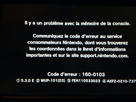
But once i've plugged back on my Wii U to test coldboothax i had that screen ... (it means i bricked)

So i highly recommand to not install coldboothax, only haxchi (that works offline)

1417197872-img-4994.png


That was dumb from me to try to install it ... So please don't try anything dumb with your Wii U ^^
 
Hello everyone, please do not try to install coldboothax ...

I used the smealum trick that consist to modify a .xml in the Wii U and i uploaded it up to my Wii U !
But once i've plugged back on my Wii U to test coldboothax i had that screen ... (it means i bricked)

So i highly recommand to not install coldboothax, only haxchi (that works offline)

1417197872-img-4994.png


That was dumb from me to try to install it ... So please don't try anything dumb with your Wii U ^^
Did you test it on RedNAND beforehand?
Because that should be the focus of all sysnand modifications, test it on REDNAND, if it works, try it on SysNAND (but beware of course).


Sent from my iPhone using Tapatalk
 
Hello everyone, please do not try to install coldboothax ...

I used the smealum trick that consist to modify a .xml in the Wii U and i uploaded it up to my Wii U !
But once i've plugged back on my Wii U to test coldboothax i had that screen ... (it means i bricked)

So i highly recommand to not install coldboothax, only haxchi (that works offline)

1417197872-img-4994.png


That was dumb from me to try to install it ... So please don't try anything dumb with your Wii U ^^

Ouch dude!!! Sorry for your loss ☠️
 
  • Like
Reactions: NexoCube

Site & Scene News

Popular threads in this forum