Hacking Nintendont Themes and Custom Mods

  • Thread starter Thread starter AbdallahTerro
  • Start date Start date
  • Views Views 442,699
  • Replies Replies 2,649
  • Likes Likes 30
I'd like to resubmit a previous entry for your consideration. :D
sjgr-png.12871
 
Is it necessary to change BLACK code for 0xFFFFFF00 in menu.c and main.c
in every single PrintFormat line? Or there is another easier way?
 
I didn't really feel like I needed mentioned, I was just being envious.:dry:
Anyways, here are the updated themes:
Let me know if any other changes should be made.
I like this idea a bit, I would love to see images allowed so if you had the gamecode as a Png or something, it would load the image instead of the autoboot screen, if there was no gamecode images it would go by the Nintendont loader setup.
 
  • Like
Reactions: Troopage
I like this idea a bit, I would love to see images allowed so if you had the gamecode as a Png or something, it would load the image instead of the autoboot screen, if there was no gamecode images it would go by the Nintendont loader setup.
what do you mean?
 
what do you mean?
You know like wiiflow how you have custom banners, well what about custom images which boot.

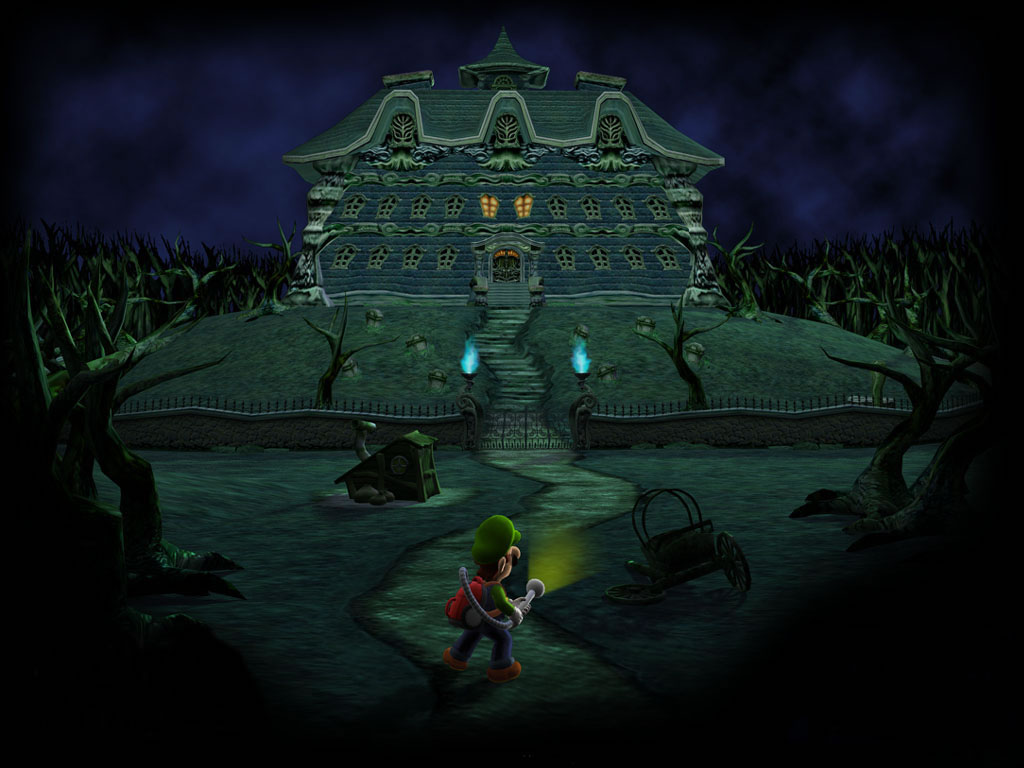
So for instance Luigi's Mansion, when you boot it without an image it uses the default nintendont autoboot screen.
35c4yme.jpg


But when it has GLME01.png in a folder location it shows this instead
Mansion.jpg
 
  • Like
Reactions: Troopage
Oh that reminded me of an issue.

Abz, exactly what themes are those that show up the loading screen (loading bar and such).
Those are the Loader Themes, right?

If that's so, then I am having issues with it.
I have MasterMod Classic downloaded (it even shows up while the app boots up), but when I choose a game, it shows the default text, not the Loader image.

I am using the latest release, downloaded yesterday like at 6 pm GMT-7
 
Oh that reminded me of an issue.

Abz, exactly what themes are those that show up the loading screen (loading bar and such).
Those are the Loader Themes, right?

If that's so, then I am having issues with it.
I have MasterMod Classic downloaded (it even shows up while the app boots up), but when I choose a game, it shows the default text, not the Loader image.

I am using the latest release, downloaded yesterday like at 6 pm GMT-7
which loader are you using?
are you booting the game using nintendont?!
loader images are meant to be used with usb loaders like wiiflow and gx
 
You know like wiiflow how you have custom banners, well what about custom images which boot.

So for instance Luigi's Mansion, when you boot it without an image it uses the default nintendont autoboot screen.
But when it has GLME01.png in a folder location it shows this instead

Mansion.jpg
It's a good idea but I'm not making 700 new backgrounds :)

I can add the code for it though
 
  • Like
Reactions: Troopage
which loader are you using?
are you booting the game using nintendont?!
loader images are meant to be used with usb loaders like wiiflow and gx
I am using the standalone app.
So the Loader theme won't boot unless I boot Nintendont through a USB Loader?

It has never been able to boot the Loader Theme without a usb loader?
 
I am using the standalone app.
So the Loader theme won't boot unless I boot Nintendont through a USB Loader?

It has never been able to boot the Loader Theme without a usb loader?
yes it has been like that since day 1
loader themes are for usb loaders using old (nincfg.bin) or new (argboot) methods
 
  • Like
Reactions: Troopage
You know like wiiflow how you have custom banners, well what about custom images which boot.
So for instance Luigi's Mansion, when you boot it without an image it uses the default nintendont autoboot screen.
But when it has GLME01.png in a folder location it shows this instead
Mansion.jpg

New update:
*Added custom image autoboot as loader themes using (ID3.png) files
*I can make it check for both ID4 and ID3 if needed too later
*currently the image will load as a nobar background only displaying cancel autoboot message (can also be changed if ppl want to make images with loading bars)
 
  • Like
Reactions: Troopage
Why not elaborate :)

*Added custom image autoboot as loader themes using (ID3.png) files as a ninbacknobar background
*Added custom image autoboot as loader themes using (ID4.png) files as a ninbacklight background

I am using the standalone app.
So the Loader theme won't boot unless I boot Nintendont through a USB Loader?
It has never been able to boot the Loader Theme without a usb loader?
*Added loader theme booting when launching via nintendont

the ID3/ID4.png loading only works via loaders for now
I'll make it work via nintendont later
 
Question is, who will make custom loader backgrounds for every Gamecube game, and then who will want to sit and wait as they all download and take up space on their hard drive?
 

Site & Scene News

Popular threads in this forum