"games" folder games not recognized by USB Loader GX but "wbfs" folder does

  • Thread starter Thread starter alek_ski
  • Start date Start date
  • Views Views 5,417
  • Replies Replies 15

alek_ski

Member
Newcomer
Joined
Mar 8, 2024
Messages
7
Reaction score
2
Trophies
0
XP
42
Country
Canada
Hello!

I was trying to get USB Loader GX working on my Wii to place gamecube games but am having issues with the "games" folder. I have some dummy games set up in the "wbfs" folder and it seems the loader can recognize them.
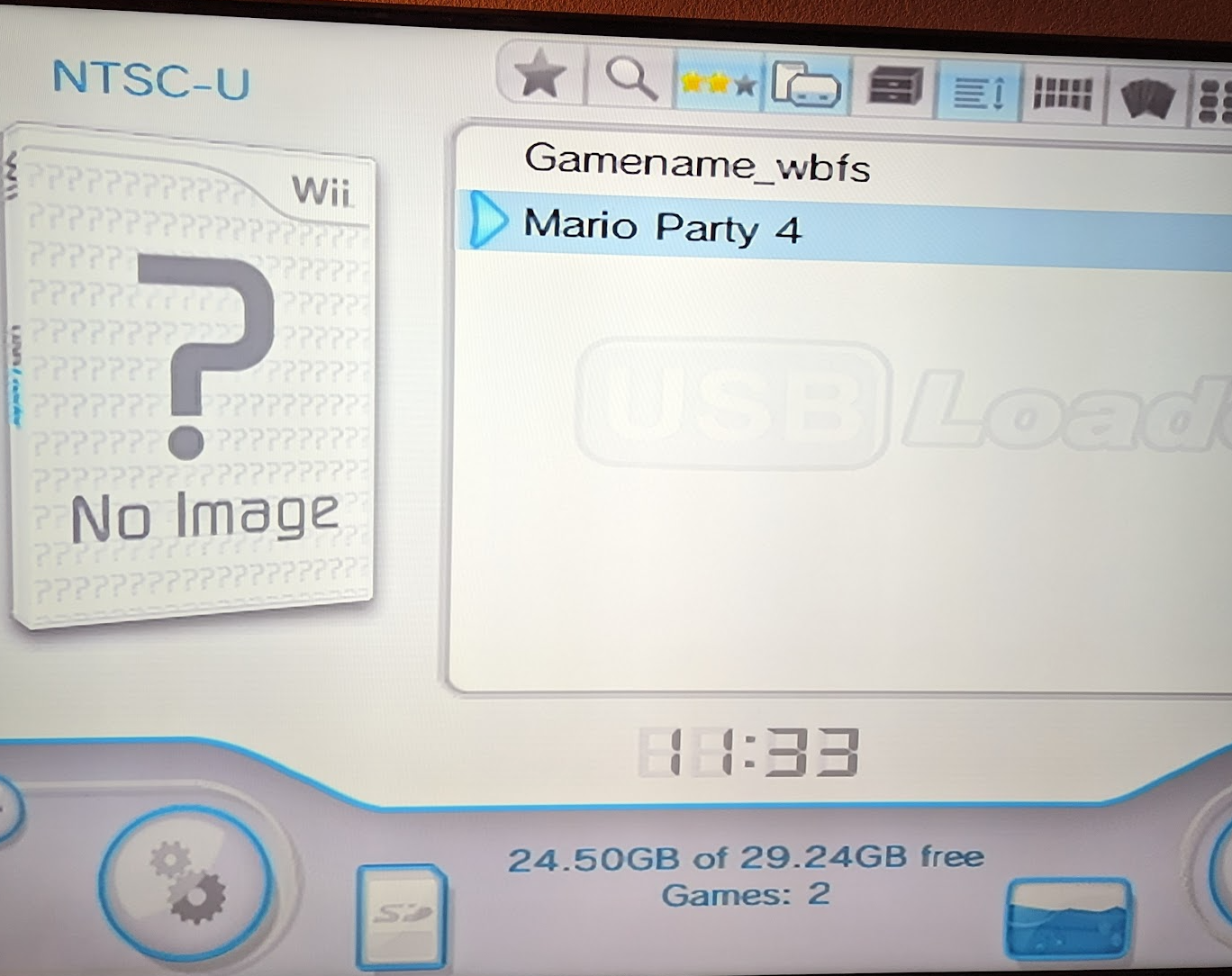
1709873835290.png


But all the real games in my "games" folder are not being recognized. When I checked the path everything seems to be set up correctly.
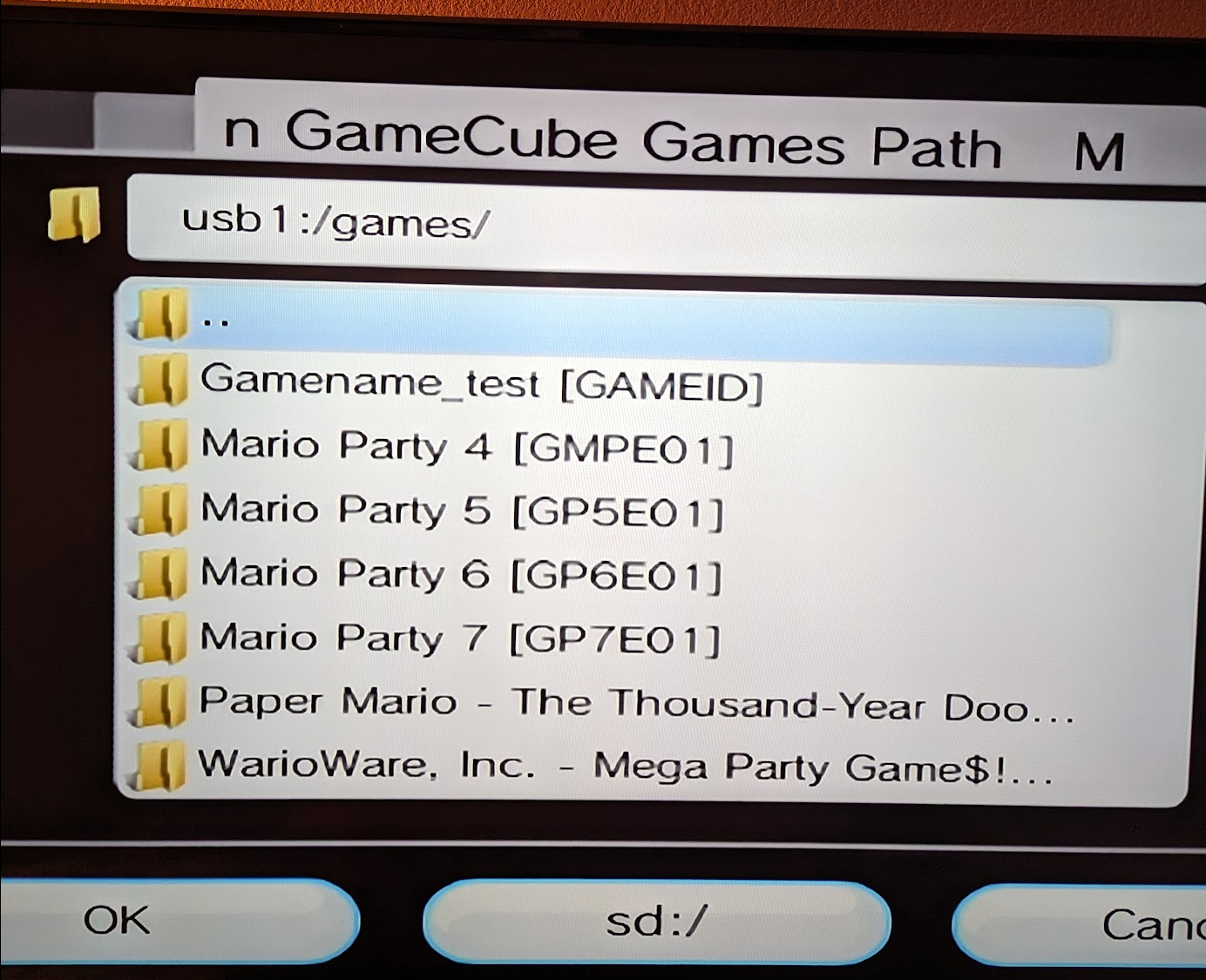
1709873922038.png


I have tried 2 different USB sticks and get the same result both times. Title sources has both Wii and GC games enabled.

Happy to hear any suggestions or recommendations on how to troubleshoot.

Cheers!


FIX:

Games were named as "game.iso.iso" in the "games" folder. Renaming to "game.iso" fixed it.
 
Last edited by alek_ski,

Very unlikely, but it's possible that your memory doesn't has either a FAT32 format at 32K cluster size, or your memory has a GPT boot sector instead of MBR.

Before checking that, try updating USB Loader GX.
 
Very unlikely, but it's possible that your memory doesn't has either a FAT32 format at 32K cluster size, or your memory has a GPT boot sector instead of MBR.

Confirmed my USB Stick is FAT32. Not sure how to check the other things you mentioned.

Pretty sure I have the most up to dat USB Loader GX: Rev1281

1709883984797.png

Post automatically merged:

Double check the filter options, one of the buttons at the top, so that the checkbox to display GC games is checked

Hopefully this is what you're looking for. Yes, GC Games is enabled.

1709884049664.png
 
They do not appear in Nintendont.
Good to know - try to get them to work that way first (shouldn't actually be a problem in this case, but ultimately it's Nintendont that runs them and it knows best what it supports :) )

Are the filenames correct too? From your picture the folders are correct, as you can use either
Code:
/games/arbitrary name [titleid6]/game.iso
or
Code:
/games/arbitrary name [titleid6].iso
 
  • Like
Reactions: alek_ski
OK, it looks like you did put each game ISO in separate folders... Good!
Did you rename the ISO files to "game.iso" (and "disc2.iso" for those games who has two discs)?
This is mandatory if you want them to work on Nintendont.
 
Good to know - try to get them to work that way first (shouldn't actually be a problem in this case, but ultimately it's Nintendont that runs them and it knows best what it supports :) )

Are the filenames correct too? From your picture the folders are correct, as you can use either
Code:
/games/arbitrary name [titleid6]/game.iso
or
Code:
/games/arbitrary name [titleid6].iso
OK, it looks like you did put each game ISO in separate folders... Good!
Did you rename the ISO files to "game.iso" (and "disc2.iso" for those games who has two discs)?
This is mandatory if you want them to work on Nintendont.

Yup all games follow that format. Here is an example below:

1709887322661.png
 
  • Like
Reactions: Ryccardo
Are file extensions hidden on your computer if they are then rename your iso to game then try.

I don't think they are hidden


Post automatically merged:

Are file extensions hidden on your computer if they are then rename your iso to game then try.


OH WAIT THEY ARE!!!!

1709887659042.png
 

Attachments

  • 1709887543320.png
    1709887543320.png
    33.4 KB · Views: 91
  • 1709887604341.png
    1709887604341.png
    25.5 KB · Views: 110
  • Like
Reactions: Ryccardo
I don't think they are hidden


Post automatically merged:


OH WAIT THEY ARE!!!!

View attachment 424534
No no no... That won't work to show the file extensions... but to hide the whole file/folder itself.
Anyway... you don't have to show the extension to fix this.
Just delete the extra ".iso" you typed in every ISO you have in your USB...
Since the extensions are disabled, just leave them as "game", so they should show up as "game.iso" in the file properties like you did here.

You won't delete the actual ".iso" extension itself since they're hidden. So after you do this, the games should show up in Nintendont and USB Loader GX and run just fine.
 
No no no... That won't work to show the file extensions... but to hide the whole file/folder itself.
Anyway... you don't have to show the extension to fix this.
Just delete the extra ".iso" you typed in every ISO you have in your USB...
Since the extensions are disabled, just leave them as "game", so they should show up as "game.iso" in the file properties like you did here.

You won't delete the actual ".iso" extension itself since they're hidden. So after you do this, the games should show up in Nintendont and USB Loader GX and run just fine.

Yup just tested and it works fine. Thanks for the help!
 
Separately from that I'd look into whatever that 580 MB thing is - if it's a traditionally-trimmed ISO you're going to have trouble with certain titles (those doing absolute sector reads) as the files won't be in their original place on the virtual miniDVD anymore, you can use CISO or NKit-ISO which are more "accurate" :)
 
  • Like
Reactions: alek_ski
Hello!

I was trying to get USB Loader GX working on my Wii to place gamecube games but am having issues with the "games" folder. I have some dummy games set up in the "wbfs" folder and it seems the loader can recognize them.

View attachment 424509


But all the real games in my "games" folder are not being recognized. When I checked the path everything seems to be set up correctly.

View attachment 424510

I have tried 2 different USB sticks and get the same result both times. Title sources has both Wii and GC games enabled.

Happy to hear any suggestions or recommendations on how to troubleshoot.

Cheers!


FIX:

Games were named as "game.iso.iso" in the "games" folder. Renaming to "game.iso" fixed it.
You can get wii and gamecube to show up in usb loader gx by setting all wii games into wbfs with folder named as game name and id inside put the iso file change game name iso to just the game id.iso then for gamecube setup a games folder on root of usb drive and make individual folders with each games name no id languages or regions then inside the folders just set each iso or nkit as just game nothing else and save then try booting up usb loader and make sure custom paths are set correctly and loader settings are correct.
Post automatically merged:

Hello!

I was trying to get USB Loader GX working on my Wii to place gamecube games but am having issues with the "games" folder. I have some dummy games set up in the "wbfs" folder and it seems the loader can recognize them.

View attachment 424509


But all the real games in my "games" folder are not being recognized. When I checked the path everything seems to be set up correctly.

View attachment 424510

I have tried 2 different USB sticks and get the same result both times. Title sources has both Wii and GC games enabled.

Happy to hear any suggestions or recommendations on how to troubleshoot.

Cheers!


FIX:

Games were named as "game.iso.iso" in the "games" folder. Renaming to "game.iso" fixed it.
You can get wii and gamecube to show up in usb loader gx by setting all wii games into wbfs with folder named as game name and id inside put the iso file change game name iso to just the game id.iso then for gamecube setup a games folder on root of usb drive and make individual folders with each games name no id languages or regions then inside the folders just set each iso or nkit as just game nothing else and save then try booting up usb loader and make sure custom paths are set correctly and loader settings are correct.
 

Site & Scene News

Popular threads in this forum