Hacking Wii Component Cable glitchy?

  • Thread starter Thread starter Rock Raiyu
  • Start date Start date
  • Views Views 5,266
  • Replies Replies 12

Rock Raiyu

Clock Up
Member
Joined
Jul 14, 2007
Messages
5,066
Reaction score
40
Trophies
1
Age
34
Location
Walking the path of heaven
XP
2,449
Country
United States
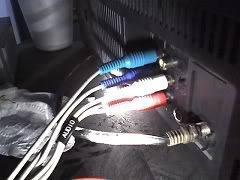
So yeah, I have a Sony Flat Screen TV. I looked in the back and it supports component cables. I recently got one from GameStop. Anyways, my problem is, there are 6 outlets on my TV and the component cable has 5. I put the plugs into the correct sockets but when I turn on my Wii, I can hear it but I see it in a cross sort of thing then it disappears. Here are some screens:
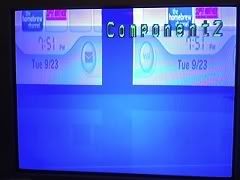
glitch.jpg

TV Glitching

cables.jpg

Cables Connected.

I could really use some help guys.
 
make sure the red is the right red...

there are 2 reds... you might have the audio in the video and video in the audio...

as for the extra plug, do you have sound? you might be plugging the audio into the wrong input
 
zidane_genome said:
make sure the red is the right red...

there are 2 reds... you might have the audio in the video and video in the audio...

as for the extra plug, do you have sound? you might be plugging the audio into the wrong input
The audio cables have a tag wrapped around them saying "Audio" on them. So I don't think thats the problem. I also do have sound, I can hear the Wii background music, but I just don't have any picture.
 
I'm very sure your TV does not support progressive scan.
Flat Screen != progressive

Dont fret though because interlaced over component cables is still significantly better than composite. S-Video would be of similar quality but no point in returning the cable for it since they are probably the same price.

edit: Give me your model number. I'm guessing its something like kv-32fs100
 
ciper said:
I am absolutely certain your TV does not support progressive scan.
Flat Screen != progressive

Dont fret though because interlaced over component cables is still significantly better than composite.
I don't think thats the case. I tried a little trick. I first used the AV cables to boot up the game, then while the game was booting up I switched the cables with the component ones. I can display it in color so that means that there must be something else thats wrong. I don't mind using this trick but I rather not keep switching the cables every time.

Edit: A pic. I also decided to name this trick the Boot-Swap Trick
smile.gif


color.jpg
 
Your trick is putting the system into interlaced mode...

The component cable is detected because it shorts two connections on the AV port. Without those pins shorted (booting with the composite video cable) progressive scan (EDTV) is disabled. You are going through a lot of trouble to achieve something that would work if you just selected the right setting in the system menu.

Give me your TV's model number.
 
Yep, your TV doesn't support progressive. I had a flat tube like this. Don't feel bad, there still is a significant increase in quality by using component cables, espically around sharp edges (smooth instead of flashy)
 

Site & Scene News

Popular threads in this forum