Homebrew [wii]bad graphics

  • Thread starter Thread starter weriak
  • Start date Start date
  • Views Views 9,384
  • Replies Replies 11

weriak

Member
Newcomer
Joined
Oct 25, 2014
Messages
5
Reaction score
0
Trophies
0
Age
30
XP
71
Country
Hello, I've just bought a second hand wii with homebrew installed, I installed usb gx loader and loaded a downloaded iso game(zelda twilight princess).

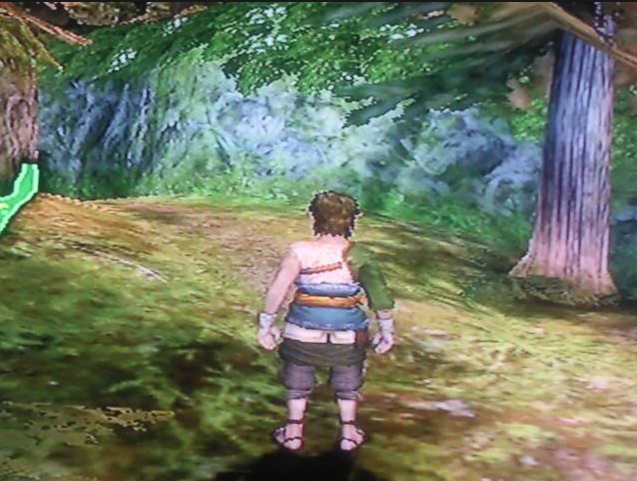
I loaded the game but it's like the resolution is messed up, the graphics are like the game was running on 680p, I can clearly see the pixels on the screen. Please help :d
 
Hello, I've just bought a second hand wii with homebrew installed, I installed usb gx loader and loaded a downloaded iso game(zelda twilight princess).

I loaded the game but it's like the resolution is messed up, the graphics are like the game was running on 680p, I can clearly see the pixels on the screen. Please help :d

That's how it's supposed to look like. What did you expect? HD graphics?
 
  • Like
Reactions: WiiCube_2013
The Wii only goes up to 480p Anamorphic Widescreen. The Wii is essentially a more powerful GameCube, hardware wise. If you really want a HD Wii, there's a good Wii emulator named Dolphin. Some games it's really nice for (Sonic Colors at 60fps makes it feel so much more responsive) but I normally still play the games on the Wii over the emulator as resolution doesn't matter much to me.
 
  • Like
Reactions: WiiCube_2013
No, trust me, i had a wii before, and even played the same game, the graphics are far worse, it's like everything is pixelated
What connection are you using? Even then, some cheaper HDTVs don't handle enlarging low resolution video all that well.
 
it looks like this:
47a4e32d9405fa915ab1ced11d91025e.png
 
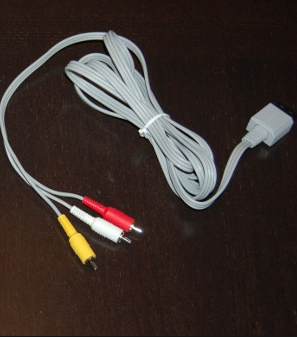
So you're converting composite to SCART? That's not going to improve the quality above composite. The best video you're going to get out of the Wii requires component cables.
My monitor doesn't have an input for composite, only for component. Will it get better if i buy the component cables?
 
My monitor doesn't have an input for composite, only for component. Will it get better if i buy the component cables?
I'd get a component to HDMI/VGA/SCART adapter (whatever your monitor supports). In any case, component is far superior than composite. Once you do have it connected through component, you'll have to go into the Wii settings and adjust it to suit your monitor.
 

Site & Scene News

Popular threads in this forum