Hacking WAIO GUI for DSTT

  • Thread starter Thread starter rom666
  • Start date Start date
  • Views Views 8,896
  • Replies Replies 18

rom666

Well-Known Member
Newcomer
Joined
Oct 7, 2008
Messages
56
Reaction score
1
Trophies
1
XP
132
Country
United States
Thanks to Moonlight for the Moonlight extlink files!
Thanks to Xenon++ for the waio for any card! (http://gbatemp.net/t...o-woodallinone?)

These files will allow you to run WAIO as your main GUI on your DSTT. This is just the GUI. Your card will only load games that your *.dat files support.

Installation:
  • Copy the contents if the attached archive to the root of your Micro SD card.
  • Copy the most recent extinfo.dat, infolib.dat, and savlib.dat files into the 'TTMenu' folder.


If you have everything installed correctly, your DSTT should boot into WAIO! You can bypass WAIO and boot into ysmenu by holding down "Y' or boot into TTMENU by holding down "X" when booting your card. This will allow you to enable cheats. Hold down "A" to boot into "iPod" mode to play MP3's fromt the 'Music' folder.


Notes:

The _DS_MENU.dat file is Xenon++'s waio.nds file. It has been IPS patched for the DSTT.
The TTMENU.dat and ysmenu.nds are renamed Moonshell2 favelaunch files:
TTMENU.dat = favelauncher.nds (DLDI Patched)
ysmenu.nds = iniclear.nds

Download the files here:

CODE
http://www.mediafire.com/?vog967tddokysxi
 
Thanks, rom666!

Marco23:

Your card will only load games that your *.dat files support.

nds.gif
 
-Marco23- said:
Ok, thanks but the wood don't load any games :\


What error message are you receiving? Did you follow all the steps? (there MUST be a copy of ysmenu.nds in your TTMENU folder)


nds.gif
 
Not trolling but...

What´s the point of that if it does not increase the game compatibility?
 
WhiteX said:
Not trolling but...

What´s the point of that if it does not increase the game compatibility?
Obviously because the menu is faster if you have a lot of stuff on your mSD, there are a lot more skins, and those skins are cool, and I sometimes make skins for it as well (so try them out).
 
WhiteX said:
Not trolling but...

What´s the point of that if it does not increase the game compatibility?

No point to it really. Just the fun of hacking it. Making it work. It's not for everyone.....


ph34r.gif
 
Thank you!
I use your file and enter games success!

PS.
I think you need to add the DSTT Firmware 1.17a12 (with YSmenu) first.
Because they aren't update anymore.
And there are many files needed to rename (in YSmenu, and WAIO GUI for DSTT).
They make me confused when I add your file.
Sorry this is a little suggest.
 
matif said:
Thank you!
I use your file and enter games success!

PS.
I think you need to add the DSTT Firmware 1.17a12 (with YSmenu) first.
Because they aren't update anymore.
And there are many files needed to rename (in YSmenu, and WAIO GUI for DSTT).
They make me confused when I add your file.
Sorry this is a little suggest.


You need to have YSmenu fully functional and have the WAIO for all cards _rpg folder on your card before using this. You simply copy (overwriting any files in the process) this to your card and it should all work. Basically this uses the Moonshell2 extlink wrapper and iniclear to load games via YSmenu autoboot function.

What steps did you take?

ph34r.gif
 
matif said:
Thank you!
I use your file and enter games success!
QUOTE(rom666 @ Sep 26 2010, 01:48 AM) You need to have YSmenu fully functional and have the WAIO for all cards _rpg folder on your card before using this. You simply copy (overwriting any files in the process) this to your card and it should all work. Basically this uses the Moonshell2 extlink wrapper and iniclear to load games via YSmenu autoboot function.

What steps did you take?

ph34r.gif
Sorry, I have no problem, I entered games successfully, this is my little suggest.
Sorry for make you misunderstand.
 
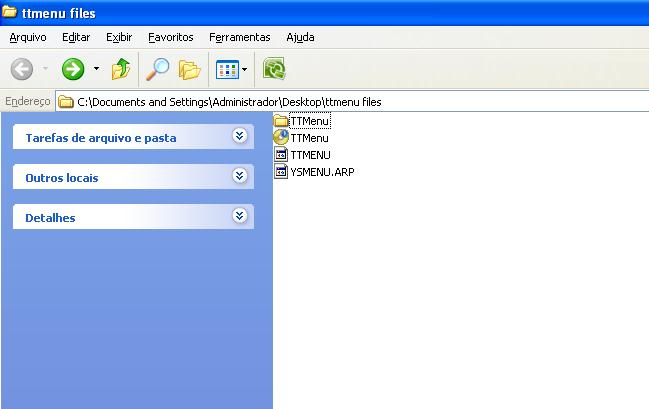
I am sorry for asking but ii seem to be having problems instaling it on my card,here are the files I use on the card to boot up the ysmenu:

imagem-1.png


So what do you think is wrong with it?
 
I understood that,but how do i do that exactly?Do i make new ysmenu files or simply rename it a .nds file?
 

Site & Scene News

Popular threads in this forum