Tutorial
Updated
Transfer Saves from PSP to PS1
The purpose of this tutorial is to convert saves from virtual PSP Saved Data to a physical PS1 Memory Card, using a Windows PC, without PS3 Memory Card Adapter, DexDrive, PicoMemcard, MemCARDuino, or CWCheat.
In order to complete this tutorial, the PS2 needs to be running FMCB to copy the save to the PS1 Memory Card, the PC needs to connect to the PSP Memory Stick Duo, and a USB storage device is used to import the save from the PC to the PS2.
PSP >> PC >> USB >> PS2 >> PS1 Memory Card
0. Download
1. PC, PSP

2. PC, MemcardRex
3. PS2, uLaunchELF
=======================
thanks:
@MetoMeto https://gbatemp.net/threads/tutorial-transfer-saves-from-ps1-to-psp.566390/#post-9082452
In order to complete this tutorial, the PS2 needs to be running FMCB to copy the save to the PS1 Memory Card, the PC needs to connect to the PSP Memory Stick Duo, and a USB storage device is used to import the save from the PC to the PS2.
PSP >> PC >> USB >> PS2 >> PS1 Memory Card
0. Download
1. PC, PSP
- Insert PSP mini USB cable ( or PSP memory card) into PC
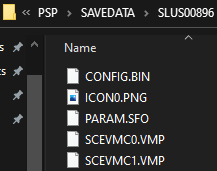
- Locate PS1 save file on PSP memory card, SCEVMC0.VMP or SCEVMC1.VMP (X:\PSP\SAVEDATA\respective game ID)
2. PC, MemcardRex
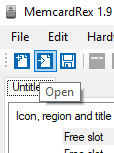
- Open .VMP file
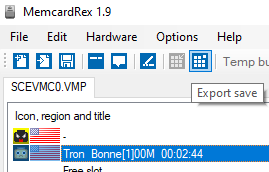
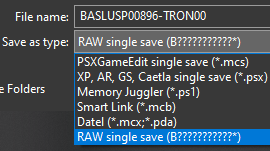
- Export save slot as RAW single save
-


3. PS2, uLaunchELF
- Insert USB into PS2
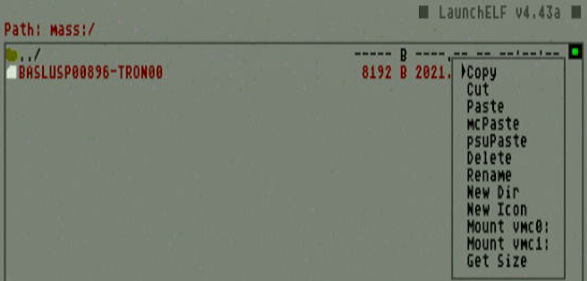
- Copy RAW save file from USB (mass:/ )
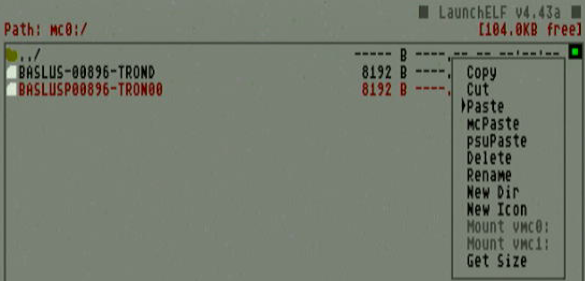
- Paste RAW save file to PS1 Memory Card (mc0:/ ) (mc1:/ )
=======================
thanks:
@MetoMeto https://gbatemp.net/threads/tutorial-transfer-saves-from-ps1-to-psp.566390/#post-9082452
Attachments

Last edited by zfreeman,