



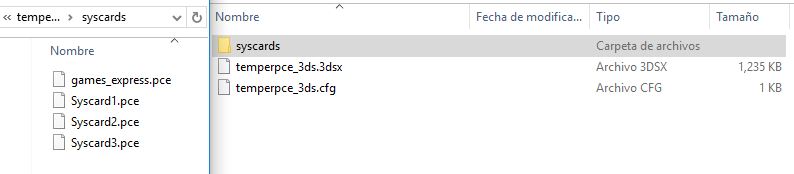
Hi. Since I hacked my 3DS I wanted to install and play Image Fight II, CD PC Engine game. But no matter how much I try, there's always an error ocurring. PC Engine files (.pce) run properly, but for this one is always "hmm..unable to load rom". I already put the BIOS on the correct folders as I read in many tutorials, and the files are sorted properly just as I see them on videos (.cue, ccd, SUB), but still won't load.

In this video, for example, his Castlevania folder is organized like this:
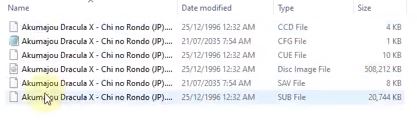
Not sure if the CFG is that important to run the game, and I don't have the SAV file since I can't boot the game properly. So I really want help because I don't know what am I doing wrong.
In this video, for example, his Castlevania folder is organized like this:
Not sure if the CFG is that important to run the game, and I don't have the SAV file since I can't boot the game properly. So I really want help because I don't know what am I doing wrong.


