Tutorial  Updated

SX OS Games Library Custom Sorter

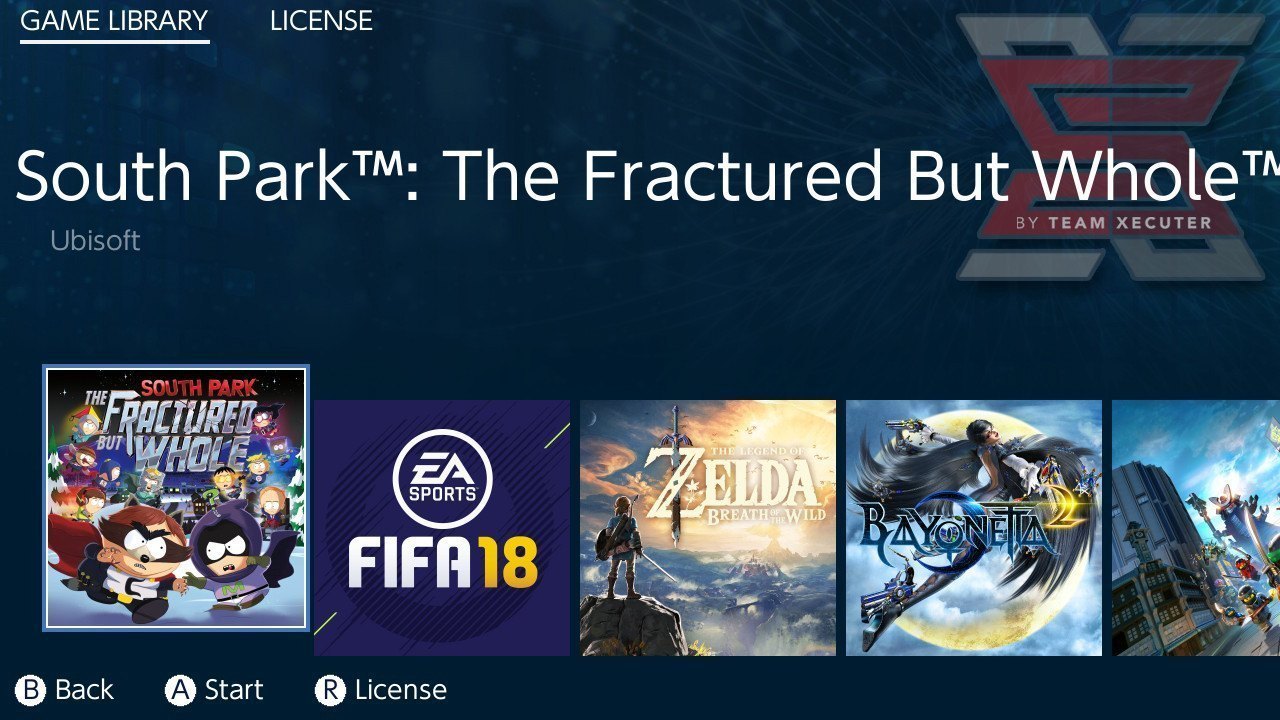
Adding backups on the SX OS and choosing from album is not well sorted
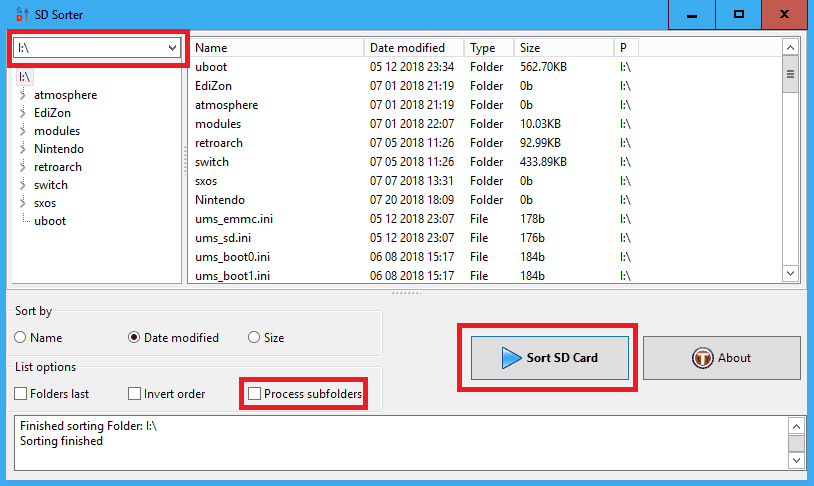
if you want to sort the games inside the album you need a tool called "SD-Sorter" from attached files or Get it Here which will allow you to sort the files in SD Card by "Name, Date Modified or Size"
sdCard.png


  • Just select the drive from top and choose which sorting you want to perform.
  • after that Click "Sort SD Card" button (uncheck process sub-folders for faster/error-free process).

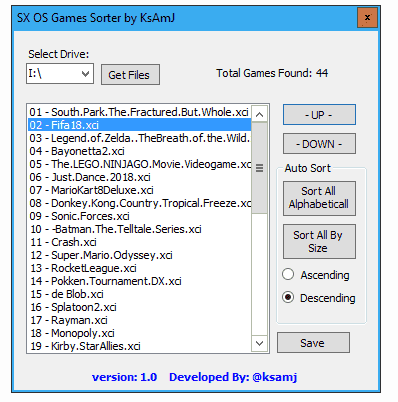
If you need to Custom sort the the Games List. i have created a tool to custom sort the games called "SX OS Games Sorter" from attached files "ONLY WINDOWS FOR NOW" or Download From Here (.Net framework required)
SXOS.Games.Sorter2.png


  • Just choose the SD Drive from top and Click "Get". It will list all the "XCI" files inside the SD cards
  • After that choose the game you want and start sorting the list of games using the "-UP-" and "-DOWN-" buttons respectively
  • When you finish Click save and Exit the Application

You will still need to use SD-Sorter though (As it is File Table Allocation associated process) Just Open SD-Sorter and choose By Modified Date and Click The "Sort SD Card" button and exit the application

Safe Remove the Card and Insert it back to your switch and load SX OS

Open the Album and you should see the sorted List as you have done it custom by the (Don't forget to drop a like to the post :yayswitch:)

2018072114492700-DB1426D1DFD034027CECDE9C2DD914B8.jpg
 

Attachments

  • SDSorterWin64bit.zip
    1.2 MB · Views: 752
  • SXOS.Games.Sorter.zip
    8.3 KB · Views: 618
Last edited by ,

Type_O_Dev

Well-Known Member
Member
Joined
Dec 12, 2017
Messages
668
Trophies
0
Age
42
XP
1,361
Country
United States
Adding backups on the SX OS and choosing from album is not well sorted
if you want to sort the games inside the album you need a tool called "SD-Sorter" from attached files or Get it Here which will allow you to sort the files in SD Card by "Name, Date Modified or Size"

View attachment 136581

  • Just select the drive from top and choose which sorting you want to perform.
  • after that Click "Sort SD Card" button (uncheck process sub-folders for faster/error-free process).

If you need to Custom sort the the Games List. i have created a tool to custom sort the games called "SX OS Games Sorter" from attached files "ONLY WINDOWS FOR NOW" or Download From Here (.Net framework required)

View attachment 136580

  • Just choose the SD Drive from top and Click "Get". It will list all the "XCI" files inside the SD cards
  • After that choose the game you want and start sorting the list of games using the "-UP-" and "-DOWN-" buttons respectively
  • When you finish Click save and Exit the Application

You will still need to use SD-Sorter though (As it is File Table Allocation associated process) Just Open SD-Sorter and choose By Modified Date and Click The "Sort SD Card" button and exit the application

Safe Remove the Card and Insert it back to your switch and load SX OS

Open the Album and you should see the sorted List as you have done it custom by the (Don't forget to drop a like to the post :yayswitch:)

View attachment 136579
Is this just changing timestamp?
 

Reecey

Mario 64 (favorite game of all time)
Member
Joined
Mar 7, 2010
Messages
5,867
Trophies
2
Location
At Home :)
XP
4,134
Country
Keep up the great work. Hope u make it for HDD :)
I’m no sure if your aware of this but download Fat Sorter https://sourceforge.net/projects/fatsort/ untick sub folder first because it corrupts your games click on your HDD in the folder to sort box. Then rename your titles amario, bzelda, cmariokart and so on..in the order you want them on your HDD and then click on Sort, it will sort the titles in the order you want on your HDD and display them correctly in sxos.
 
Last edited by Reecey,

dracinn

Member
Newcomer
Joined
Feb 9, 2016
Messages
13
Trophies
0
Age
33
XP
132
Country
United States
These tools look really nice but it doesn't help me because neither work with HDDs, please update.

P.S. I prefer the second tool.
 
General chit-chat
Help Users
  • Veho @ Veho:
    Lasenge.
  • Veho @ Veho:
    Once again I fell down the martial arts rabbit hole and am plumbing the murky depths of the internet's various martial arts and fighting crafts echo chambers.
  • Veho @ Veho:
    I like to get up to speed on that every now and then, see what the newest high wisdom everyone is spouting nowadays.
  • Veho @ Veho:
    If you're not actively involved and only get up to speed every few years or so, you can see the tide of public opinion flapping worse than my dong while I'm skipping naked down a hallway.
  • Veho @ Veho:
    And the "established wisdom" changes every decade.
  • Veho @ Veho:
    England is installing a new king.
  • Veho @ Veho:
    Their previous monarch has reached End Of Life and is being replaced.
  • Veho @ Veho:
    Like most forced updates, this one has terrible support and was very poorly received by the userbase.
  • Psionic Roshambo @ Psionic Roshambo:
    And mostly just adds useless features
  • Psionic Roshambo @ Psionic Roshambo:
    We need AI overlords
  • Veho @ Veho:
    Someone mowed a giant dick into the lawn in front of Westminster Abbey.
  • Veho @ Veho:
    Just in time for the coronation.
  • Veho @ Veho:
    That's what I said, maybe they were just doing a recreation of the Cerne Abbas giant but didn't finish it in time.
  • Veho @ Veho:
    The Abbey building was supposed to be the hat.
  • H @ hecker_isaac:
    goodmorning peeps
  • Psionic Roshambo @ Psionic Roshambo:
    Bell end lol
  • K3N1 @ K3N1:
    I got gas
  • Psionic Roshambo @ Psionic Roshambo:
    Save it Ken stuff is expensive lol
  • K3N1 @ K3N1:
    I save it for Walmart
  • Psionic Roshambo @ Psionic Roshambo:
    https://imgur.com/gallery/ZfBfPgk 100 million... Can think of better uses but OK lol
  • K3N1 @ K3N1:
    $35 just for drinks milk and bread today
  • K3N1 @ K3N1:
    I like how this is #2 in headphones Perytong Sleep Headphones Wireless, Bluetooth Sports Headband Headphones with Ultra-Thin HD Stereo Speakers Perfect for Sleeping,Workout,Jogging,Yoga,Insomnia, Air Travel, Meditation, Grey https://a.co/d/fPOFL4J
    K3N1 @ K3N1: I like how this is #2 in headphones Perytong Sleep Headphones Wireless, Bluetooth Sports...