Most likely has to do with using a Mac and or your sd card being exfat.
I had the same issue. To fix it:
Get a 2nd microsd card and format it to fat32. Get your license.dat to be created on there then once you activate on tx site, transfer it to your 1st exfat microsd card.
If you only have one card then transfer files back to your computer , format it to fat32 follow the steps above, then format it back to exfat.
Most likely has to do with using a Mac and or your sd card being exfat.
I had the same issue. To fix it:
Get a 2nd microsd card and format it to fat32. Get your license.dat to be created on there then once you activate on tx site, transfer it to your 1st exfat microsd card.
If you only have one card then transfer files back to your computer , format it to fat32 follow the steps above, then format it back to exfat.
If that's the case, then use a Windows PC to format ur SD card or you'll continue to have issues. Do not format to exfat or create new folders on your SD card thru a Mac.
Folders created through a Mac will cause issues when read on the switch.
You can avoid this if you just keep ur SD as fat32 if you do not have access to Windows.
Hi Guys, I have to constant removing the sdcard from switch to update files. Currently, I hit the power buttom for few seconds
and turn off the console first before removing the sdcard. After I update the files, then insert the sdcard to switch and run the
payload with my smartphone. I am curious if this is the correct step to remove the sdcard or can I just remove it without turning
off? And after update the file and insert it back to switch?
Also, I have installed auto-RCM so when I turn off, the switch is in RCM right and not really turn off correct? And cannot charge?
Can somebody help to answer above questions? Thanks.
Hi Guys, I have to constant removing the sdcard from switch to update files. Currently, I hit the power buttom for few seconds
and turn off the console first before removing the sdcard. After I update the files, then insert the sdcard to switch and run the
payload with my smartphone. I am curious if this is the correct step to remove the sdcard or can I just remove it without turning
off? And after update the file and insert it back to switch?
Also, I have installed auto-RCM so when I turn off, the switch is in RCM right and not really turn off correct? And cannot charge?
Can somebody help to answer above questions? Thanks.
Never remove the SD card while the console is still on. It will prevent it from being read by the Switch. The fix is as easy as unchecking an option but it will save you future headaches.
AutoRCM reduces the charge rate when the Switch is in RCM only. All other charging rates are unaffected (i.e. in sleep mode, while turned on). In order to ensure your Switch is off and not in RCM, do a manual power off by holding down the power button for 12 seconds. There are reports of users having their batteries drained with AutoRCM installed despite pressing turn off from the Switch menu.
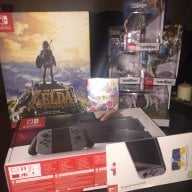
My crazy idea to buy cardboard only kit without the game has backfired. Hope there's enough games needing the infrared sensor to warrant it getting fixed in a future SX OS version.
My crazy idea to buy cardboard only kit without the game has backfired. Hope there's enough games needing the infrared sensor to warrant it getting fixed in a future SX OS version.
Booted it up, still a level 1 here as I havent had time to really dive in with it.
Walked a bit around honningbrew meadery before getting arrowed to death.
So yes it runs fine on SX OS 1.2
Booted it up, still a level 1 here as I havent had time to really dive in with it.
Walked a bit around honningbrew meadery before getting arrowed to death.
So yes it runs fine on SX OS 1.2
Good stuff! I just got my SX pro, backing up my nand now and waiting for the kids to go to bed so I can dive in! Will report back with any issues... I’d i have any! thanks again
Good stuff! I just got my SX pro, backing up my nand now and waiting for the kids to go to bed so I can dive in! Will report back with any issues... I’d i have any! thanks again
Hahaha, enjoy it! I have to much other stuff piling in front of it at the moment.
Also SX Pro is nice to have, love the portability the dongle gives, even if you want to switch between cfw and ofw mode ... for reasons
I was getting constant freezing with SX OS 1.1 but since 1.2 update everything is running smoothly.
Too bad loading times are so bad way worse if fact than using LayeredFS.
My sd card read speed in windows is at constant 90MB/s so that shouldn’t be an issue.
Hi Guys, I have to constant removing the sdcard from switch to update files. Currently, I hit the power buttom for few seconds
and turn off the console first before removing the sdcard. After I update the files, then insert the sdcard to switch and run the
payload with my smartphone. I am curious if this is the correct step to remove the sdcard or can I just remove it without turning
off? And after update the file and insert it back to switch?
Also, I have installed auto-RCM so when I turn off, the switch is in RCM right and not really turn off correct? And cannot charge?
Can somebody help to answer above questions? Thanks.
It fully turns off. Autocrm is a boot thing, so when your switch is off. It's off. You have to be careful though because if you accidentally turn it on you have no way of telling besides plugging it into a payloader.
And I had the same issue you did with removing the SD card. My advice is to disable auto rcm. Remove SD card. Update all games while in ofw and you should be set. I kept getting 'error game will close' messages since I updated with the SD card in.
I'm trying to play the Shaq Fu game backup so that I don't have to carry the cart with me at all times and it gets stuck at 60% on loading screen. After this you can only restart the Switch. Also, it demands an update before you can play it, so I had to start the game, see it demand the update, reboot to OFW, update the thing and try. It froze my Switch at 60% loading.
Does anyone have that strange SX os bug where it completely skips the options boot screen and goes strait to the SX os mode? Can’t figure out how to get the boot options mode (boot cfw, boot original fw, options)
Does anyone have that strange SX os bug where it completely skips the options boot screen and goes strait to the SX os mode? Can’t figure out how to get the boot options mode (boot cfw, boot original fw, options)
It’s about that time of year again where I check in with the community to see if we can get the front page aligned with what people are interested in knowing and what...
WiiCompiled is a new project that lets PC gamers play Mario Kart Wii natively on PC without emulation. Using static recompliation to convert the code into native PC...
The long awaited Grand Theft Auto VI Extended Look gameplay trailer has finally dropped on YouTube. As you all know, it had dropped 6 hours earlier on Netflix, and...
Though we knew all the way back in May that this was coming, the exact numbers remained a mystery for prospective Nintendo gamers in the UK. If you happen to have...
After being announced last week, the first of two broadcasts is set to go live later today with a stark focus on The Legend of Zelda and its 40th anniversary...
Thanks to the recent decomplication efforts; The Minish Cap 3DS brings the Game Boy Advance classic Zelda title to your 3DS.
The port takes full advantage of the 3DS...
In the wake of Sony's shift to a digital-only ecosystem within the next year, Xbox have today announced a surprising scheme. Aiming to offer physical buyers the same...
It is with a heavy heart that I announce the departure of our beloved Chary from the position of Chief Editor. Chary took over early 2021 and has done a wonderful job...
To celebrate its 25th anniversary, XBOX has launched pre-orders for the XBOX 25th Anniversary Collection. For the occasion, the trailer below was aired.
This...
GBAtemp is and always has been an independent community. Since 2002 our staff have voluntarily kept the site running, added new forums, features, provided constant...
It’s about that time of year again where I check in with the community to see if we can get the front page aligned with what people are interested in knowing and what...
After being announced last week, the first of two broadcasts is set to go live later today with a stark focus on The Legend of Zelda and its 40th anniversary...
It's been something of a quiet week in the gaming space, with the deluge of big hitters trying to find their place before GTA 6 launches really kicking off next week...
Though we knew all the way back in May that this was coming, the exact numbers remained a mystery for prospective Nintendo gamers in the UK. If you happen to have...
In the wake of Sony's shift to a digital-only ecosystem within the next year, Xbox have today announced a surprising scheme. Aiming to offer physical buyers the same...
The long awaited Grand Theft Auto VI Extended Look gameplay trailer has finally dropped on YouTube. As you all know, it had dropped 6 hours earlier on Netflix, and...
It is with a heavy heart that I announce the departure of our beloved Chary from the position of Chief Editor. Chary took over early 2021 and has done a wonderful job...
The second of a two-part special, a more traditional Nintendo Direct is set to air today. Unlike the Zelda Direct the contents of this one is still relatively up in...
Announced a few days ago, Nintendo of America have today launched their Customer Appreciation Sale. Featuring 30% discounts across a wide range of popular first-party...
A few days ago Chary stepped down as Chief Editor after 5 wonderful years, and everyone guessed the seat wouldn't stay empty for very long. Back in 2021 I proudly...