
Hacking Question Switch won't boot into RCM.

I also had first roblems with my jig. But it is easy as f...

I just bend onetime the 2 pins on the Jig a little because it just gets no contact with the rail pins. Its very easy and since then the jig is working everytime.
A very small plain screwdriver under the middle of the pin and push it with your finger a little bit down.... So you get a very very small bump...but thats it...
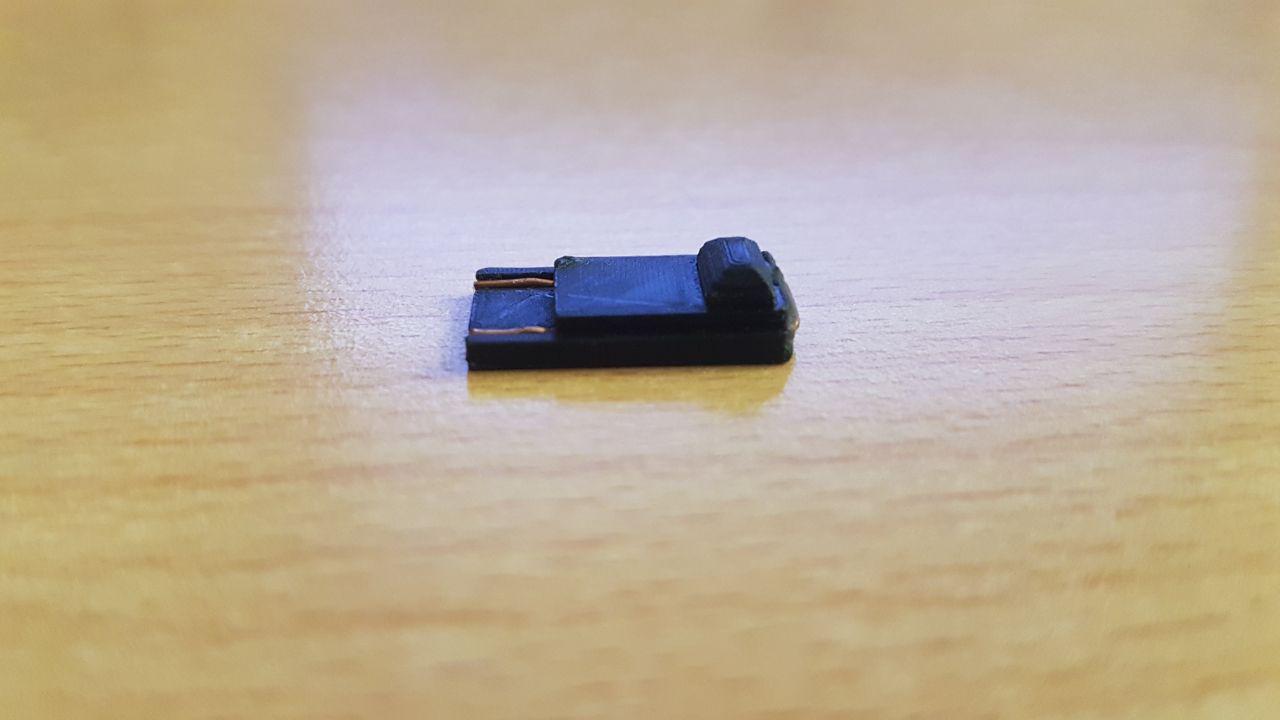


photo_2018-06-22_02-41-12.jpg
 
The screwdriver is unnecessary. I had this exact same issue with the jig I bought from eBay. I found out you’re not suppose to push it all the way down. Leave a small gap, the jig should be hovering over the pin. You’ll feel it when you slide it down and not add force, or if it’s at the very bottom just nudge it up slightly.
 
I also had first roblems with my jig. But it is easy as f...

I just bend onetime the 2 pins on the Jig a little because it just gets no contact with the rail pins. Its very easy and since then the jig is working everytime.
A very small plain screwdriver under the middle of the pin and push it with your finger a little bit down.... So you get a very very small bump...but thats it...




View attachment 132730[/QUOTE
doesnt work for me.

--------------------- MERGED ---------------------------

The screwdriver is unnecessary. I had this exact same issue with the jig I bought from eBay. I found out you’re not suppose to push it all the way down. Leave a small gap, the jig should be hovering over the pin. You’ll feel it when you slide it down and not add force, or if it’s at the very bottom just nudge it up slightly.
post pics. a lot of comments with no pics.
 
Forget the jig, forget screwdrivers, forget all that. Use Tin foil. Just place a 1 millimeter wide piece of tinfoil between pins 9 and 10. Works everytime
 
It's not about what you use, its what works best for you. If your good at hand crafting things go for it, but trying to handcraft something incorrectly is even more hazardous than using any tool.
If your spending money on multiple failed jigs you should just buy yourself the SX Pro for auto RCM via dongle. Convenience and ease of use is what we want, not how cool our jigs look
Despite the unpopular vote of screwdrivers its the most convenient tool for me after buying 1 failed jig. My triangle tip mini screwdriver works every.single.time [Gently ground it on the right corner of the rail straight up boom! RCM without fail] :blink:
If you are worried about possible damages to your Switch then your ticket is software solution or auto rcm that's where the options end on that regard.
 
Last edited by MasterJ360, , Reason: Can't spell
i use paper foil finally boot,but tegra rcm is not responding.always is froze
Are you talking about the tegra gui? if so the PC needs a restart and make sure to have the latest tegra gui which will auto inject the payload for you the old version was buggy
 
you should do the tin foil method and just cut a little piece of tin foil fold it so its short then put it in pin 9 10 of your joycon then tape it down so it's on the arrows not over the side because it won't get onto the switch then launch a payload and turn auto rcm on
 
Pull the clip out or the cable inside the jig, grab both pointy ends, and bend them, once you get them like this:
Untitled.png


that should work, that or just cut a clip and also bend it, the points will touch pin 10 and 1.

That's the key. I don't think most ebay sellers bother to bend the wire properly.
Mine did not work until I bent the wire in an arc.
 
  • Like
Reactions: MasterJ360
That's the key. I don't think most ebay sellers bother to bend the wire properly.
Mine did not work until I bent the wire in an arc.
Yup what upset me and other buyers is that they have the nerve to say things like its tested/works on any Switch. The jig doesn't do me any good if I have no tools to fix it. Saying things like just bend the paperclip destroys the whole point in buying a jig if doesn't work like it should. Some jigs are sold with a lot of plastic as well not a big deal, but the effort in creating them is lacking
 
i really really hope we get a stickied thread for guide on how to this properly

that way most people can avoid the trouble/headache
 
I'm done sticking random pieces of metal in my Switch and risking damage to the pins.

You don't need a jig, I couldn't believe how easy it was until I did it. Just take a paperclip and unbend it. One end needs to touch pin 10, the other end can touch anywhere along the rail and it will be grounded! Now try to hold it in place while pressing Vol Up and tapping power. If you don't get the Nintendo logo, you've done it.

I went ahead and setup AutoRCM on mine, it was easy enough to get into RCM mode but I really didn't want to risk damaging my pins worse than I probably already have.

Alternatively, tear apart a joycon and solder the pads.

How do you find AutoRCM? I'm considering setting it up when I get the pro. How do you power it on? (forgive me, I'm new to the Switch exploiting - done everything else but not got to grips with the Switch stuff yet). You power it on, it goes into recovery and you just have to inject the payload via whatever method and you're done?..
 

Site & Scene News

Popular threads in this forum