
Homebrew Something happened

  • Thread starter Thread starter Deleted User
  • Start date Start date
  • Views Views 2,777
  • Replies Replies 17
D

Deleted User

Guest
Ok so my brother had not opened his 3DS in a long time and decided to update it woth Luma installed to the latest version and this happened:
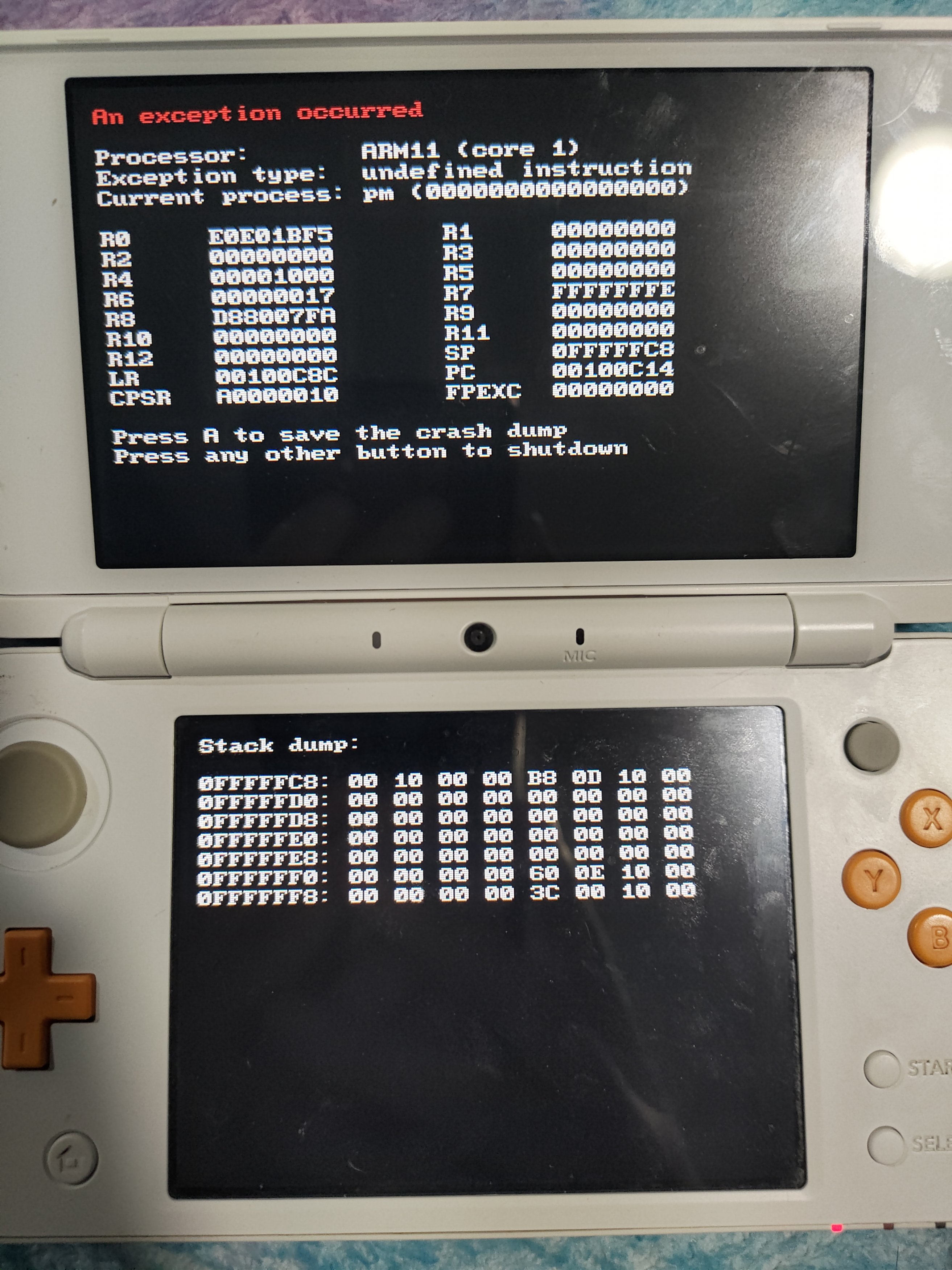
P_20201121_182728.jpg

It happenes every time on boot, should I just update Luma or something?
 
If the screen is blue with yellow text, then thats a brick. black with red and white text? not a brick, just luma crashing

It was black with red and white text..

P.S: I edited my former post because at the time, GBATemp wouldn't load in my browser, so.. yeah.
 
Last edited by Momoro,
It was blue with yellow text, but after about two months I turned it on and it worked. I don't have much experience with bricking my devices, though. (Besides my four--no, five bricked 3DS(s).)
Wait, really? Thats pretty odd, since blue with yellow text usually means that without hardware mods (e.g. flashing the NAND manually with a NAND programmer) it's completely bricked iirc
 
Wait, really? Thats pretty odd, since blue with yellow text usually means that without hardware mods (e.g. flashing the NAND manually with a NAND programmer) it's completely bricked iirc

I edited my post because GBATemp wouldn't load and I couldn't post another reply :mellow:
 
Boot your system hold "Select" and make sure you don't have "Disable ARM11 exception handlers" enabled. If it is, disable it and see if you keep having this error.
They already fixed it, Luma was out of date and they updated their 3DS
 
  • Like
Reactions: The Catboy
I mean, yeah, it is a wise idea to always be on the latest version of Luma3DS. I am almost always on the latest nightly myself.
Eh, I just use the regular releases. Though since I also use BAX I have to update manually.
 
  • Like
Reactions: Momoro

Site & Scene News

Popular threads in this forum


