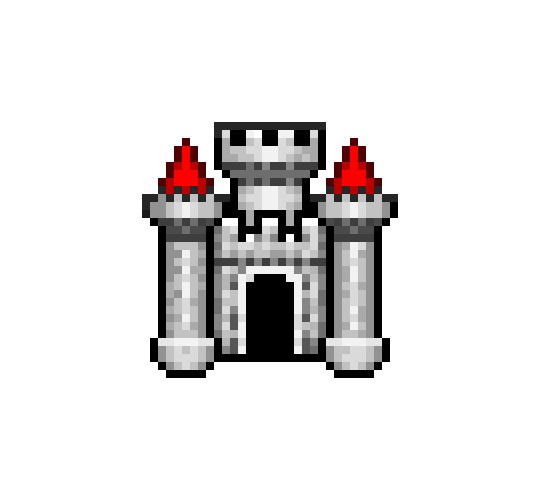
Searching for old rpg maker icon

  • Thread starter Thread starter rantex92
  • Start date Start date
  • Views Views 1,228
  • Replies Replies 7

rantex92

Well-Known Member
Member
Joined
Sep 28, 2021
Messages
795
Reaction score
493
Trophies
1
Age
34
XP
2,082
Country
Germany
hey guys does anybody still have the "Rpg Maker 2000" .icon file i would like to use it as icon for one of my gamedrives
and i cant find it anywhere used google,ddg and even yandex

tumblr_4d8e1cc2919295c2ba946f22435451e4_a9c28dd1_540.png
 
hey guys does anybody still have the "Rpg Maker 2000" .icon file i would like to use it as icon for one of my gamedrives
and i cant find it anywhere used google,ddg and even yandex

View attachment 317652
It shouldn't be difficult to make that PNG into an icon file, but i think ".icon" is only used by Macs (Yuck!), so good luck with that.
 
  • Like
Reactions: rantex92
It shouldn't be difficult to make that PNG into an icon file, but i think ".icon" is only used by Macs (Yuck!), so good luck with that.
i tried that but it looks somehow off and that .ico/.icon file extension was used by old windows versions like 95/98

i even tried a rpg maker 2k demo from a german videogame magazine but win 11 wont accept the .icon file since its 8 bit
 
You could use LiquidIcon to accomplish this task, a tool I used to use a loooong time ago to make my own custom mouse cursors (it does both .ico and .cur files): https://www.x2studios.com/desktop.html

As a quick example, here's a *.ico file I just made using your PNG file. I first copied and pasted it into Paint, cropped the excess border leaving it at a nice round 256x256, then copied and pasted that into a new 48x48 LiquidIcon file and let it scale it down. I didn't bother messing around with the transparency since that would take a lot of manual clicking and this was purely as an example for you. To test, I set the image for of my desktop folders to the newly-created castle icon file, and it worked just fine here on Windows 11.

If you happen to have the *.exe executable file for the RPG Maker Program handy, you can also just import the icon directly and save it as your own icon file, using the Extract option. That would be easier than what I just did.

 

Attachments

  • Love
Reactions: rantex92
You could use LiquidIcon to accomplish this task, a tool I used to use a loooong time ago to make my own custom mouse cursors (it does both .ico and .cur files): https://www.x2studios.com/desktop.html

As a quick example, here's a *.ico file I just made using your PNG file. I first copied and pasted it into Paint, cropped the excess border leaving it at a nice round 256x256, then copied and pasted that into a new 48x48 LiquidIcon file and let it scale it down. I didn't bother messing around with the transparency since that would take a lot of manual clicking and this was purely as an example for you. To test, I set the image for of my desktop folders to the newly-created castle icon file, and it worked just fine here on Windows 11.

If you happen to have the *.exe executable file for the RPG Maker Program handy, you can also just import the icon directly and save it as your own icon file, using the Extract option. That would be easier than what I just did.
thank you kind sir
 
  • Like
Reactions: DanTheManMS

Site & Scene News

Popular threads in this forum