Retro Gameboy Collection

  • Thread starter Thread starter aleXXXps
  • Start date Start date
  • Views Views 25,168
  • Replies Replies 91
  • Likes Likes 7
Why did you only buy pokemon green, not both?
It was a gift from a friend. I'll track down Red and Yellow some day... I hear they're quite cheap in Japan.

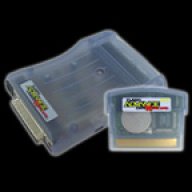
so basically they are gbc flashcarts? the diference is, they connect to pc and have internal storage and don't rely on modern memory cards?

Correct. They usually have enough memory for 1 or 2 GB games. But some of them don't have the ability to have 2 games with saves so I usually stick to 1.

 
I found a few of my other games packed away, and also included my Gameboy color stuff. Here's the update:

1q21dc.jpg
 
Correct. They usually have enough memory for 1 or 2 GB games. But some of them don't have the ability to have 2 games with saves so I usually stick to 1.

Thats quite the rare collect of GB/GBC flashcarts you have there! Those Mr. Flash and Dr. GB card are classics!

Does anyone have any suggestion for playing GB/GBC games on original hardware now? Is the "usb 64m smart card" my best option?
 
IMO it definitely is. But with some caveats:

You need to have a GB X-changer or similar hardware to flash the cart.

This programming hardware requires a desktop computer with a real parallel port and Win9x/XP on it.

I haven't looked in a while to see if anyone has been able to accomplish getting it to work on newer versions of Windows or any other OS though or if there is a USB programmer.
 
It's being sold complete with programmer and cable.
I do have an old Thinkpad T43 with a parallel port that would be perfect for this.

I might buy it then.

Thanks for the reply.
 
I'd love to give to my Game Boy Pocket an use with a flashcard, but I can't stand playing with no back-light. Sucks, because it's a very nice console to hold.
Oh well, back to my FF Micro.
 
It's being sold complete with programmer and cable.
I do have an old Thinkpad T43 with a parallel port that would be perfect for this.

I might buy it then.

Thanks for the reply.

Parallel ports on laptops can be underpowered many times and cause problems. Hopefully this isn't the case on yours.
 
Parallel ports on laptops can be underpowered many times and cause problems. Hopefully this isn't the case on yours.

Thanks cracker, I tried to google if there were any differences between laptop and desktop ports.
If it doesn't work then I'll just have to setup one of the older pc's.
 
Ah WinCE-powered with an ARM cpu :bow: The capabilities of the system are great. From what I have read, the ad-support is a big reason for it failing in its early life.

 
Thanks cracker, I tried to google if there were any differences between laptop and desktop ports.
If it doesn't work then I'll just have to setup one of the older pc's.

No problem! I really hope it works for you without much hassle. Use DGB-Max to program it since it provides amazing functionality compared to the official (Bung) software. You may also need to use a driver called GiveIO that is included with GBX-Tool which allows direct access to the parallel port by bypassing Windows' control over it.
 
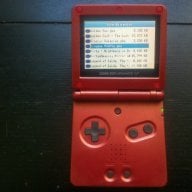
I have a DMG gameboy from 1990 Christmas, still in good condition too, with camera and a few good games, like Pokemon Gold and Silver. I got the carts used, so the stickers are scratched up a bit, but they are real copies, not fakes. I also have a pristine-condition GBA SP (Graphite, back-lit) from 2002 with a good battery, no scratches, functional buttons, etc... And for the SP I have an EZ-Flash IV (FAT one) filled to the brim with GBA, GB, GBC, and SMS roms. Working on getting NES roms on there next, but it seems to have trouble listing them all if I put too many roms on it. Using Goomba Color to group the classic Gameboy games that don't have battery saves helps, as does SMSAdvance for grouping the GG and SMS games together in Rom packs.
 

Site & Scene News

Popular threads in this forum