Pixel art!

  • Thread starter Thread starter strata8
  • Start date Start date
  • Views Views 2,766
  • Replies Replies 13

strata8

Look! A pointless distraction!
Member
Joined
Jun 18, 2007
Messages
616
Reaction score
1
Trophies
1
Age
32
Location
over there
Website
Visit site
XP
148
Country
I made some 8-bit tiles, and then arranged them:
preview-1.png


And yes, I did make all the tiles! (including the transparent water) I made them mostly in UAPaint, but I also made a one in MSPaint and two in Fireworks.

These are all the tiles I've made:
GRASS.gif
dirt.gif
dirtrock.gif
mushroom.gif
water.gif
waterdirt.gif
waves.gif

I haven't made a cliff edge tile because I usually just add the black border when I put them together.

What do you think?

 
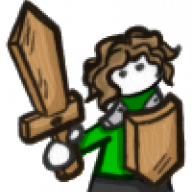
I prefer Illustrator. I've done MANY pixel art pieces using Illustrator. Theres a wonderful little tool in terms of turning on the background grid, turning on "Stap to grid" and making a box, you can just copy and paste the boxes, and the fit right in place. As a matter of fact, here's one of me i did.

Its a screen cap of a piece i'm working on, so excuse the extra crap on the side.

24enzbm.png
 
WildWon said:
I prefer Illustrator. I've done MANY pixel art pieces using Illustrator. Theres a wonderful little tool in terms of turning on the background grid, turning on "Stap to grid" and making a box, you can just copy and paste the boxes, and the fit right in place. As a matter of fact, here's one of me i did.

Wouldn't that be harder? In Fireworks I just zoom in until the transparency grid matches the resolution, and use the pencil tool from there. I couldn't imagine assembling little boxes, and drawing them one by one.

It's also really easy to assemble tiles in Fireworks thanks to it's 'object' system, as opposed to the 'layer' system that most image editors (such as Photoshop, GIMP, Paint.NET) use.
 
strata8 said:
WildWon said:
I prefer Illustrator. I've done MANY pixel art pieces using Illustrator. Theres a wonderful little tool in terms of turning on the background grid, turning on "Stap to grid" and making a box, you can just copy and paste the boxes, and the fit right in place. As a matter of fact, here's one of me i did.

Wouldn't that be harder? In Fireworks I just zoom in until the transparency grid matches the resolution, and use the pencil tool from there. I couldn't imagine assembling little boxes, and drawing them one by one.

It's also really easy to assemble tiles in Fireworks thanks to it's 'object' system, as opposed to the 'layer' system that most image editors (such as Photoshop, GIMP, Paint.NET) use.

Its a breeze in Illustrator. Because each box is the same size, when i say copy/paste, i mean hold Option and use the arrows. its like drawing one point at a time. And its soooo quick. Awesome fun.
 

Site & Scene News

Popular threads in this forum