Hacking NeoGamma R8 beta test

  • Thread starter Thread starter WiiPower
  • Start date Start date
  • Views Views 702,837
  • Replies Replies 1,083
Status
Not open for further replies.
i believe when it worked for me it would reboot the wii and all setting in neogamma would be on the disc channel
 
I made another channel of R8 Beta 12

It's nothing fancy but heres a preview picture of it and a link to download it.I have tested it on my wii and it works fine.

http://www.mediafire.com/?imdzz4mjdtf

large_nintendo_logo_18-11-2009.png
 
WiiPower said:
MadClaw said:
Neogamma r8 beta 12, cIOS38 rev15, Loads NSMB flawlessly with disc,

~I've tested~

I really can't get any 001 game to work with cIOSrev15 in NeoGamma. Either you patched 001 out of the game somehow, you use a patched NeoGamma, you have secret allow discs patch + rev14, you got a REALLY strange result, your you are lying.

What!? I NEVER LIE>>

Seriously... :<
Try forcing Disc on Video.
 
why does the cios rev 15 not work can someone pm me why i cant run anygame of mine unless i downgrade to 14 and that sucks, and people say that you can install cios over cios thats false i always had an error
 
@ Concept211.

That channel really is awesome. Any chance you could make one like that for NeoGamma R7? No worries if you can't, was just wondering
smile.gif
 
mp2609 said:
@ Concept211.

That channel really is awesome. Any chance you could make one like that for NeoGamma R7? No worries if you can't, was just wondering
smile.gif

I suppose I could...I just don't understand why you wouldn't use the latest version??

Edit: Well, whatever tickles your pickle...here is R7 w/ the new graphics:
Download: NeoGamma R7 (Channel)
 
WitoRIT92 said:
why does the cios rev 15 not work can someone pm me why i cant run anygame of mine unless i downgrade to 14 and that sucks, and people say that you can install cios over cios thats false i always had an error


Yep, you need to delete the old cIOS first before you can install an older version. I explained why NeoGamma does not work with cIOSrev15, or more precise, i complained about the fact that cIOSrev15 is not compatible with NeoGamma & disc channel:
http://gbatemp.net/index.php?showtopic=190800
 
o_O I install old cIOS's over Newer ones all the time.... Is that bad? O_O
 
icpmattj said:
Nothing personal to the poster of this but anyone downloading this wad might want to be careful as bad wads can brick your wii and a guy makes his first post on this board offering a link to a wad of something that a lot of people will probably want.


EDIT: Here's a link to one i made myself.

http://www.mediafire.com/?jzyyj2wnqdg


Its the wad channel of the R7 version that's been around for some time now.

Here is a pic of what it looks like to see if you might be using it already.

NEOGAMMA.png


I used customizeMii 1.0 to replace it with the R8B12 dol file.
I also removed the R7 from the banner so now all it says is neogamma backup launcher by wii power.

FTPI is the channel ID

I tested it out on my wii last night and it did not brick me.



can you make a forwarder channel as well with that?
biggrin.gif
 
bnm81002 said:
can you make a forwarder channel as well with that?
biggrin.gif


If i had any idea how to make forwarder channels i would but i got no clue.

That was the first wad i've ever made.All i did was replace the boot.dol file in it and that's it.
 
Concept211 said:
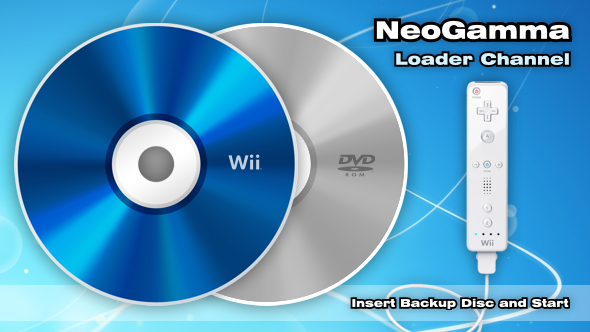
Since I couldn't find any downloads for a custom channel using the latest NeoGamma R8 Beta 12, I went ahead and created my own along with custom banner, icon, logo, etc. Let me know if you installed it and if you have any problems. Enjoy!

Download: NeoGamma R8 Beta 12 Channel

8705-NeoGamma_Banner.png


8705-NeoGamma_Icon.png


8705-NeoGamma_Logo.png


very nice looking, is it possible to make a forwarder channel version with this? thnaks
 
bnm81002 said:
very nice looking, is it possible to make a forwarder channel version with this? thnaks

I'm not quite sure how to create a forwarder channel either and don't have the time to research it at the moment. You're welcome to use my graphics and make one yourself and post it here for us to download it. You can download the graphics here: http://filetrip.net/f8705-NeoGamma-R8-b12.html
 
Concept211 said:
bnm81002 said:
very nice looking, is it possible to make a forwarder channel version with this? thnaks

I'm not quite sure how to create a forwarder channel either and don't have the time to research it at the moment. You're welcome to use my graphics and make one yourself and post it here for us to download it. You can download the graphics here: http://filetrip.net/f8705-NeoGamma-R8-b12.html

You can use the handy dandy forwarder creator tool over on the wadder wiki. Just create a forwarder by telling it the correct sd/usb location and you get a .dol then inject the .dol into your wad.

Details: http://wadder.net/wiki/index.php/Forwarder_Repository
 
darklocust said:
Is that for NTSC or PAL? Patched or unpatched? Did you use DVD+R or -R? If DVD+R, did you set book type to DVD-ROM? Need the details please!

Nocturno said:
R8b12 loads NSMBW just fine with the latest homebrew channel, and cIOS r14, don´t know about cIOS r15 yet..

NTSC, unpatched, just scrubed, I used ridata dvd-r and burned the iso with imgburn at 2x, I didn´t touch anything else, I have a chipped wii with wiikey 2..
 
Concept211 said:
Since I couldn't find any downloads for a custom channel using the latest NeoGamma R8 Beta 12, I went ahead and created my own along with custom banner, icon, logo, etc. Let me know if you installed it and if you have any problems. Enjoy!

Download: NeoGamma R8 Beta 12 Channel

8705-NeoGamma_Banner.png


8705-NeoGamma_Icon.png


8705-NeoGamma_Logo.png

Any of you tried this wad?
 
calc said:
Concept211 said:
bnm81002 said:
very nice looking, is it possible to make a forwarder channel version with this? thnaks

I'm not quite sure how to create a forwarder channel either and don't have the time to research it at the moment. You're welcome to use my graphics and make one yourself and post it here for us to download it. You can download the graphics here: [url=http://filetrip.net/f8705-NeoGamma-R8-b12.html][url=http://filetrip.net/f8705-NeoGamma-R8-b12.html]http://filetrip.net/f8705-NeoGamma-R8-b12.html[/url][/url]

You can use the handy dandy forwarder creator tool over on the wadder wiki. Just create a forwarder by telling it the correct sd/usb location and you get a .dol then inject the .dol into your wad.

Details: [url=http://wadder.net/wiki/index.php/Forwarder_Repository][url=http://wadder.net/wiki/index.php/Forwarder_Repository]http://wadder.net/wiki/index.php/Forwarder_Repository[/url][/url]

So I downloaded the forwarder creator, but all it does is create a .DOL file that simply launches another .DOL file. I don't see any way of customizing the graphics or anything like that. Sooo....again, I'll leave it up to someone else to take my graphics and create the forwarder they want.

Posts merged

To WiiPower: I would love to customize the actual GUI graphics of your NeoGamma app to match the channel graphics I created. Please let me know if you'd be interested in having me make that for your next build. I"ll just need the correct dimensions that you need the graphic to be.
smile.gif
 
bnm81002 said:
icpmattj said:
Nothing personal to the poster of this but anyone downloading this wad might want to be careful as bad wads can brick your wii and a guy makes his first post on this board offering a link to a wad of something that a lot of people will probably want.


EDIT: Here's a link to one i made myself.

http://www.mediafire.com/?jzyyj2wnqdg


Its the wad channel of the R7 version that's been around for some time now.

Here is a pic of what it looks like to see if you might be using it already.

NEOGAMMA.png


I used customizeMii 1.0 to replace it with the R8B12 dol file.
I also removed the R7 from the banner so now all it says is neogamma backup launcher by wii power.

FTPI is the channel ID

I tested it out on my wii last night and it did not brick me.


can you make a forwarder channel as well with that?
biggrin.gif


Here is a forwarder for it.

http://www.mediafire.com/?mimnmzhwrgm

Not sure if it works from usb or not but it works from sd just fine.
When you load it you will see a bunch of text loading on the screen before it boots up neogamma.I have no idea how to get rid of this.
All i did was use Forwarder Repository to make a forwarder boot.dol that points to the NeoGamma folder and loads whatever boot.dol file is inside it.The ID for this channel is FTPJ so it will not overwrite the previous one i posted.


I also changed the NeoGamma Green nintendo logo one as well.

It still a normal channel i just changed the banner so it looked better.

http://www.mediafire.com/?tzg5d4mk2mf

Same ID as previous one so it will install over the top of it.
 
Thank you Concept211!!
I tried making my own wad, and I don't know what I was doing wrong, but spent hours with WADder etc and finally stopped when I got a black screen after one install (I uninstalled the wad, because I luckily had Bootmii installed)
 
Concept211 said:
So I downloaded the forwarder creator, but all it does is create a .DOL file that simply launches another .DOL file. I don't see any way of customizing the graphics or anything like that. Sooo....again, I'll leave it up to someone else to take my graphics and create the forwarder they want.


That is what a forwarder channel does.It a channel that launches a boot.dol from the sd card.

Take the previous wad channel you made and take the new boot.dol you just made and inject it into that wad.You don't need to change any graphics at all because they will be the same.You don't even have to make the forwarder boot.dol they have a list of them you can use on the forwarder repository site.If you don't want to make one let me know and i can make it up real quick.

http://wadder.net/wiki/index.php/Forwarder_Repository
 
Status
Not open for further replies.

Site & Scene News

Popular threads in this forum