My First Re-colour

  • Thread starter Thread starter Amphy2310
  • Start date Start date
  • Views Views 3,146
  • Replies Replies 21

Amphy2310

Well-Known Member
Newcomer
Joined
Mar 5, 2011
Messages
69
Reaction score
3
Trophies
0
Age
33
Location
The Batcave
XP
102
Country
GhostTrickKamila%20re%20colour.png


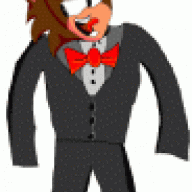
Hi everyone, this is my first attempt at a succesful re-colour of Kamila from ghost trick, I wanted to make her look similar to me which went quite well actually. I never actually finished ghost trick yet due to work but I hope to soon and be able to draw some art based on the ghost trick style which I really love. I hope its not to bad ^^'

 
outgum said:
Im not familiar with this "Ghost Trick" but the colouring looks amazing, what program are you using for your re-colouring?
Probably MS Paint, and I'm not being rude here, but I hate recolors ever since sonic recolors came about.

Also, play ghost trick. It's amazing.
 
there are pixel art programs that i know of .
one being MS Paint which is what many spriters use .

great job on the recolour .
i am not an expert spriter , but when you're making those curves , try to make them less rigid xD
 
Recolor? Thats the first I've heard of the practice.

You should post the original, as I for one have no idea what Kamila looks like to begin with.
 
Prophet said:
Recolor? Thats the first I've heard of the practice.

You should post the original, as I for one have no idea what Kamila looks like to begin with.
I already did.

Edit: Fuck, fucked up link
Edit 2: There you go.
 
pretty nice job.

Before I read the thread, I thought that this was going to be some lame sonic fanchar recolor like Cinos the ultrahog or something...gaah, been spending too much time on dA
tongue.gif
 
oh damn , i knew there was something up with this picture .
i haven't played GhostTrick too much yet since i am planning on buying it later ,
but thanks for the original image .

the hair ; you got rid of shading . you also removed that dark-ish line which is suppose to be part of detail . those things are a no-no if you remove them .
 
Hi thanks for the feedback guys yeah I noticed I should of kept some of the detail in I wasn't sure what to do so I removed some of the hair detail which I guess I shouldn't of did then ^^' Yeah Ill try to make things less rigid next time. I was wondering how do you quote people I am kind of new to this XD
 
Amphy2310 said:
Hi thanks for the feedback guys yeah I noticed I should of kept some of the detail in I wasn't sure what to do so I removed some of the hair detail which I guess I shouldn't of did then ^^' Yeah Ill try to make things less rigid next time. I was wondering how do you quote people I am kind of new to this XD
The buttons for quoting are in the bottom right of each post. You have two options:
p_mq_add.gif
- This will add to the "quote bundle" that you'll get if you go to the bottom and hit "add reply".
p_quote.gif
- This one will instantly take you to the "add reply" page, with that post -only- in the quote box.
 
If you wanna get serious about art and graphics you should really think about ditching paint and 'obtaining' Photoshop 'somehow'.
smile.gif


The re-colour is a good start but it's not great. The colours are a bit too pixelated as opposed to the original image and it's not exactly hard to do what you're doing.

What would be good is for you to look up some tutorials on vector art and play with those
smile.gif
 

Site & Scene News

Popular threads in this forum