



Hello All,
I wrote this guide because i tought it useful and after searching the web a lot and not finding anything i came up with this easy workaround in having multiple folder for the same system.
I hope other people find it useful.

[GUIDE]How to set Emulation station multiple path (External Drive)
1. Open the `es_systems.xml` file
Open the following file
`C:\Users\$USER\EmuDeck\EmulationStation-DE\resources\systems\windows\es_systems.xml`
For each system you will find a section of the file like the following:
1. <name>: The name of the system you want to add.
2. <path>: The directory path where the ROM files for that system are located (the folder and all its subfolders will be scanned).
3. <extensions>: The file extension(s) of the ROM files.
4. <command>: The command to launch the emulator, including the specific emulator and any necessary parameters.
5. <platform>: The name of the system, which can be any of the platform names listed on ES site.
6. <theme>: The theme to apply for the system.
2. Let's modify it and add our system
> We add another system cloning the original one but we change the `<name>`tag and `<path>` tag.
3. Open Emulation Station
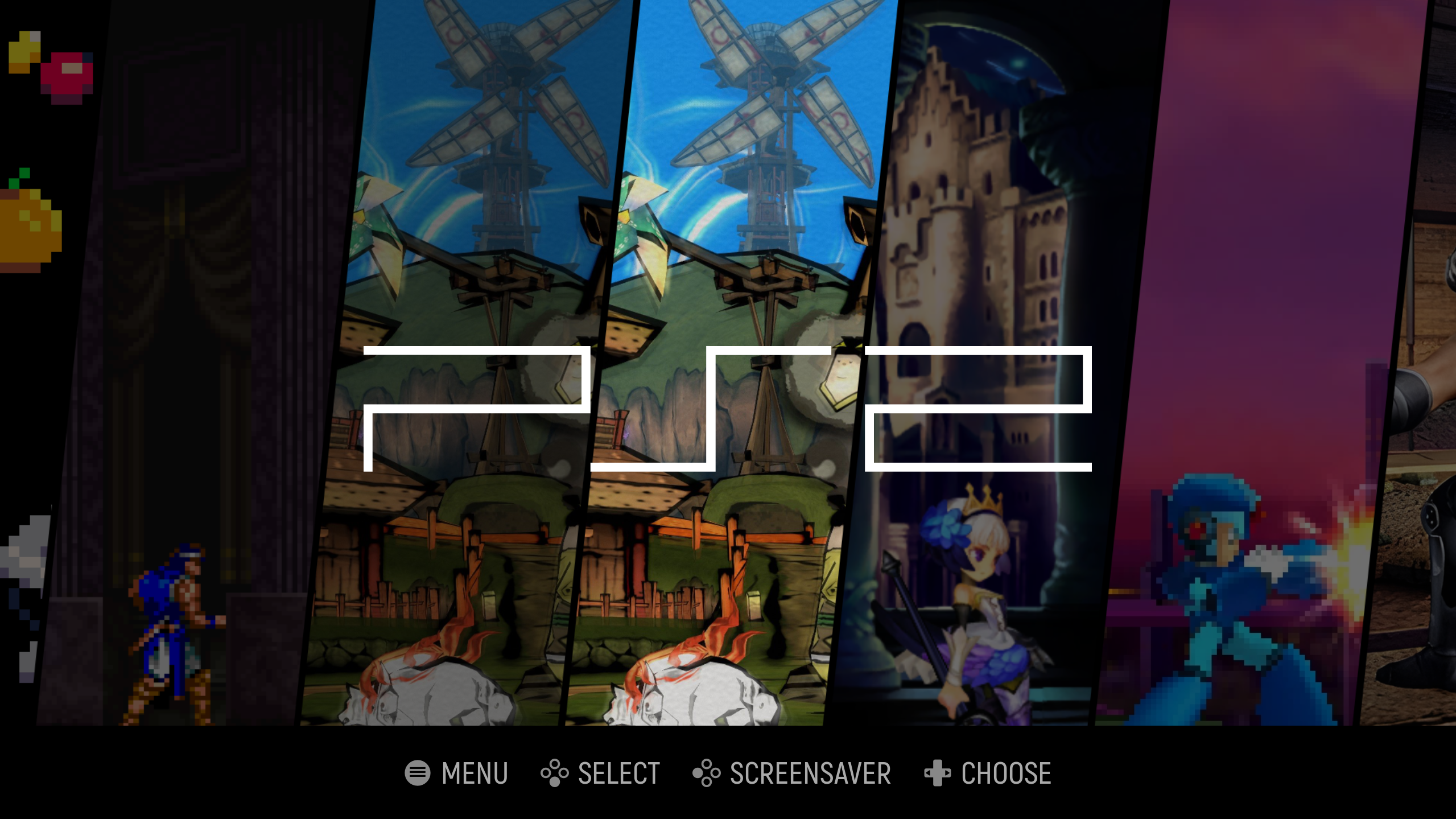
> In ESDE we will find two times the `PS2` system, one for the "internal" and one for the "external"
If someone needs it i can write one also for linux but is pretty much the same but the folder path has '/' instead of '\', and the file is located in 'C:\Users\$USER\EmuDeck\EmulationStation-DE\resources\systems\unix'
EDIT: Sorry for my bad english i'm not a native speaker.
I wrote this guide because i tought it useful and after searching the web a lot and not finding anything i came up with this easy workaround in having multiple folder for the same system.
I hope other people find it useful.
[GUIDE]How to set Emulation station multiple path (External Drive)
1. Open the `es_systems.xml` file
Open the following file
`C:\Users\$USER\EmuDeck\EmulationStation-DE\resources\systems\windows\es_systems.xml`
For each system you will find a section of the file like the following:
Brief Explanation of the Tags:<system>
<name>ps2</name>
<fullname>Sony PlayStation 2</fullname>
<path>%ROMPATH%\ps2</path>
<extension>.arcadedef .bin .BIN .chd .CHD .ciso .CISO .cso .CSO .dump .DUMP .elf .ELF .gz .GZ .m3u .M3U .mdf .MDF .img .IMG .iso .ISO .isz .ISZ .ngr .NRG .zso .ZSO</extension>
<command label="LRPS2">%EMULATOR_RETROARCH% -L %CORE_RETROARCH%\pcsx2_libretro.dll %ROM%</command>
<command label="PCSX2">%EMULATOR_RETROARCH% -L %CORE_RETROARCH%\pcsx2_libretro.dll %ROM%</command>
<command label="PCSX2 (Standalone)">%EMULATOR_PCSX2% -batch %ROM%</command>
<command label="PCSX2 Legacy (Standalone)">%EMULATOR_PCSX2-LEGACY% --nogui %ROM%</command>
<command label="Play! (Standalone)">%EMULATOR_PLAY!% --disc %ROM%</command>
<platform>ps2</platform>
<theme>ps2</theme>
</system>>
1. <name>: The name of the system you want to add.
2. <path>: The directory path where the ROM files for that system are located (the folder and all its subfolders will be scanned).
3. <extensions>: The file extension(s) of the ROM files.
4. <command>: The command to launch the emulator, including the specific emulator and any necessary parameters.
5. <platform>: The name of the system, which can be any of the platform names listed on ES site.
6. <theme>: The theme to apply for the system.
2. Let's modify it and add our system
> We add another system cloning the original one but we change the `<name>`tag and `<path>` tag.
> As you can see we pointed the `<path>` to our external drive and changed the `<name>` to `ps2ext`<system>
<name>ps2ext</name>
<fullname>Sony PlayStation 2</fullname>
<path>F:\Roms\ps2</path>
<extension>.arcadedef .bin .BIN .chd .CHD .ciso .CISO .cso .CSO .dump .DUMP .elf .ELF .gz .GZ .m3u .M3U .mdf .MDF .img .IMG .iso .ISO .isz .ISZ .ngr .NRG .zso .ZSO</extension>
<command label="PCSX2">%EMULATOR_RETROARCH% -L %CORE_RETROARCH%\pcsx2_libretro.dll %ROM%</command>
<command label="PCSX2 (Standalone)">%EMULATOR_PCSX2% -batch %ROM%</command>
<command label="PCSX2 Legacy (Standalone)">%EMULATOR_PCSX2-LEGACY% --nogui %ROM%</command>
<platform>ps2</platform>
<theme>ps2</theme>
</system>
3. Open Emulation Station
> In ESDE we will find two times the `PS2` system, one for the "internal" and one for the "external"
If someone needs it i can write one also for linux but is pretty much the same but the folder path has '/' instead of '\', and the file is located in 'C:\Users\$USER\EmuDeck\EmulationStation-DE\resources\systems\unix'
EDIT: Sorry for my bad english i'm not a native speaker.
Last edited by Spike_The_Dragon40k,


