

Homebrew HBL Switch Style [HELP]

  • Thread starter Thread starter victormr21
  • Start date Start date
  • Views Views 4,628
  • Replies Replies 11

victormr21

Well-Known Member
Member
Joined
Dec 29, 2015
Messages
565
Reaction score
85
Trophies
0
XP
519
Country
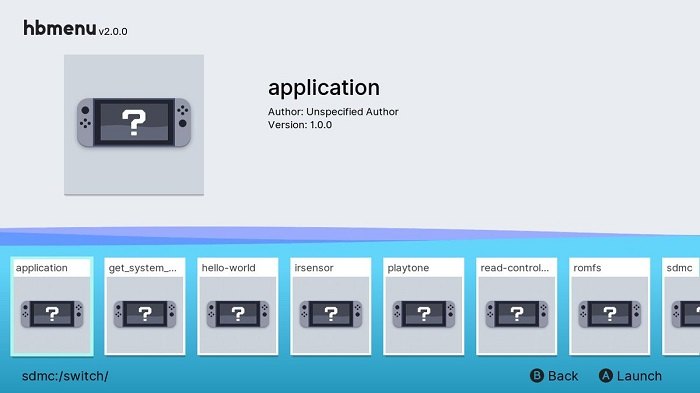
Hello! as you may know, hbmenu v2.0.0 has been released for NSW, with a new designed but with old HBLs style and its awesome:
DXIuwn-XkAA3UgJ.jpg

Original author did a github page with all colors, layout, assets, icons, fonts... So i have all UI stuff
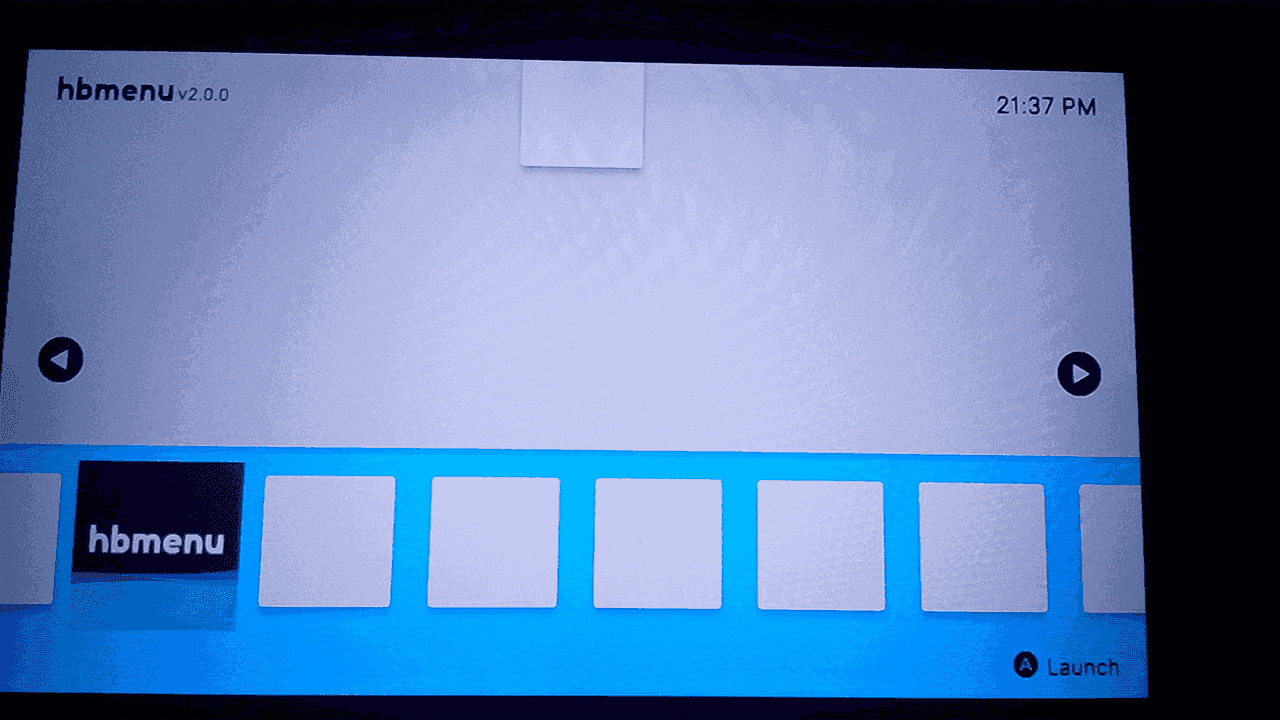
I want to edit Wii U HBL to make it look like this, i succesfully edited background color (doesnt seem but its the same) and the font.
IMG_20180308_213633.png

The problem is i need help to edit the code to edit buttons place, some icons distribution... but idk so much, if someone expert in creating/modifying homebrew could help me i would be appreciated, thanks in advance! Happy modding!
 
Last edited by victormr21,
the hbl seriously needs a gui overhaul ):


you can tell by comparing it to the wii's and even the switch's
Yeah, I'm totally agree, it tries to seem Wii one but worse, that's why I want to modify it, and as i can, to seem to switch one. But i still need people expert in doing homebrew, i can add new images and all that but for add new layout I need help
 
  • Like
Reactions: KiiWii
New progresses! After a lot of frustration and thanks to FIX94 and QuarkTheAwesome I got hour:minutes display working!
At the moment it just displays the value it reads when you open the HBL, doesn't update, I have tried to put it in a : progress member function and with that doesn't display.
Please someone with Homebrew knowledges help me with this and more things
IMG_20180308_213633.png
 
Last edited by victormr21,
New progresses! After a lot of frustration and thanks to FIX94 and QuarkTheAwesome I got hour:minutes display working!
At the moment it just displays the value it reads when you open the HBL, doesn't update, I have tried to put it in a : progress member function and with that doesn't display.
Please someone with Homebrew knowledges help me with this and more things
View attachment 116961

Thats slick!
 
more progresses! I got hour display working fully, now minutes updates each 60s as they must! Thanks to Maschell, FIX94 and Quark. Check the video showing it:

Also there are a lot of things to do, so here you have the source code
Let's see if more people gets interested in this! Bye!

Man great work! Finally someone taking over that rusty HBL. :)
I'd prefer a dark theme or the background being a big scaled but blurry (unfocused) version of the actual app icon like seen in a Switch HBL mockup on Twitter (can't seem to find it) but that's really great process.
I hope someone makes an installable app out of this once again when you're done. :)

Edit: Found what I meant. The BG is not a blurry version of the icon though (but it could be for the Wii U). :P
These beautiful things are by @soully
drXiBQ6.jpg

E0tJzdF.jpg

4Frq3r6.jpg
 
Last edited by lordelan,
Man great work! Finally someone taking over that rusty HBL. :)
I'd prefer a dark theme or the background being a big scaled but blurry (unfocused) version of the actual app icon like seen in a Switch HBL mockup on Twitter (can't seem to find it) but that's really great process.
I hope someone makes an installable app out of this once again when you're done. :)

Edit: Found what I meant. The BG is not a blurry version of the icon though (but it could be for the Wii U). :P
These beautiful things are by @soully
drXiBQ6.jpg

E0tJzdF.jpg

4Frq3r6.jpg
That mockup looks sexy (well except for the rounded edges)
Nintendo should get some tips from the guy who designed that.
 

Site & Scene News

Popular threads in this forum


