Hacking [Guide] Replace Zelda SS Textures and Models

  • Thread starter Thread starter fiveighteen
  • Start date Start date
  • Views Views 80,882
  • Replies Replies 225
  • Likes Likes 3
Map and Title Wii Strap Screens

4fx542.png
16gbc00.png


Created By: Summersett
ARC Edited: strapU.arc
[Download Patch]

I'm not sure if I like it better with the left appearing before the right, or if it would be better with the logo showing up first and fading out to the map...
 
The problem is then you:
1) Can't use it on Dolphin
2) Have the actual disc, and not a loader, making it much slower.
1) Yes you can, people do it with Brawl hacking
2) Try instantaneous loading, it never slows down the loading time, I have 8GB of stuff that loads on Super Smash Bros Brawl, from menus to music, character models, and it doesn't slow down 1 millisecond

So your concerns are not a problem


Riivolution would be a great tool to use for this kind of thing. Much better than ISO replacement, imo. I know Aaron (AerialX) from Riivolution as well; we worked together to replace Guitar Hero III images. The ID for the game is SOUE01.
Now wait, is that the ID for Skyward Sword?

I just need the game ID and someone needs to tell me the folder structure, like list the directory for where you found these textures and what the textures are originally named and I can set this up, it's that simple, that way we can make big texture packs and make them incredibly easy to use without modding your ISO, you can even choose specifically which textures you want to load if you want
 
1) Yes you can, people do it with Brawl hacking
2) Try instantaneous loading, it never slows down the loading time, I have 8GB of stuff that loads on Super Smash Bros Brawl, from menus to music, character models, and it doesn't slow down 1 millisecond

So your concerns are not a problem
1) I wasn't aware of that. Thanks for the info.
2) You seriously think that disc loading is just as fast as USB loading? USB is about 3 times faster for me, depending on the game of course.
 
Can I get edited textures running on Riivolution?

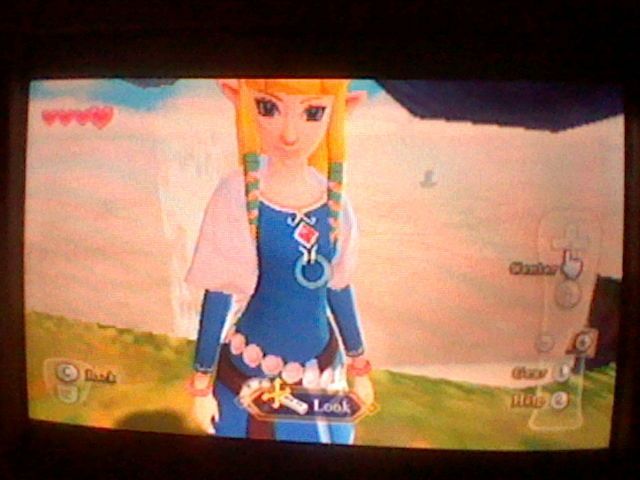
I changed Zelda's clothes and put them back on ObjectPack.arc.LZ and compressed it.
And put that in the folder I told the game to read from, but it didn't work.

I could've done something wrong, it's been awhile since I used Riivolution.
bananasj.png

This is how I have it set up ^
 
1) I wasn't aware of that. Thanks for the info.
2) You seriously think that disc loading is just as fast as USB loading? USB is about 3 times faster for me, depending on the game of course.
Does it need to load files any faster than the speed files are regularly loaded in the game?


Can I get edited textures running on Riivolution?

I changed Zelda's clothes and put them back on ObjectPack.arc.LZ and compressed it.
And put that in the folder I told the game to read from, but it didn't work.

I could've done something wrong, it's been awhile since I used Riivolution.

It looks like you don't have the full ID of the game, if you can find the full ID and tell me what the directory is like, I can get it working, no one's stepped up to do it yet though
 
Its nice and all that you guys are replacing textures, but does anyone here know how to replace darn models? Ive searched literaly the entire internet and no one has any effort to get their lazy buttox up and managed to edit the mdl0 files and explain HOW. I expected a guide to replacing models not useless unprogressing texture hacks. This is one of the reasons hacking wii games are so darn hard, someone manages to find something out but is freaking ignorant and arrogant to post HOW they did it. This is just what this thread needs, someone to slap everyone in the face to make actual progression.
 
Ive searched literaly the entire internet
Wow, I cannot imagine just how much porn you have seen then! :rofl2:
Ok... THAT was pretty funny but seriously some needs do something about this, its ridiculous.

Well? Theirs 5 members reading this topic right now, does anyone want to step up and cough up?
 
Its nice and all that you guys are replacing textures, but does anyone here know how to replace darn models? Ive searched literaly the entire internet and no one has any effort to get their lazy buttox up and managed to edit the mdl0 files and explain HOW. I expected a guide to replacing models not useless unprogressing texture hacks. This is one of the reasons hacking wii games are so darn hard, someone manages to find something out but is freaking ignorant and arrogant to post HOW they did it. This is just what this thread needs, someone to slap everyone in the face to make actual progression.
Maybe you should have spent that time to figure out the MDL0 format for yourself to come up with some answers of your own. Don't blame others for not doing your dirty work. As for me, I'm a graphics guy [.tpl, tex0, etc]. I'll look into some model stuff, but I've only just figured out how to even get them to display properly... Apparantly doombringer is the only one who has proven to successfully replace models. Although it doesn't look like he'll be posting a guide anytime soon, it at least proves that it's possible.
 
Obviously, you need a 3D app that can import mdl0 files. Or you can export them to some other format, like .obj, .dae, .md5mesh etc.

Personally I have not been successful with replacing a model with a custom one. Replacing models with other, already ingame, models is possible though.

I am not going to give you a step-by-step guide as to how to edit models... Because... Well... its not something that would fit in this post.
You should learn to use your 3D application before attempting to edit any models for a game. If you have never worked with 3D before - just forget it.
 

Site & Scene News

Popular threads in this forum