
Duplicate Apps After Installing Luma3DS??

  • Thread starter Thread starter AdiosAmigos
  • Start date Start date
  • Views Views 2,744
  • Replies Replies 2
  • Likes Likes 1

AdiosAmigos

New Member
Newbie
Joined
Feb 26, 2020
Messages
3
Reaction score
4
Trophies
0
XP
125
Country
United States
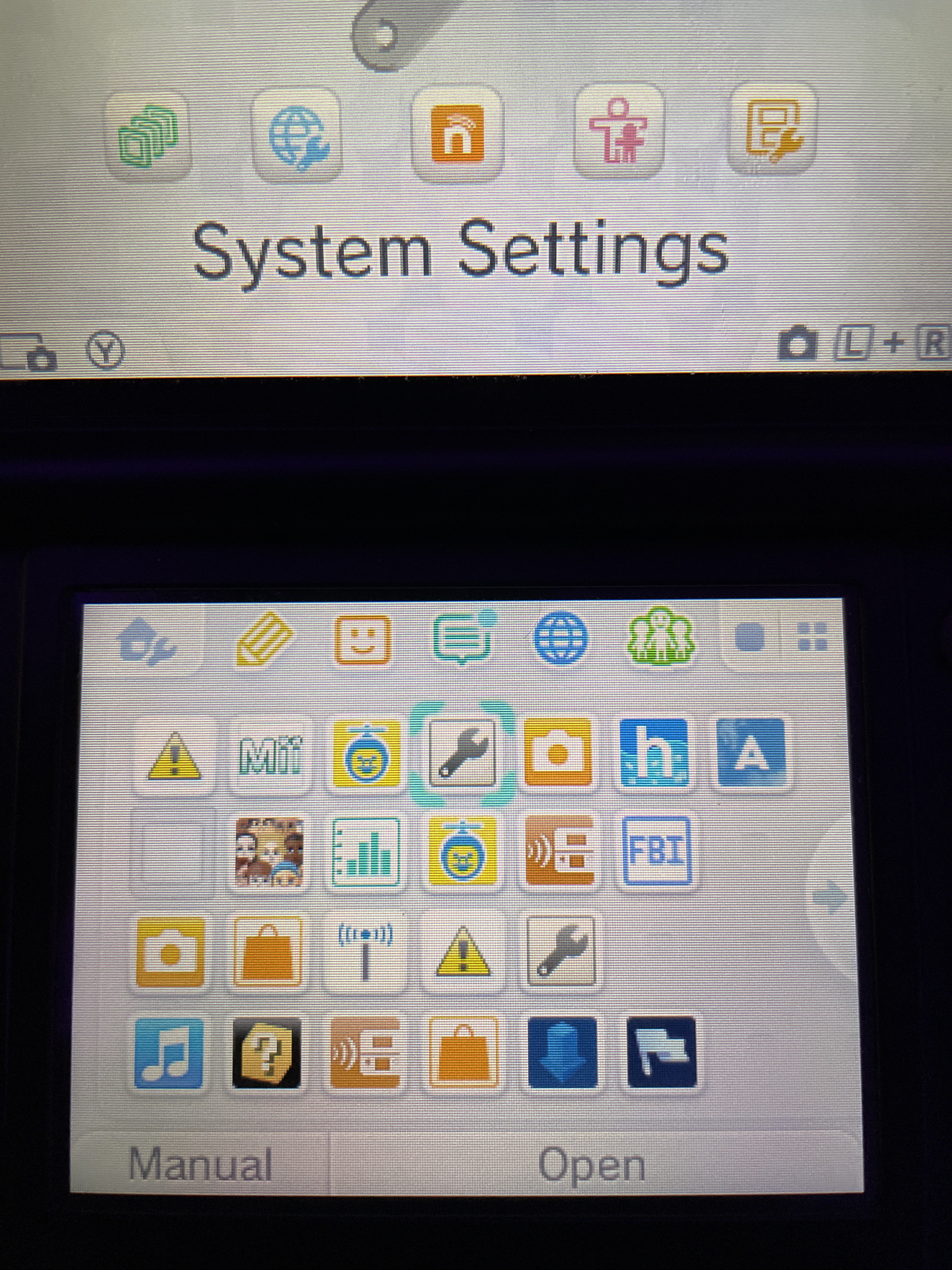
A friend of mine wanted their 3DS to be hacked and after I downloaded Luma3DS on it, I start to see duplicate 3DS apps on the Home Screen? I've never had this happen to me before and don't know how to get rid of them. I've tried going into Settings and checking the Data Management section, but nothing there. I've also noticed that if I tap on any of the duplicated apps after the first few original ones in the rows, I get an "Arm11 Exception Error." The regular apps that aren't duplicates work fine, however. Does anyone know how to get rid of these duplicates?
IMG_2906.jpg
 
  • Like
Reactions: Error-1-2435-8325
A friend of mine wanted their 3DS to be hacked and after I downloaded Luma3DS on it, I start to see duplicate 3DS apps on the Home Screen? I've never had this happen to me before and don't know how to get rid of them. I've tried going into Settings and checking the Data Management section, but nothing there. I've also noticed that if I tap on any of the duplicated apps after the first few original ones in the rows, I get an "Arm11 Exception Error." The regular apps that aren't duplicates work fine, however. Does anyone know how to get rid of these duplicates?

nothing else besides installing cfw was done correct? Seems like a rather odd thing..... Hmm.. first thing I would see about is trying https://gbatemp.net/threads/release...ime-step-history-and-cached-icon-data.439485/ , and try the clear home menu cache option with the app.
 
  • Like
Reactions: godreborn

Site & Scene News

Popular threads in this forum