Homebrew [Discontinued] TWLoader - CTR-mode NDS app

  • Thread starter Thread starter RocketRobz
  • Start date Start date
  • Views Views 1,818,833
  • Replies Replies 9,252
  • Likes Likes 147
Status
Not open for further replies.
I believe the your flashcard requires there to be a R4.DAT file so try renaming the YSMENU.NDS to R4.DAT.
 
You are using the wrong pack. Delete every file but your Games folder on your Flashcard SD Card and use the "for Slot-1 microSD (R4i Gold, R4i-SDHC)". See if it that works, if it doesn't rename the YSMENU.NDS to R4.DAT.
 
  • Like
Reactions: nooby89
Use R4i-Gold/R4i-SDHC = White screen (I tried to renmae to R4.DAT and white screen too).
 
Oops sorry I rename the wrong file...
Anyway this don't work.
 
Last edited by nooby89,
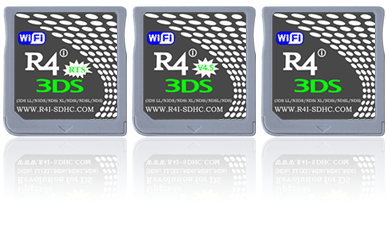
I made flashcard ini files for each of my nds games. I previously had added the forwarder stuff to my flash card and it works correctly. When I try to load it in the TWLoader it has that black error screen. I'm on an R4i 3DS RTS Wi-Fi I tried the new R4i and the old R4i settings neither of them worked. I copied the new files to my regular SD card. Any idea why it doesn't work?
 
I made flashcard ini files for each of my nds games. I previously had added the forwarder stuff to my flash card and it works correctly. When I try to load it in the TWLoader it has that black error screen. I'm on an R4i 3DS RTS Wi-Fi I tried the new R4i and the old R4i settings neither of them worked. I copied the new files to my regular SD card. Any idea why it doesn't work?

Your card is a actually just a clone of DSTT (I have the same card). Copy the files from "for Slot-1 microSD (DSTT)" folder to the root of your sd card in flashcart. Now on that same sd card rename "TTMENU.DAT" to "R4.DAT". Now make sure to change your setting on TWLoader to the DSTT option. Your games should now load!
 
Yeah, that doesn't work because renaming that file to R4 just completely breaks the card.

My card is this one
down_3ds.gif
 
I made flashcard ini files for each of my nds games. I previously had added the forwarder stuff to my flash card and it works correctly. When I try to load it in the TWLoader it has that black error screen. I'm on an R4i 3DS RTS Wi-Fi I tried the new R4i and the old R4i settings neither of them worked. I copied the new files to my regular SD card. Any idea why it doesn't work?
Your card is a actually just a clone of DSTT (I have the same card). Copy the files from "for Slot-1 microSD (DSTT)" folder to the root of your sd card in flashcart. Now on that same sd card rename "TTMENU.DAT" to "R4.DAT". Now make sure to change your setting on TWLoader to the DSTT option. Your games should now load!
Err, no. The black error screen appears because the TWLNAND side CIA isn't installed. What NAND are you using?
 
Ok awesome now it works :D

Can you explain what the two CIA files do?
TWLoader.cia is the CTR-mode GUI, where you can pick a ROM, and change settings for NTR/TWL-mode.
TWLoader - TWLNAND side.cia is the NTR/TWL-mode side of the app, where it'll read the settings set by the GUI, and the ROM you selected is loaded.
 
TWLoader.cia is the CTR-mode GUI, where you can pick a ROM, and change settings for NTR/TWL-mode.
TWLoader - TWLNAND side.cia is the NTR/TWL-mode side of the app, where it'll read the settings set by the GUI, and the ROM you selected is loaded.
So basically the TWLNAND Side is still part of the app but has to be a separate cia to run in NTE mode and it doesn't replace or patch anything else in the system.
 
Status
Not open for further replies.

Site & Scene News

Popular threads in this forum