

CRT TV keeps cropping input video [even 4:3].

  • Thread starter Thread starter yankii
  • Start date Start date
  • Views Views 780
  • Replies Replies 8

yankii

Nintendo = God
Member
Joined
Mar 8, 2025
Messages
909
Reaction score
1,359
Trophies
1
XP
2,608
Country
Antarctica
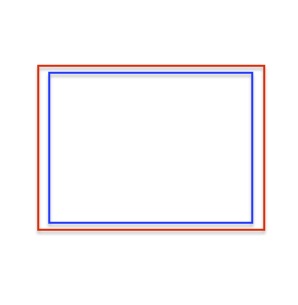
I finally found a CRT TV, but I can't get it to display thing correctly. It cuts off parts of the 16:9 input from my Switch instead of squishing it into a 4:3 aspect ratio [it does squish it a little but not enough], so I tried an emulation handheld with 4:3 out, but that also gets cut off in the same way, like this [inside of the blue rectangle is what I can see, everything outside gets cut off; red is the full image]:
1.jpeg

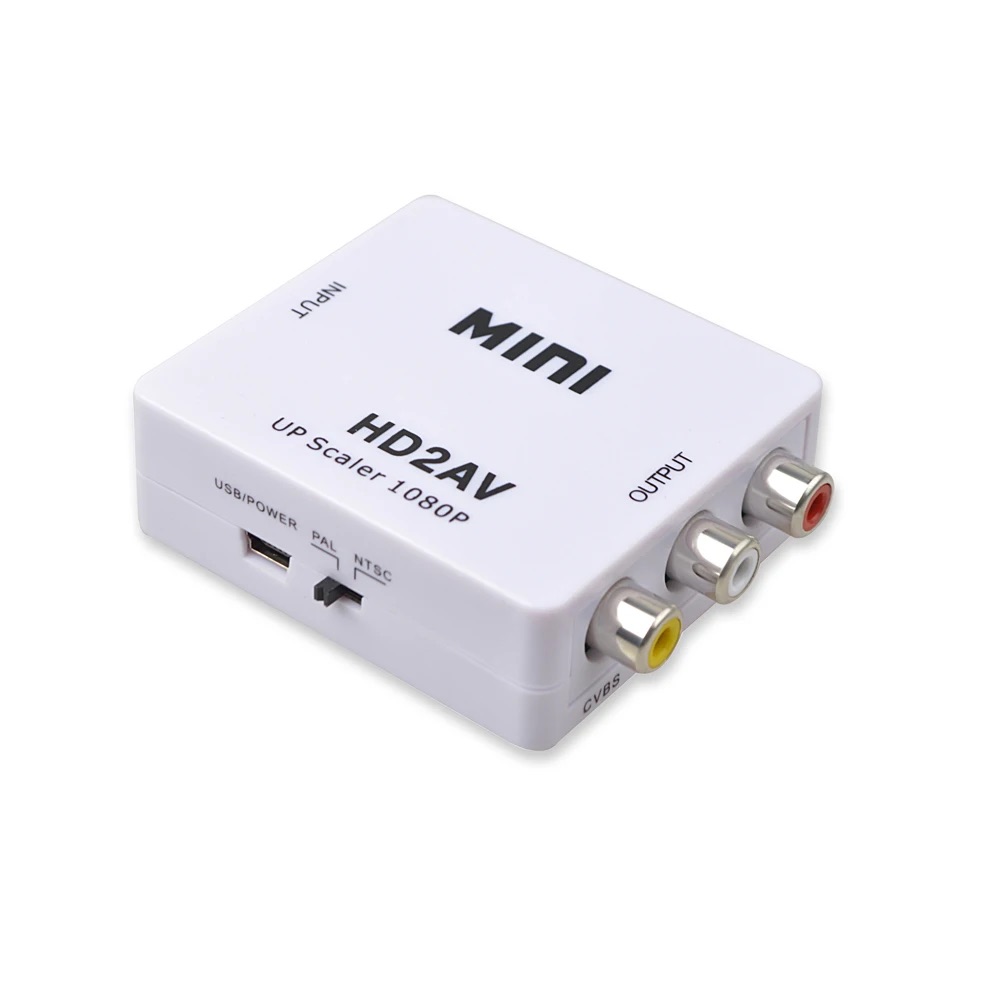
I am using one of these things and tried replacing it, but that didn't do anything either:
2.jpeg

I was able to access the service menu, I think, but I'm not sure which options, if any, I should change. I've tried using a DVD player with AV out but that gets stretched to 22:9 or something on top of being letterboxed [the UI is 4:3].

Does anyone know if/how I can fix this?

 
This isn't a CRT problem, it's a signal problem.
CRTs Resolution is maxed to 480i, not 480p (which is more than what a CRT can traditionally display) so there's no fix for this if your CRT is consumer grade.

You're forcing a bigger than 480i picture into an old CRT, the fact that you're getting a picture is a big deal in itself.

I'd suggest you to get some sort of VGA or COMPONENT CRT and use your converter accordingly.

Computer Monitors are nicer than Consumer grade CRT TVs because it's like having theorical infinite resolution via VGA with the goodness of CRT.

Again, do not touch anything in the Service mode. You're not going to solve anything, it's not like the picture you're not seeing exists "outside", no, it's your CRT doing it's best to produce a picture that's ot capable of producing.
 
IIRC 4:3 CRT TVs always had issues with 16:9 content, it's why the 4:3/16:9 setting exists and things like letterbox existed back in the day before 16:9 became the norm.

If you're just playing retro games, maybe look at the Wii if you can or some other older console like the OG Xbox.

Edit:

I'd advise not looking into the service menu, especially if you're unsure about settings, although there may be things like overscan settings, but again I do not advise doing this unless you're sure, at least get the service manual and maybe ask around in places.
Post automatically merged:

This isn't a CRT problem, it's a signal problem.
CRTs Resolution is maxed to 480i, not 480p (which is more than what a CRT can traditionally display) so there's no fix for this if your CRT is consumer grade.

You're forcing a bigger than 480i picture into an old CRT, the fact that you're getting a picture is a big deal in itself.

I'd suggest you to get some sort of VGA or COMPONENT CRT and use your converter accordingly.

Computer Monitors are nicer than Consumer grade CRT TVs because it's like having theorical infinite resolution via VGA with the goodness of CRT.

Again, do not touch anything in the Service mode. You're not going to solve anything, it's not like the picture you're not seeing exists "outside", no, it's your CRT doing it's best to produce a picture that's ot capable of producing.

One recommended option over consumer grade TVs are PVMs.
 
IIRC 4:3 CRT TVs always had issues with 16:9 content, it's why the 4:3/16:9 setting exists and things like letterbox existed back in the day before 16:9 became the norm.

If you're just playing retro games, maybe look at the Wii if you can or some other older console like the OG Xbox.

Edit:

I'd advise not looking into the service menu, especially if you're unsure about settings, although there may be things like overscan settings, but again I do not advise doing this unless you're sure, at least get the service manual and maybe ask around in places.
Post automatically merged:


One recommended option over consumer grade TVs are PVMs.
PVMs BVMs, and their crazy inputs which will require even more converters.
OP could get a VGA CRT monitor (which already supports 1080p) and a cheap VGA2HDMI and bam! Works like a charm.

CRT? Yes.
Higher Res? Yes.
 
This isn't a CRT problem, it's a signal problem.
CRTs Resolution is maxed to 480i, not 480p (which is more than what a CRT can traditionally display) so there's no fix for this if your CRT is consumer grade.

You're forcing a bigger than 480i picture into an old CRT, the fact that you're getting a picture is a big deal in itself.

I'd suggest you to get some sort of VGA or COMPONENT CRT and use your converter accordingly.

Computer Monitors are nicer than Consumer grade CRT TVs because it's like having theorical infinite resolution via VGA with the goodness of CRT.

Again, do not touch anything in the Service mode. You're not going to solve anything, it's not like the picture you're not seeing exists "outside", no, it's your CRT doing it's best to produce a picture that's ot capable of producing.
I don't see why the signal problem should persist even with something that has composite out [like the DVD player I used].
If you're just playing retro games, maybe look at the Wii if you can or some other older console like the OG Xbox.
No I'm trying to play a Switch game that is not on any older consoles. Guess I'll have to find a CRT monitor with VGA...
 
I don't see why the signal problem should persist even with something that has composite out [like the DVD player I used].

No I'm trying to play a Switch game that is not on any older consoles. Guess I'll have to find a CRT monitor with VGA...
Imagine you have a shoe box, and you're trying to fit a fur coat.
You're feeding a DIGITAL SIGNAL (Switch) to an ANALOG SIGNAL (CRT) They're not the same!

VGA Monitor literally has everything you need to handle Digital Signal from HDMI consoles via concerters, and native RGB, trust me, go with VGA Monitor + HDMI2VGA.
 
Imagine you have a shoe box, and you're trying to fit a fur coat.
You're feeding a DIGITAL SIGNAL (Switch) to an ANALOG SIGNAL (CRT) They're not the same!
Like I said, my DVD player also doesn't work and it has analog out.
 
PVMs BVMs, and their crazy inputs which will require even more converters.
OP could get a VGA CRT monitor (which already supports 1080p) and a cheap VGA2HDMI and bam! Works like a charm.

CRT? Yes.
Higher Res? Yes.

Due to the way you've worded your post, I'm going to say don't assume all crt monitors support 1080p, I looked up a couple of models and they didn't whilst one expensive 18" model did, so make sure to check the spec sheet/manual.

Also, why is OP looking to play a modern game on a 4:3 CRT? Especially using a cheap converter which may introduce lag and cause distortion?
 
Your first picture looks like you're describing overscan? Which may or may not be adjustable in service mode (you will almost certainly be able to reduce the height, the width only if it has "east west" electronics which are generally on 21+ inch models, edges of the signal may still be blanked)

Blame the """content creator""" for not knowing what a safe area is (which yes, is still a thing in current video standards)
 

Site & Scene News

