Computer Error

memyselfandi

Well-Known Member
Member
Joined
Aug 10, 2005
Messages
736
Reaction score
0
Trophies
1
Age
35
Website
Visit site
XP
259
Country
United States
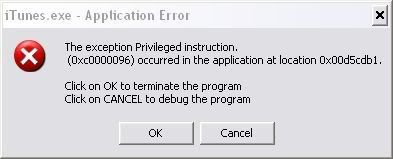
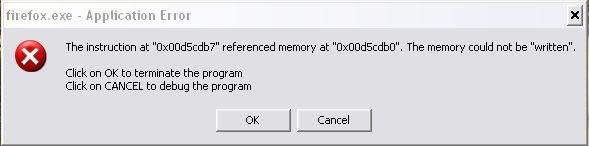
Hi guys and gals, i need help. Lately i've been using the computer and i've been getting errors such as:
problem.jpg

and
problem2.jpg


And it wont let me open the application so i cant use it. I dont know what i can do to fix it so i'm hoping someone here can help me
smile.gif
bow.gif


Thanks for reading
smile.gif
 
My friend was getting that first error in WoW, and it turned out to be dust clogging the cooling fan on his vid card. I did a bit of research at one point, and it seems to almost always be a hardware or driver problem.

It won't let you open either program?
 
ok Sc4rFac3d, i'll check that out..
destructbot, it like opens the error thing and then the program opens underneath it but if i close the box or click on ok or debug, it closes the program
frown.gif
 
So you get the error as soon as you open either program? It doesn't take time first, or require you to do something like go to a web page?

Do you have a blank page as your firefox home page? If not, try starting firefox with a blank page.

Run this from the start menu:
firefox.exe about:blank
or if that doesn't work, try this one:
"C:\Program Files\Mozilla Firefox\firefox.exe" about:blank
 
Yeah, as soon as i open it and i have google for my homepage.
Edit: ok, i tried the about blank thing and it did exactly the same thing
frown.gif
frown.gif
cry.gif
 
After looking into this error again, I have to retract my statement that this problem is almost always hardware or driver related. It seems like it can be caused by any number of issues.

If you installed any software right before this started happening you should try uninstalling it. If you have a system restore point from before the problem started you could try that. Some people say that they fixed it that way.

Do any programs other than itunes & firefox have this problem?
 
Time to test your memory. I've seen these errors before and they're usually due to a faulty stick of RAM. Use memtest86 or something similar.
 

Site & Scene News

New Hot Discussed User Submitted