
Hello, i have hacked my Wii U with mocha a couples days and everything was fine. Could boot on it with Haxchi, and play with backups normally.
Yesterday, I tryed the CBHC method to boot automaticly on mocha. I extracted CBHC_v1.6_2.zip at the root of the SD card, then launched CBHC from the Homebrew Launcher.
It showed me my ds game and I installed it.
After that, I selected to autoboot on mocha, The Wii U rebooted and then the catastroph!!!
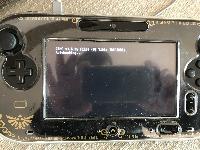
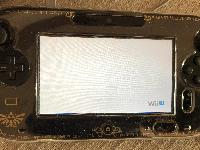
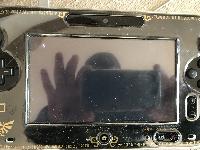
When it boot, I have a screen only on Gamepad telling about CBHC autobooting, then White screen with "Wii U" writen, then a black screen with just -5 writen, then nothing, it stays on that -5 with the sound of the Wii U menu.
If somebody can help me, it would be realy great.
Thanks for reding me.
Yesterday, I tryed the CBHC method to boot automaticly on mocha. I extracted CBHC_v1.6_2.zip at the root of the SD card, then launched CBHC from the Homebrew Launcher.
It showed me my ds game and I installed it.
After that, I selected to autoboot on mocha, The Wii U rebooted and then the catastroph!!!
When it boot, I have a screen only on Gamepad telling about CBHC autobooting, then White screen with "Wii U" writen, then a black screen with just -5 writen, then nothing, it stays on that -5 with the sound of the Wii U menu.


If somebody can help me, it would be realy great.
Thanks for reding me.