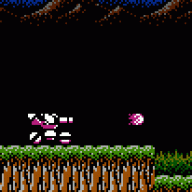

I think I finally nailed down the answer with this game and the SuperCard DS (one). MicroSD memory speed seems to really be the deciding factor.
It was just a matter of finding what speed to set my MicroSD card. The Autodetect told me to set it at 5. This was way wrong.
I set the card to the fastest speed I possibly could. For my card - SanDisk Ultra II - that happened to be 28. If I set it to 29 then I'd get two black screens and the game wouldn't start. So 28 is the max for my card.
I'm using a SanDisk Ultra II 1GB formatted as FAT16 with 64k clusters.
I had tried playing at 27 and did experience the occasional random crash. However 28 has solved all my problems.
I've played the game for three hours straight, killed two bosses, spoke to that Wind guy several times, bought things at the store, equipped and unequipped inventory - haven't had a single problem.
And check this out - on other speed settings I would get an error message when I tried to use Nintendo's WiFi system. At 28 speed I don't get that error and I can play over WiFi just fine!
I'm not using a clean rom. I've patched it for instant saving and soft-rebooting.
So I'm gonna go out on a limb here and say that 28 is the magical speed setting to get POR working. If your memory card is fast enough to support it then please give it a try and post your results here.
It was just a matter of finding what speed to set my MicroSD card. The Autodetect told me to set it at 5. This was way wrong.
I set the card to the fastest speed I possibly could. For my card - SanDisk Ultra II - that happened to be 28. If I set it to 29 then I'd get two black screens and the game wouldn't start. So 28 is the max for my card.
I'm using a SanDisk Ultra II 1GB formatted as FAT16 with 64k clusters.
I had tried playing at 27 and did experience the occasional random crash. However 28 has solved all my problems.
I've played the game for three hours straight, killed two bosses, spoke to that Wind guy several times, bought things at the store, equipped and unequipped inventory - haven't had a single problem.
And check this out - on other speed settings I would get an error message when I tried to use Nintendo's WiFi system. At 28 speed I don't get that error and I can play over WiFi just fine!
I'm not using a clean rom. I've patched it for instant saving and soft-rebooting.
So I'm gonna go out on a limb here and say that 28 is the magical speed setting to get POR working. If your memory card is fast enough to support it then please give it a try and post your results here.