Homebrew Am I Perm Bricked??? Help!

  • Thread starter Thread starter AnicraftYT
  • Start date Start date
  • Views Views 1,764
  • Replies Replies 12

AnicraftYT

Member
Newcomer
Joined
Sep 26, 2019
Messages
6
Reaction score
2
Trophies
0
Age
27
XP
70
Country
Ireland
So, I just wanna know if im perm bricked, a couple years ago I was messing around on my 3ds and then I deleted a file or something then I just stopped using my 3ds. Now i really want to play my 3ds again but it doesn't turn on. Please help me!

Picture Of Files:
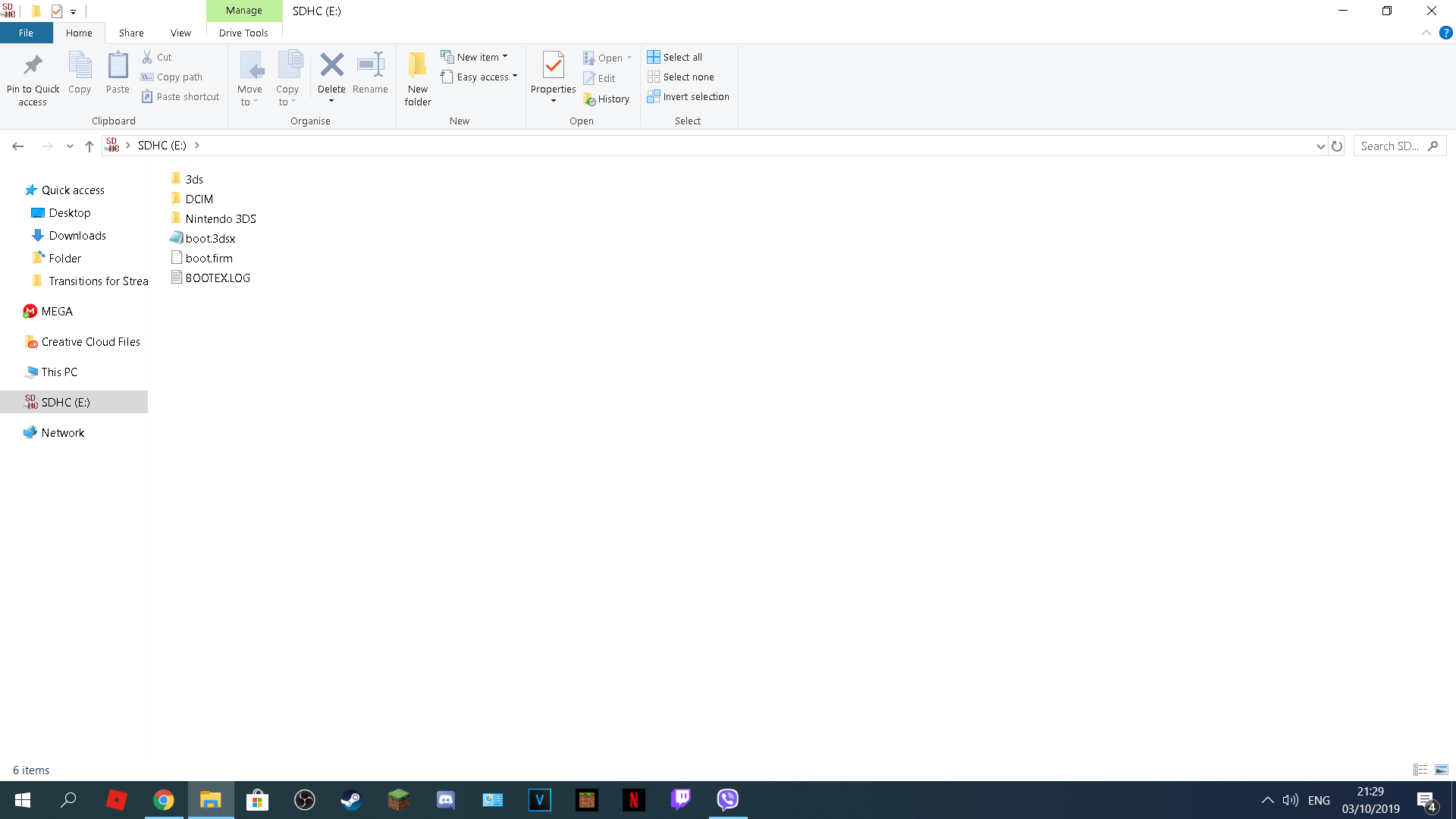
upload_2019-10-3_21-29-47.png
 
no youre not - hold start and you should boot into godmode 9

lookup godmode9 uninstall hax (AFTER BACKING UP UR "Nintendo 3DS" FOLDER ON UR DESKTOP or get ur movable.sed if needed
 
  • Like
Reactions: AnicraftYT
no youre not - hold start and you should boot into godmode 9

lookup godmode9 uninstall hax (AFTER BACKING UP UR "Nintendo 3DS" FOLDER ON UR DESKTOP or get ur movable.sed if needed

Umm, i cant boot into Godmode9 because whenever i turn on my 3ds it just says "An error has occurred: Unsupported launcher (argc = 0) Press any button to shutdown.
 
Umm, i cant boot into Godmode9 because whenever i turn on my 3ds it just says "An error has occurred: Unsupported launcher (argc = 0) Press any button to shutdown.
OH OK IK

download godmode9, put the gm9 folder in ur root of sd card

also download luma3ds 10 and put that in root
 
Don't bother with anything anyone else has said, it won't help you. The unsupported launcher error means you just have old Boot9Strap on your console and deleting the boot.firm just made the console use the outdated version that's on the console itself. If you update the console, you'll get another error (Failed to apply 1 firm patch) that can only be fixed with the latest version of Luma (which needs a new version of B9S). Follow the Updating B9S guide from 3ds.hacks.guide to get rid of the error the proper way.
 

Site & Scene News

Popular threads in this forum