Hacking 3DS ROM Questions

  • Thread starter Thread starter fuzzdawg11
  • Start date Start date
  • Views Views 10,108
  • Replies Replies 20

fuzzdawg11

Active Member
Newcomer
Joined
Dec 12, 2014
Messages
41
Reaction score
7
Trophies
0
Age
35
XP
96
Country
United States
Hello all,

I tried posting in the noob thread, but due to the popularity of other questions I believe my own inquisitions were lost. Anyways, I have been doing extensive research on 3DS roms, but I have had a lot of difficulty with a few things.

1) What is a 3DS ROM file extension? (.3ds, .3dz, etc)

2) When downloading ROMs, what should I expect to find? (zipped files? with what extensions? do I need decryption software beyond the basic for .zip files?)

3) How do I tell the region and type of ROM file, since this is not generally stated? (eShop vs original cartridge)
4) And lastly, why can I not seem to find ANY legitimate ROM sites for .3DS files readily? I know that some of the major sites have taken a blow recently. Do I need to be using a proxy for a different country? (I currently reside in the USA).

 
Hello all,

I tried posting in the noob thread, but due to the popularity of other questions I believe my own inquisitions were lost. Anyways, I have been doing extensive research on 3DS roms, but I have had a lot of difficulty with a few things.

1) What is a 3DS ROM file extension? (.3ds, .3dz, etc)

2) When downloading ROMs, what should I expect to find? (zipped files? with what extensions? do I need decryption software beyond the basic for .zip files?)

3) How do I tell the region and type of ROM file, since this is not generally stated? (eShop vs original cartridge)
4) And lastly, why can I not seem to find ANY legitimate ROM sites for .3DS files readily? I know that some of the major sites have taken a blow recently. Do I need to be using a proxy for a different country? (I currently reside in the USA).


  1. Both
  2. usually many zipped files , .3ds, no
  3. 3ds.essh.co can tell you the region, rom name, type, etc. Alternative method is to download 3DS explorer and it will tell you everything about the rom.
  4. Because you suck at google?
 
Hey thanks,

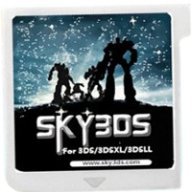
To clarify, I am using Sky3DS, so 3ds explorer is not an option. I see the 3ds.essh.co website, but I am unsure how to relate the files that I am downloading with their list of roms.

And what do you mean by "many zipped files"? How exactly do I turn these "many zipped files" into a .3ds file?
 
The Google-fu is not strong in this one.

1. .3ds is what I have read.
2. Viruses, malware, porn, key loggers (Zip, rar all sorts of stuff)
3. If you don't konw, don't download it.
4. See first sentence. By definition there are no "legitimate" ROM sites. A proxy or VPN is a wonderful thing to have, very handy.

Winrar will be your helper. Make sure to pay for it however. Bad things happen to people who don't. :)
 
Wonderful.... which is why i usually do all of my downloading on my mac, because it is less susceptible to all of that. I haven't downloaded any "zip files" that you just unpack and you find a wonderful little .3ds file though... I have run across never-ending zip files within zip files, a bunch of small files in a folder, etc... but no luck finding any .3ds files.
 
I've been doing this for a long-ass time... so the issue is not that I don't know how to use the fucking internet.
 
You may not necessarily get a .3ds file. Other possible files are .3dz and .cia, which work if you have gateway + devmenu, but since you're on sky3ds I'm not sure if they'll work.

BTW today I played the 3DS and I also learned how to burn ISO onto DVDs.
 
Hello all,

I tried posting in the noob thread, but due to the popularity of other questions I believe my own inquisitions were lost. Anyways, I have been doing extensive research on 3DS roms, but I have had a lot of difficulty with a few things.

1) What is a 3DS ROM file extension? (.3ds, .3dz, etc)

2) When downloading ROMs, what should I expect to find? (zipped files? with what extensions? do I need decryption software beyond the basic for .zip files?)

3) How do I tell the region and type of ROM file, since this is not generally stated? (eShop vs original cartridge)
4) And lastly, why can I not seem to find ANY legitimate ROM sites for .3DS files readily? I know that some of the major sites have taken a blow recently. Do I need to be using a proxy for a different country? (I currently reside in the USA).
There aren't any proper rom sites for the 3DS like there are for the DS and earlier. You have to rely on a couple forums with MEGA links and the like, although they do have pretty much everything. There's a hint for one of them in the two posts above mine.
 
You are doing things the wrong way.
You do not know how to decompress files spanned into multiple volumes.
It is commonplace (because) for annoying people to put multiple compressed RAR files inside a ZIP file, or RAR file.
So yes, perhaps after you decompress the first file you will find many smaller compressed files that you, again, have to decompress.
Use common sense... Macs are great computers, unfortunately they usually deprive their users of common sense.
And perhaps 7zip, or Rar, or whatever file compressor utility you like.

Also, whenever google fails, you can always go to duckduckgo... at least it blocks searches less around here.
 
Having direct links to a system still in production is a open gate for "sue me and shake me for every cent I have, and then be locked in a box with a lid.. and locks".
 
Winrar will be your helper. Make sure to pay for it however. Bad things happen to people who don't. :)

I will never understand why people use payware Winrar, as opposed to the vastly superior freeware 7zip. Boggles the mind...
 
That explains the sudden surge in WinRAR's popularity, thanks... But can't 7zip devs implement it for their RAR de/compression too?
RAR compression is copyrighted by Alexander L. Roshal, and WinRAR's license prohibits reverse engineering of the compression algorithm, so it would be illegal for other programs to support it. Decompression of RAR files (including RAR5) however, is available under a license, and can be supported in other programs like 7-Zip.
 
if you found any site that required you to use their download manager, that is a legit site. you wil only have to deny all the offers in the installer, then the file will be obtained with your max download speed. my internet speed is 30Mbit and it uses all of it for every file.
i have however not been able to test the files, yet the site is "legit"
 
if you found any site that required you to use their download manager, that is a legit site. you wil only have to deny all the offers in the installer, then the file will be obtained with your max download speed. my internet speed is 30Mbit and it uses all of it for every file.
i have however not been able to test the files, yet the site is "legit"
There's a way to bypass the unnamed site's download manager, just fyi.
 
  • Like
Reactions: HEX1GON

Site & Scene News

Popular threads in this forum