Homebrew 3DS Crash Help :(

Status
Not open for further replies.
Joined
Mar 2, 2021
Messages
9
Reaction score
7
Trophies
0
XP
107
Before I get into this, please note that I'm not the smartest and most all-knowing when it comes to 3DS Homebrewing. So if I'm being difficult to understand, or even a bit frustrating, I apologize.

Hello all, I've come to this site to inquire about a certain crash that keeps happening as I go into the system settings. Let me tell you what happened prior to the crash, or what could be the reason why it's crashing all of the sudden.

I recently downloaded the Super Mario Sunshine DS rom, and used Forwarder 3DS to convert it to a CIA file. Now, keep in mind that when I opened the NDS file in Forwarder, a bunch of special characters and characters from other languages showed as (what I'll call) 'the title' of the game. Essentially, the one that will pop up on my 3DS home screen beneath the icon. The (what I'll call) 'the icon' of the game, was also something a little off, as it didn't really relate to Mario Sunshine at all.
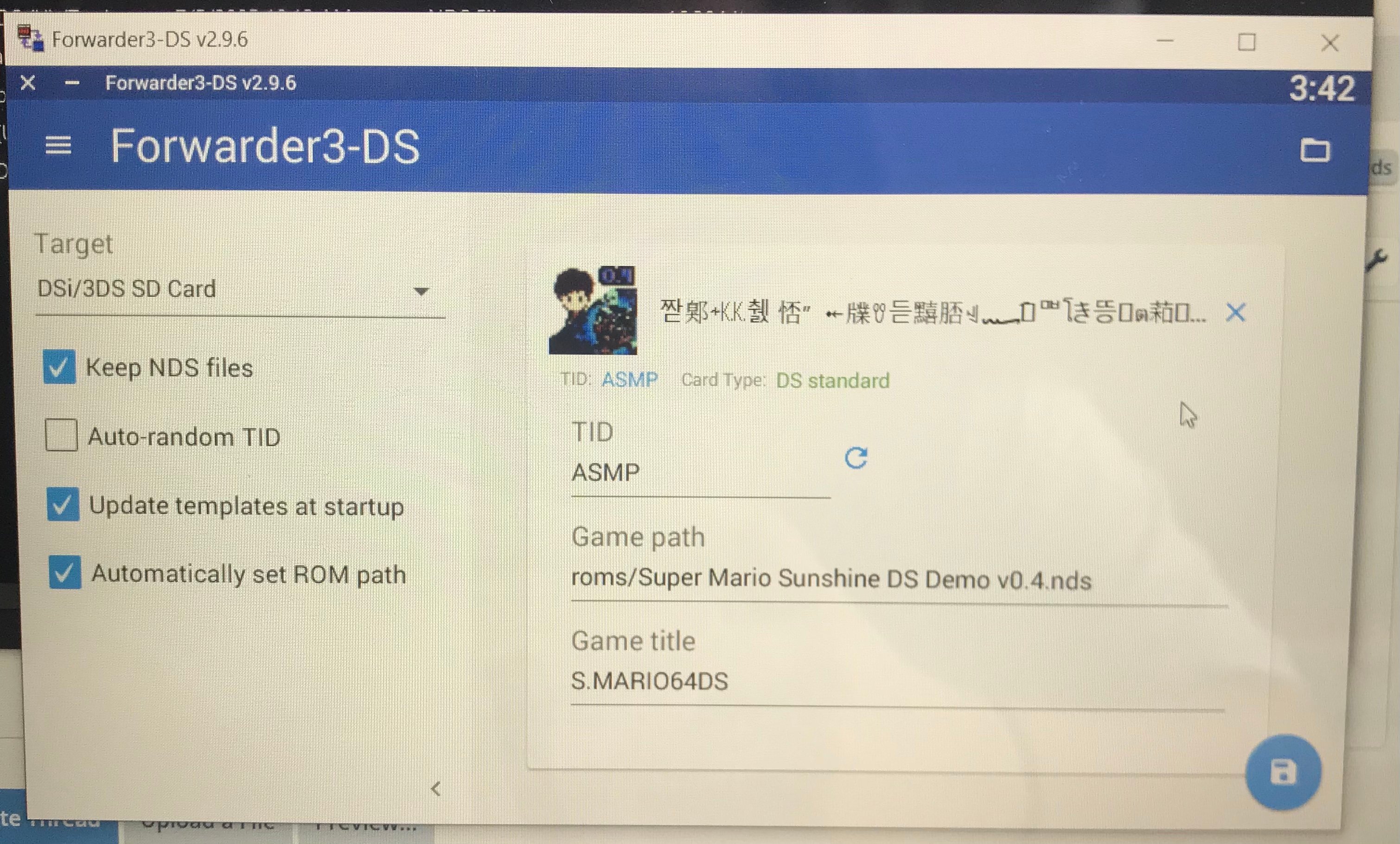
Forwarder reference.jpeg


Seeing this, I wanted to change the 'title' and 'icon' of the game, only to make the screen look a little bit prettier. I tried to mess around with a couple of programs such as DSLazy and something about a banner editor: MessAnimDSIco.jar

I ended up giving up and just converted the NDS file to a CIA like I would usually do. I then played the game, just to see what it was like and all. When I finished, I exited the game and wanted to delete the game off the system by going into the system settings->data management->dsiware. When I clicked on the dsiware button, it loaded for only a moment, and crashed with this exception:
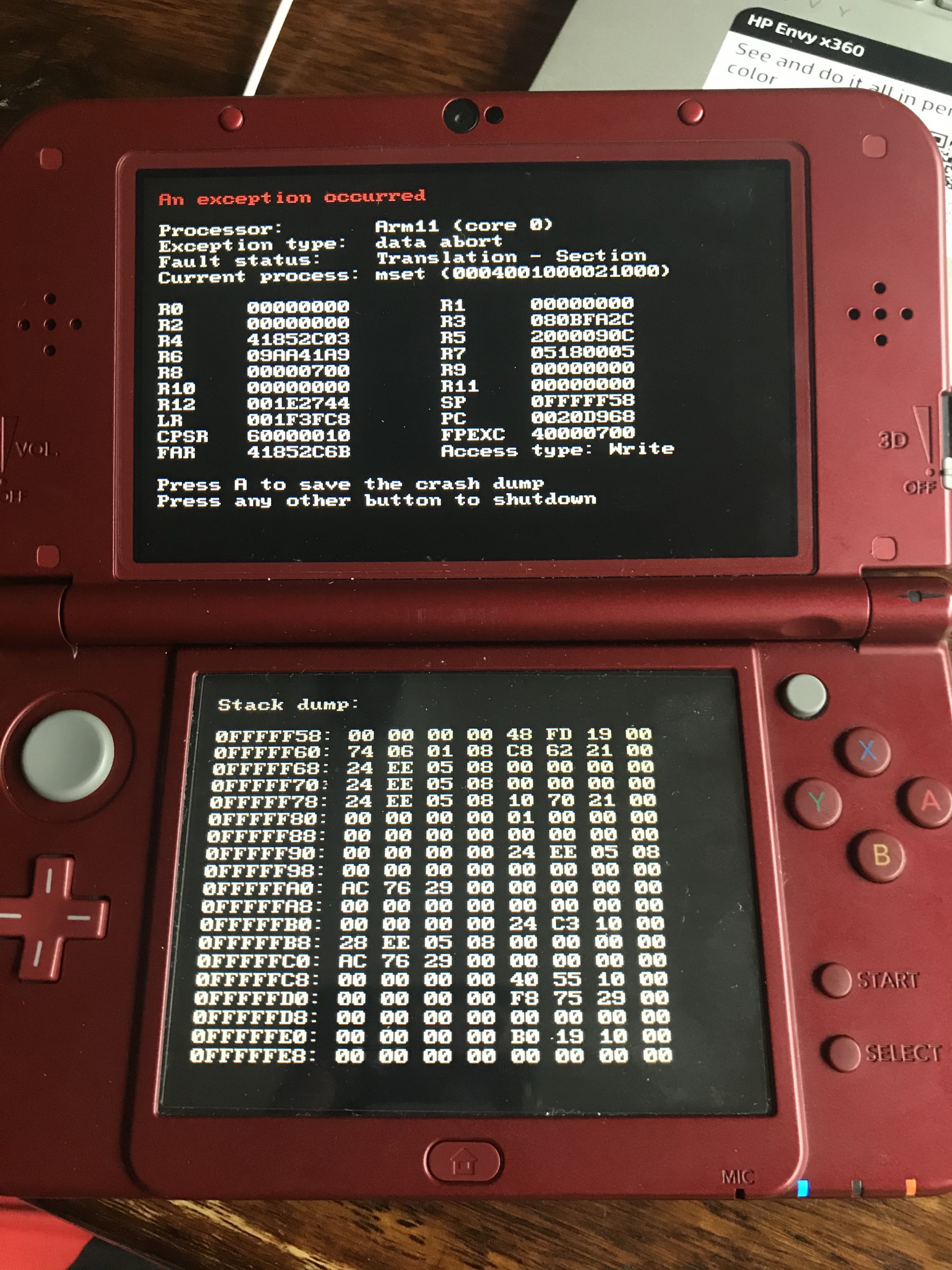
Crash Dump.jpeg


This has never happened previously on my 3ds, and I need some help. I know it has something to do with the new game I installed, but I have no knowledge on how to read and understand crash dumps. If there is another way to delete game data off of a 3DS that I don't know of, please let me know. I'd still like to know how to get this crash to stop happening though, but any help would be appreciated.

 
Before I get into this, please note that I'm not the smartest and most all-knowing when it comes to 3DS Homebrewing. So if I'm being difficult to understand, or even a bit frustrating, I apologize.

Hello all, I've come to this site to inquire about a certain crash that keeps happening as I go into the system settings. Let me tell you what happened prior to the crash, or what could be the reason why it's crashing all of the sudden.

I recently downloaded the Super Mario Sunshine DS rom, and used Forwarder 3DS to convert it to a CIA file. Now, keep in mind that when I opened the NDS file in Forwarder, a bunch of special characters and characters from other languages showed as (what I'll call) 'the title' of the game. Essentially, the one that will pop up on my 3DS home screen beneath the icon. The (what I'll call) 'the icon' of the game, was also something a little off, as it didn't really relate to Mario Sunshine at all.

View attachment 273358

Seeing this, I wanted to change the 'title' and 'icon' of the game, only to make the screen look a little bit prettier. I tried to mess around with a couple of programs such as DSLazy and something about a banner editor: MessAnimDSIco.jar

I ended up giving up and just converted the NDS file to a CIA like I would usually do. I then played the game, just to see what it was like and all. When I finished, I exited the game and wanted to delete the game off the system by going into the system settings->data management->dsiware. When I clicked on the dsiware button, it loaded for only a moment, and crashed with this exception:

View attachment 273357

This has never happened previously on my 3ds, and I need some help. I know it has something to do with the new game I installed, but I have no knowledge on how to read and understand crash dumps. If there is another way to delete game data off of a 3DS that I don't know of, please let me know. I'd still like to know how to get this crash to stop happening though, but any help would be appreciated.

According to the debug info crash, the legacy system settings (mset, AKA DS Settings) is the main culprit, the game you played somehow has messed up the DSmode settings.

Before anything, I would recommend to do a sysnand restore, hopefully you have one. else, try to unisntall the game using FBI, but be extremely careful to NOT uninstall other DS titles of the system.
 
Hey! So you're encountering the Arm11 error only when you click on DSiWare under system management settings right? And nowhere else like launching a 3DS game or 3DS system settings? Launch FBI and search under titles you should see the game title since its forwarded, and click delete game and ticket. Be careful and do not delete the titles that are in red. Reboot, go and click DSiWare in system management and see if you encounter it again.
 
Hey! So you're encountering the Arm11 error only when you click on DSiWare under system management settings right? And nowhere else like launching a 3DS game or 3DS system settings? Launch FBI and search under titles you should see the game title since its forwarded, and click delete game and ticket. Be careful and do not delete the titles that are in red. Reboot, go and click DSiWare in system management and see if you encounter it again.

Ah! Your method worked! Thank you so much for your help :)
 
hello mine does that too exept its on the download play step and not the dsiware step. can you help?
Post automatically merged:

hello mine does that too exept its on the download play step and not the dsiware step. can you help?
 
hi i have same problem here but i am too dump for this can anyone help me. lemme explain what happend...so i pressed POWER BUTTON fast 2-4 times and it crashed..... it is same text as MastorLichi. i really expect CoolMe to help and everyone else too.
NINTENDO.jpg
 
hi i have same problem here but i am too dump for this can anyone help me. lemme explain what happend...so i pressed POWER BUTTON fast 2-4 times and it crashed..... it is same text as MastorLichi. i really expect CoolMe to help and everyone else too.View attachment 449026
More info is definitely needed.
What happens when you turn it on, do you see just black screen, the arm11 error, or nothing?
So the first time this ever happened to you is when you tried to turn it on? It didn't happen before?
 
More info is definitely needed.
What happens when you turn it on, do you see just black screen, the arm11 error, or nothing?
So the first time this ever happened to you is when you tried to turn it on? It didn't happen before?
hi again ty for respond so i am answering ur questions
*What happens when you turn it on:
it slowly turns on and says

Procesor Arm9

exception type dat short and more codes

*do you see just black screen, the arm11 error, or nothing?

i see black screen and it says arm9 error

*So the first time this ever happened to you is when you tried to turn it on? It didn't happen before?

nope i just pressed turn on button and turn off button much times (idk why) like and when i am always turning it turning it on it shows that again and and again and when i am doing this it will create dump files
and it showed this:

more INFO that i think will help..... so when i am removing the SD card it works normal.....
And idk if these photos whit codes would help so yh...
NINTENDO.jpg
 

Attachments

  • nintendo 7.jpg
    nintendo 7.jpg
    18.2 KB · Views: 59
  • nintendo 6.jpg
    nintendo 6.jpg
    25.9 KB · Views: 58
  • nintendo 5.jpg
    nintendo 5.jpg
    42.3 KB · Views: 55
  • nintendo 4.jpg
    nintendo 4.jpg
    65 KB · Views: 59
  • nintendo 3.jpg
    nintendo 3.jpg
    54.2 KB · Views: 52
  • nintendo 2.jpg
    nintendo 2.jpg
    13.8 KB · Views: 47
  • nintendo.jpg
    nintendo.jpg
    28.1 KB · Views: 58
I see black screen and it says arm9 error
That's an odd error to encounter.
What system firmware version are you on? From the pic, your Luma might be outdated if you're on the latest fw version. Tho it's not the one causing this, i don't think. Still update it if it isn't on the latest.
more INFO that i think will help..... so when i am removing the SD card it works normal.....
That's good. Might be something with the sd card..
One way to check is with h2testw to make sure it's genuine. Back up the data of your sd card onto your computer, then format it as Fat32 32kb cluster size before and after the test. If it passes the test, follow this to copy the latest version of Luma3DS to the root of the sdcard and with that you can access the home menu (note that you won't see any of your installed games/hb etc, that data isn't on the sd card).
If it doesn't pass the test, then it's fake, and you should get another replacement that's genuine.
 
well apriaciate for everything but i think i am goin to buy another card and then i will see if it works byc i am too dump for these mechanics and more so yhh
Ty for ur time i will say if it works. Hv a great day :)
Post automatically merged:

more info My friend helped me so no need more ty for ur time CoolMe i can leave a comment if u want just say :)
 
Last edited by anotherNOOBhere,
  • Wow
Reactions: CoolMe
well apriaciate for everything but i think i am goin to buy another card and then i will see if it works byc i am too dump for these mechanics and more so yhh
Even with a new sd card you might run into the same situation again (Arm9) if the sd card is not genuine. That's why you have to test every sd card with h2testw to make sure it's not faulty or fake. It's pretty simple to do actually, if you're unsure where to start i could help.
Hope that was clear for you.
more info My friend helped me so no need more
So it works now?
About Luma3DS, like i said, if the 3ds is on the latest firmware (for some reason, but Luma3DS isn't) you'd have to update Luma3DS too to the latest version. I posted the link and guide on how to do that in my previous reply.
 
I’m also having an issue with a crash dump error.
Only when I open my tomodachi life there’s a crash dump error that reads:

An exception occurred
Processor: arm11 (core 0)
Exception type: prefetch abort (svcBreak)
Fault status: Debug event
Current process: app (000400000008C400)

I’ve tried taking the SD card out and it didn’t do anything. I’ve heard that I need to update my Luma 3ds software, and I also heard that I should try deleting the whole thing, but I want to know for sure before getting rid of it.
Is there any way I can fix this AND keep my already made save file without destroying it?
This is a modded 3ds and i downloaded this version of tomodachi life off of Hshop. I hope that doesn’t mean I can’t save it.
Thank you in advance
 
I’m also having an issue with a crash dump error.
Only when I open my tomodachi life there’s a crash dump error that reads:
Why are you bumping a completely unrelated thread with a completely unrelated problem? Next time please consider the NOOB Paradise thread.

Were you running this game before? Did it suddenly stop working? Or did you only just install it and have never been able to get it working?

There are many, many threads about Tomodachi Life crashes and I expect you could find them if you searched for them. If it never worked, then you probably need to manually set up locale emulation, as in https://wiki.hacks.guide/wiki/3DS:Setting_game_locales/Extended_locale_setting .
 
Status
Not open for further replies.

Site & Scene News

Popular threads in this forum