



GW Studio — Windows tool for Nintendo Game & Watch modding
Hi everyone.
I made GW Studio, a portable Windows tool for Nintendo Game & Watch Mario / Zelda modding.
It is made for users whose device is already prepared for modding. GW Studio does not perform the unlock process.
The goal is to make the Windows workflow easier: read device info, create backup, add games, build Retro-Go, flash the device, and restore when needed.
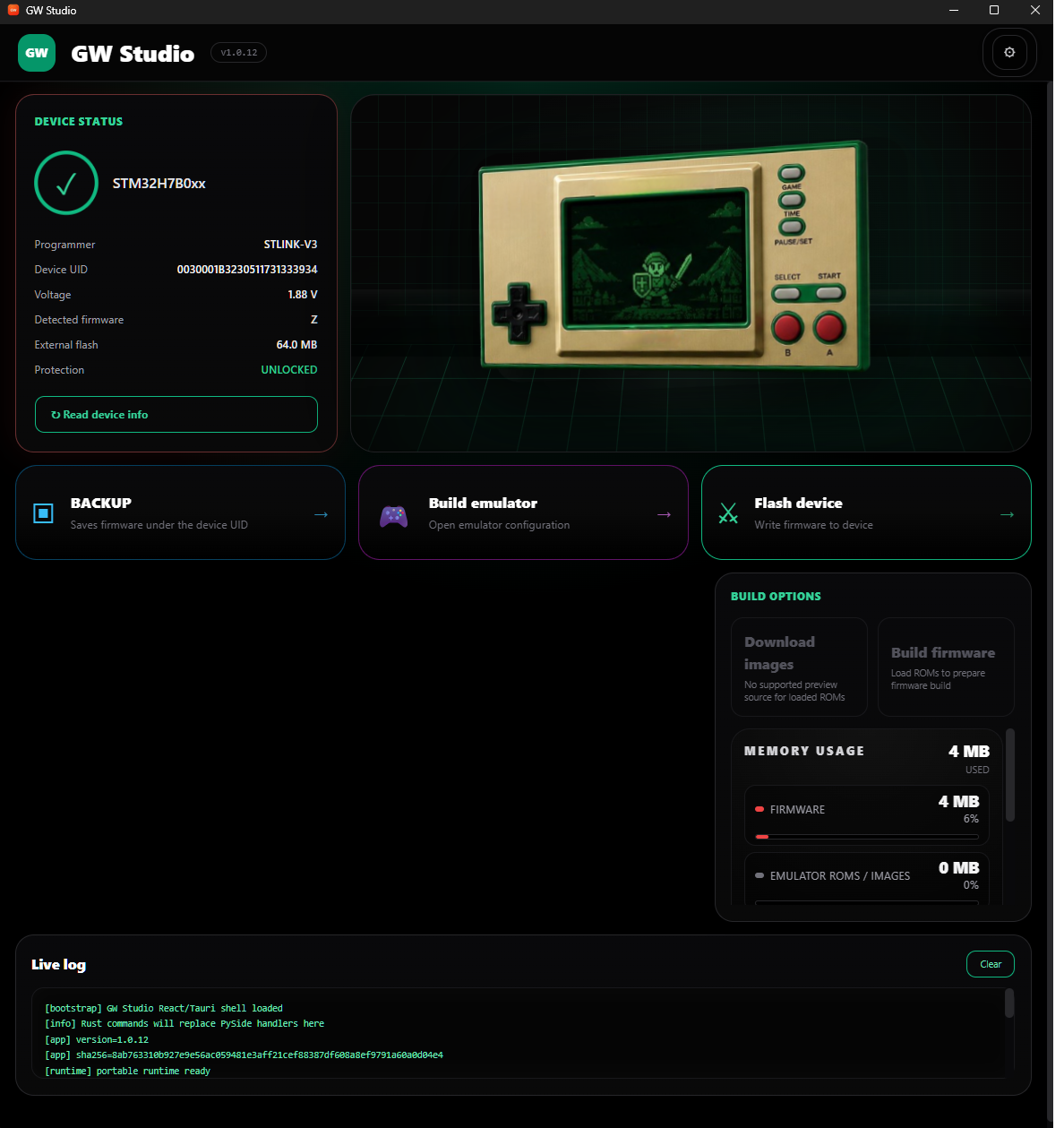
Basic workflow:
After flashing, Retro-Go starts from stock firmware with:
LEFT + GAME
Relise GitHub:
Repository:
Warning:
Working with firmware always carries risk. You are responsible for your device connection, soldering quality, selected files, and keeping your backups safe.
GW Studio is only a helper tool that simplifies the workflow around existing open-source tools and user-provided files.
Hi everyone.
I made GW Studio, a portable Windows tool for Nintendo Game & Watch Mario / Zelda modding.
It is made for users whose device is already prepared for modding. GW Studio does not perform the unlock process.
The goal is to make the Windows workflow easier: read device info, create backup, add games, build Retro-Go, flash the device, and restore when needed.
Basic workflow:
- Connect your prepared Game & Watch through ST-LINK.
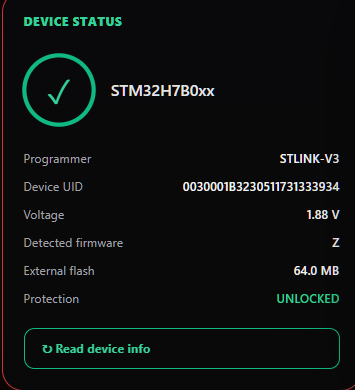
- Click Read device info.
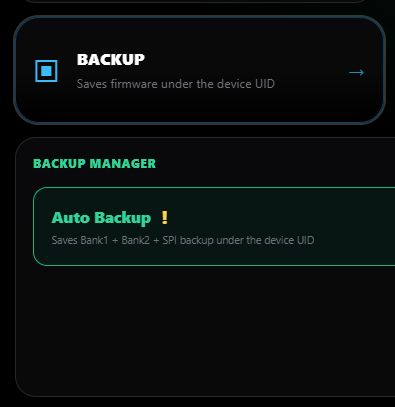
- Click Auto Backup and keep the backup safe.
- Open Build emulator.
- Add your ROM files.
- Optionally click Download images for menu previews.
- Click Build firmware.
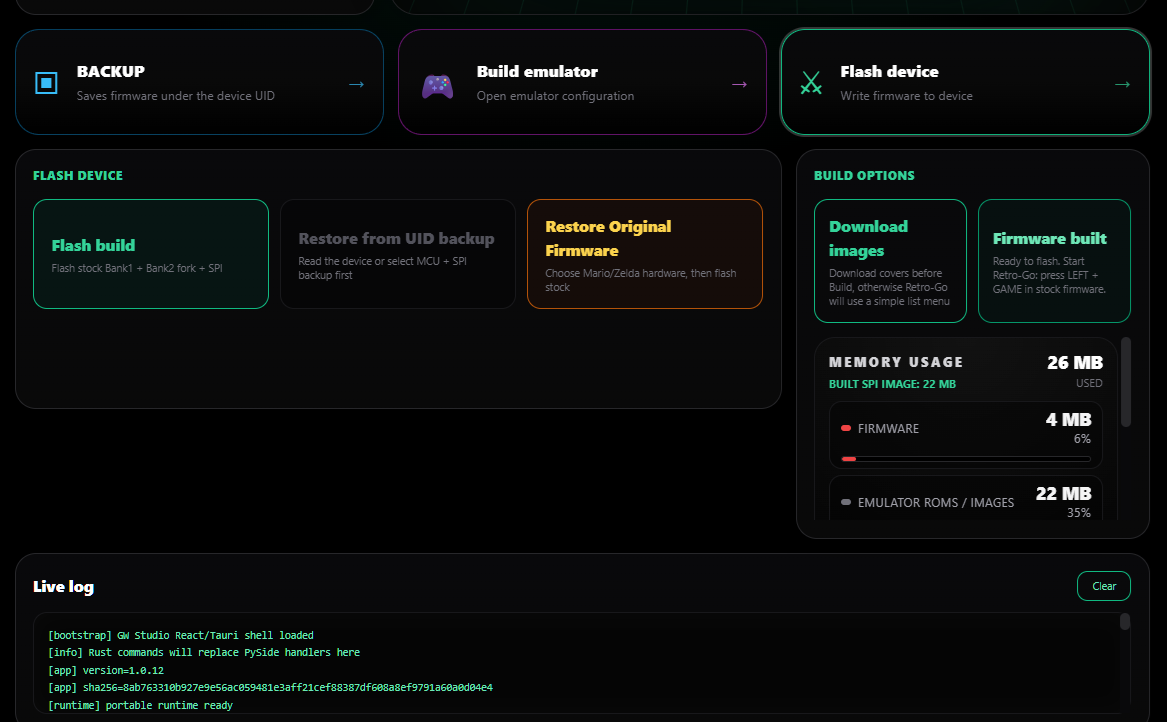
- Open Flash device.
- Click Flash build.
After flashing, Retro-Go starts from stock firmware with:
LEFT + GAME
- Reads Game & Watch info through ST-LINK.
- Creates Auto Backup for Bank1 + Bank2 + SPI.
- Saves backups under the device UID.
- Adds supported ROM files.
- Downloads optional menu preview images.
- Builds a Retro-Go firmware bundle.
- Shows SPI memory usage.
- Flashes the prepared build.
- Restores from UID backup or user-provided stock firmware.
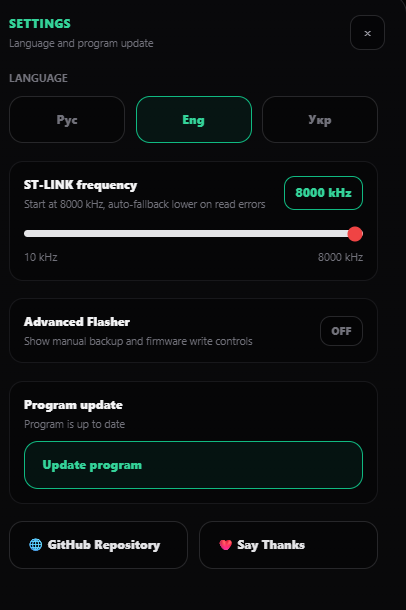
- Checks for updates through GitHub Releases.
- Supports English, Russian, and Ukrainian UI.
- Has Advanced Flasher mode for manual Bank1 / Bank2 / SPI operations.
- Always create and keep a backup before flashing.
- If GW Studio cannot safely use your backup, it may ask for matching original stock firmware files.
- Stock firmware must be provided by the user.
- GW Studio does not include, download, or distribute Nintendo firmware, ROMs, BIOS files, user backups, dumps, or generated firmware images.
- Mario and Zelda stock firmware are not fully interchangeable. Some buttons may not work correctly if firmware from the other model is used.
- Windows 10 / Windows 11 x64
- ST-LINK compatible programmer
- Nintendo Game & Watch Mario or Zelda
- Device already prepared for modding
- Folder path without Cyrillic characters
Why I made it:
When I started looking into Game & Watch modding, most guides I found were written for Linux or macOS.
For Windows users, the process was less straightforward: Python setup, dependencies, paths, command-line tools, build scripts, firmware files, flashing tools, and many small manual steps.
The hardware part cannot be avoided. You still need ST-LINK, soldering, and in some cases SPI flash work. I made GW Studio to make the software side easier and reduce manual mistakes.
When I started looking into Game & Watch modding, most guides I found were written for Linux or macOS.
For Windows users, the process was less straightforward: Python setup, dependencies, paths, command-line tools, build scripts, firmware files, flashing tools, and many small manual steps.
The hardware part cannot be avoided. You still need ST-LINK, soldering, and in some cases SPI flash work. I made GW Studio to make the software side easier and reduce manual mistakes.
Device status
Auto Backup
Build emulator

Flash device
Settings
Auto Backup
Build emulator
Flash device
Settings
Relise GitHub:
Repository:
Warning:
Working with firmware always carries risk. You are responsible for your device connection, soldering quality, selected files, and keeping your backups safe.
GW Studio is only a helper tool that simplifies the workflow around existing open-source tools and user-provided files.


