

Hello everyone,
I made a mistake and removed the SD card from my Switch Lite whilst Hekate was running. I was prompted with an error that asked if I would like to power off the switch, so I decided to power off the Switch and now it is stuck on a black screen.
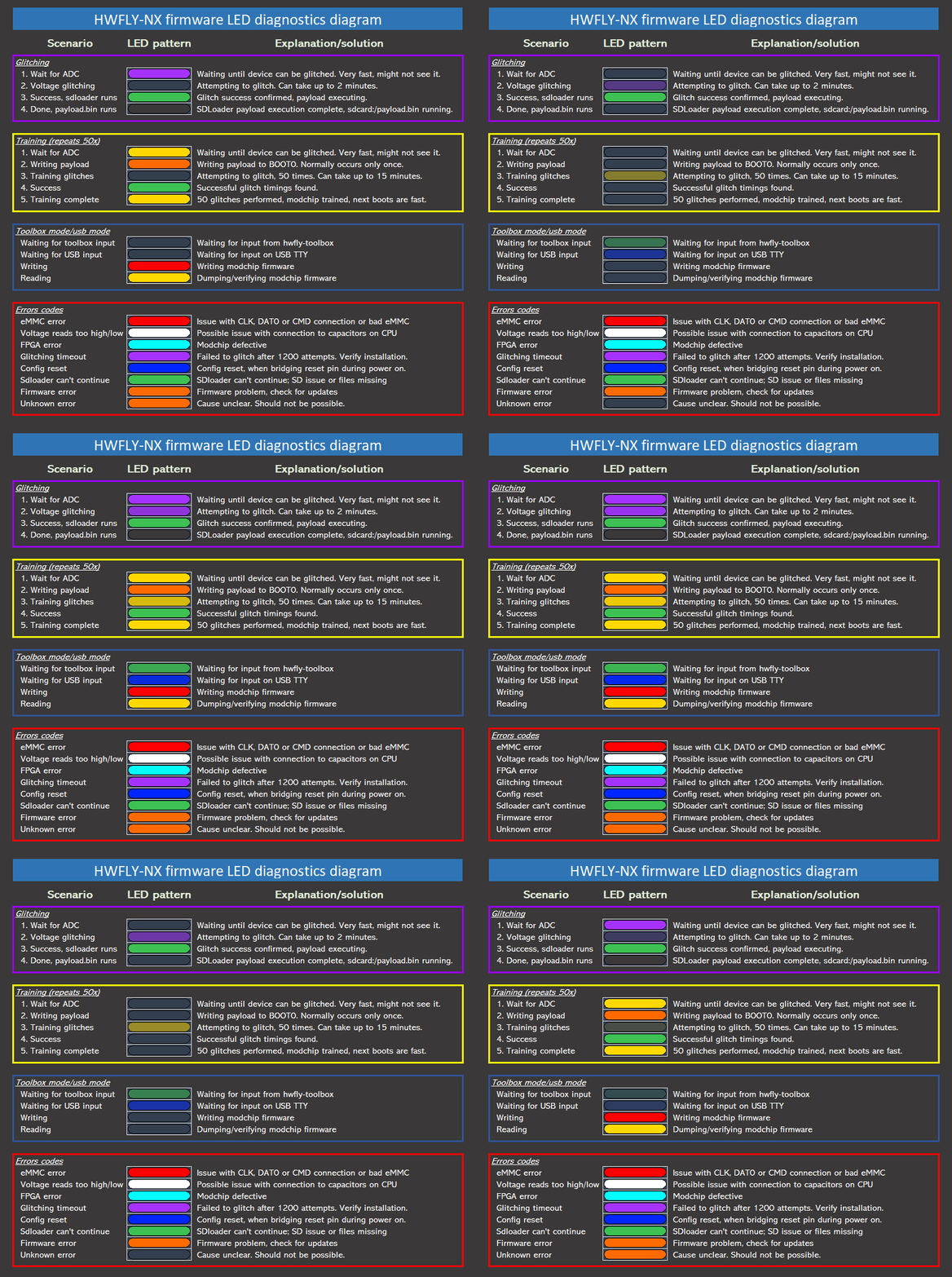
I have the HWFly modchip soldered in and it is flashing a dark blue LED. The blue flashing LED means it is "waiting for input on USB TTY". I have absolutely no idea what this means other than that. This diagram is explaining the different colour LED errors but I'm still no further forward finding a solution.
I'm a complete noob at this, I have tried to Google my issue but can't seem to find a solution?
As always, any help is appreciated!
I have tried the following steps:
-Pressing and holding the power button for 10, 12, 13, 15, 20 second intervals then retrying the power button.
- The same as above but holding the volume-/+ at the same time or just the power button and vol- or power button and vol+.
-Sending a payload via TegraRCMGUI however when I connect my Switch to the PC; Tegra recognises it then instantly disconnects and repeats a cycle of connecting/disconnecting every 45-60 seconds.
I made a mistake and removed the SD card from my Switch Lite whilst Hekate was running. I was prompted with an error that asked if I would like to power off the switch, so I decided to power off the Switch and now it is stuck on a black screen.
I have the HWFly modchip soldered in and it is flashing a dark blue LED. The blue flashing LED means it is "waiting for input on USB TTY". I have absolutely no idea what this means other than that. This diagram is explaining the different colour LED errors but I'm still no further forward finding a solution.
I'm a complete noob at this, I have tried to Google my issue but can't seem to find a solution?
As always, any help is appreciated!
I have tried the following steps:
-Pressing and holding the power button for 10, 12, 13, 15, 20 second intervals then retrying the power button.
- The same as above but holding the volume-/+ at the same time or just the power button and vol- or power button and vol+.
-Sending a payload via TegraRCMGUI however when I connect my Switch to the PC; Tegra recognises it then instantly disconnects and repeats a cycle of connecting/disconnecting every 45-60 seconds.