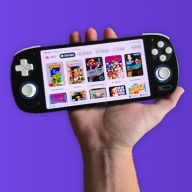
GBA DS Style — A Nintendo DS-Inspired Custom Kernel for EZ-Flash Omega & Omega DE

  • Thread starter Thread starter FrankieT19
  • Start date Start date
  • Views Views 23,273
  • Replies Replies 222
  • Likes Likes 23
Im a bit confused about the new settings, is it possible to have it autoboot a game in nor or the last game played on start up with the settings now?
Post automatically merged:

Im a bit confused about the new settings, is it possible to have it autoboot a game in nor or the last game played on start up with the settings now?
 
Im a bit confused about the new settings, is it possible to have it autoboot a game in nor or the last game played on start up with the settings now?
Post automatically merged:

Im a bit confused about the new settings, is it possible to have it autoboot a game in nor or the last game played on start up with the settings now?

Currently the new features apply only to the SD card menu. In future updates I plan to expand them to the NOR screen too, and add thumbnail support to that page.

Although, not sure how people feel about autoboot applying to NOR? For the SD card menu, at least in my use case, I set it to addon and never change it, but the NOR menu has additional functionality. Do people who use the NOR have any preferences? I don't really use it, except the mode b cartridge mode.
 
Last edited by FrankieT19,
Maybe im using NOR wrong, playing pokemon unbound at the moment and it runs much better when loaded into nor
 
Version 5.4 makes a wierd noise when selecting a folder.

If you're using an Omega DE Rev A this is a known issue for some cartridges. I will try and fix it, but I don't have time to this month.

Where can I get the 5.4 version

If you go to the download page and click the download button in the top right you will get version 5.4.
 
ok thanks
Post automatically merged:

Also, I don't get the weird folder sound thing, so I don't know what they are talking about
Post automatically merged:

ok thanks
Post automatically merged:

Also, I don't get the weird folder sound thing, so I don't know what they are talking about
Maybe I have the Rev B version IDK
 
Last edited by JackKiyTheGamerGuy,
  • Like
Reactions: FrankieT19
Could someone with a cartridge not compatible with v5.2 test the version I have attached please. If it works, can you identify any bugs?


To edit the splash screen it is like the other icons, except you need to name it 'gImage_splash' not 'gImage_SPLASH', just a slight inconsistency in naming.

To change the sounds, use short mono 8-bit signed PCM raw sound effects at 22050 Hz, then convert the .raw files into C header arrays for the kernel. Starting from WAV is best, but any source format is fine as long as the final raw output is signed 8-bit, mono, 22050 Hz, headerless. I used Audacity to prep my sound files (mono, 22050hz, adjusted amplitude so they're loud enough, export as wav 8-bit PCM), then converted them to raw files with FFmpeg. This is the code I ran with FFmpeg: '.\ffmpeg -i startup.wav -ac 1 -ar 22050 -f s8 startup.raw' change 'startup' to the specific sound you are currently converting. The process has a couple steps, so it may be easiest to give the kernel file and some of the sound headers (e.g. accept_raw.h) to a LLM like claude or chatGPT and ask if how to swap out the audio. For some of the code I may have hard coded the length the audio plays, for other bits it calculates the length, so you may run into issues if your sounds are signficantly different in length. Again I'd suggest to get ai to sift through the code and identify these parts, rather than do it manually, it's good at that sort of thing. Although, I wouldn't just blindy trust anything it writes! (But you can probably get away with it for small changes). Hope that helps, sorry, I know it's a little confusing.

I am also trying to change the splash screen and its sound. I created a 240x160 splash image in png format and I have my startup.h file created. What would be my next step ? I see the DE and original omega Resources folders don't contain the same files. I have an original omega. Do I need to just replace the files ? Rebuild from scratch ?
 
I am also trying to change the splash screen and its sound. I created a 240x160 splash image in png format and I have my startup.h file created. What would be my next step ? I see the DE and original omega Resources folders don't contain the same files. I have an original omega. Do I need to just replace the files ? Rebuild from scratch ?

The Startup screen will need a new header file too, covered in this guide if you haven't already got one https://atapi.space/site/projects/atlantis/howtoskinsimple

Start with the source for the Simple theme for the original Omega https://github.com/Sterophonick/SimpleLight and make sure you can build it and get a working bin (run Build Skin Files.bat & build.bat). You may need to add the pocketnes.h file to the source folder to get it to build. Then, from the interface folder (in the resources for the original omega) add lang.c and one of the kernel files within the different colour options (each one is for the specific UI colours) to the source folder. Then within menus, add menu.bmp and the contents of your chosen colours' .bmp files to the light folder (in images). Your splash image goes in the images folder, with it's new header file. You'll need to add the missing image bmp and header from the DE resources if you want that. You will also need to add the menu sound .h files (everything with _raw) from the DE resources to the source folder. Then add the attached files too to the source folder, I think some are missing from the resources I've uploaded, that's my bad, specifically showcht.c, setwindow.c, and gba_nes_patch.h. That should get you a build of DS Style. Sorry it's so confusing right now, I plan to properly organise the resource files into the same folders that they actually exist in the source at some point. From here, you can sub things out as you please, following the guide linked above. Hope that helps.

Edit: Out of date
 
Last edited by FrankieT19,
The Startup screen will need a new header file too, covered in this guide if you haven't already got one https://atapi.space/site/projects/atlantis/howtoskinsimple

Start with the source for the Simple theme for the original Omega https://github.com/Sterophonick/SimpleLight and make sure you can build it and get a working bin (run Build Skin Files.bat & build.bat). You may need to add the pocketnes.h file to the source folder to get it to build. Then, from the interface folder (in the resources for the original omega) add lang.c and one of the kernel files within the different colour options (each one is for the specific UI colours) to the source folder. Then within menus, add menu.bmp and the contents of your chosen colours' .bmp files to the light folder (in images). Your splash image goes in the images folder, with it's new header file. You'll need to add the missing image bmp and header from the DE resources if you want that. You will also need to add the menu sound .h files (everything with _raw) from the DE resources to the source folder. Then add the attached files too to the source folder, I think some are missing from the resources I've uploaded, that's my bad, specifically showcht.c, setwindow.c, and gba_nes_patch.h. That should get you a build of DS Style. Sorry it's so confusing right now, I plan to properly organise the resource files into the same folders that they actually exist in the source at some point. From here, you can sub things out as you please, following the guide linked above. Hope that helps.
Thanks for the help but I followed your steps, tried everything to make it work but, impossible.
There's a lot of mismatches and cross usage of DE and Original code that makes it a bit confusing.

The attached files you have in your message would overwrite what I should have already copied as you suggested : to use lang.c and the ezkernel.c from the color chosen in the original omega resources, aswell as the _raw from the DE resources. Also, the build doesn't run without the missing ez_define.h that I could find nowhere but in the DE source of the SimpleTheme git. But that's for the DE, not the Omega, which I find a bit confusing.

Even after doing all the steps, running the Build Skin Files.bat then the build bat, the bin doesn't generate as compliation error gives an undefined reference to all the UIAudio_ export void you have in the showcht.c
Which are not present in the showcht.c of the SimpleTheme source codes.

Maybe having the actual source code you use to generate the DS Theme will help playing with the files and not have cross versions mismatches.

Thanks for trying to explain though !
 
Thanks for the help but I followed your steps, tried everything to make it work but, impossible.
There's a lot of mismatches and cross usage of DE and Original code that makes it a bit confusing.

The attached files you have in your message would overwrite what I should have already copied as you suggested : to use lang.c and the ezkernel.c from the color chosen in the original omega resources, aswell as the _raw from the DE resources. Also, the build doesn't run without the missing ez_define.h that I could find nowhere but in the DE source of the SimpleTheme git. But that's for the DE, not the Omega, which I find a bit confusing.

Even after doing all the steps, running the Build Skin Files.bat then the build bat, the bin doesn't generate as compliation error gives an undefined reference to all the UIAudio_ export void you have in the showcht.c
Which are not present in the showcht.c of the SimpleTheme source codes.

Maybe having the actual source code you use to generate the DS Theme will help playing with the files and not have cross versions mismatches.

Thanks for trying to explain though !

Yeah you shouldn't need ez_define.h for the original omega, idk what's going on there

Try this, it's a bit messy but it's the complete package.

Edit: added DE source for anyone else too

Edit: Out of date
 
Last edited by FrankieT19,
photo_2026-04-16_21-49-31.jpg

what is the setting on the bottem
 
Hi! I always wanted to make a theme for myself, but never knew how. It would be great if you could make a tutorial or answer this comment. Thanks!:D
 
View attachment 568549
what is the setting on the bottem
This is the Backup option. You need to temporarily disable cartridge LEDs to change it - a limitation of the menu screen space. If more options are ever added a more elegant solution, like a scrolling menu will be considered.

Hi! I always wanted to make a theme for myself, but never knew how. It would be great if you could make a tutorial or answer this comment. Thanks!:D
You could always use Sterophonick's guide (https://atapi.space/site/projects/atlantis/howtoskinsimple). If you want to use this theme as a base, start with the source code I uploaded a few messages back.
Post automatically merged:

purple.png

The poll for the next colour has concluded and purple won!

The download has been updated with this new option. Hope you like it!
 
This is the Backup option. You need to temporarily disable cartridge LEDs to change it - a limitation of the menu screen space. If more options are ever added a more elegant solution, like a scrolling menu will be considered.
That sounds great, can't wait to see the lime green one
Post automatically merged:


I found a bug where if you press B on the start page, this happens, but it's not too bad because if you go into a file, then go back, it fixes itself, and it only happens when you update the firmware
 
Last edited by JackKiyTheGamerGuy,
  • Like
Reactions: FrankieT19
That sounds great, can't wait to see the lime green one
Post automatically merged:

View attachment 571857
I found a bug where if you press B on the start page, this happens, but it's not too bad because if you go into a file, then go back, it fixes itself, and it only happens when you update the firmware
Okay thanks for letting me know. It doesn't happen on my cartridges, so hopefully just a one-off glitch.
 
Last edited by FrankieT19,
I have a work in progress build ready of version 6 for the Omega Definitive Edition if anybody would like to try it. There's been optimisations to the vertical mode, to make it significantly faster. Refinement to the UI, text heavy screens are now much easier to read. Some bugs have been fixed. And now if you hold down start as the cartridge boots it will load the last played game immediately (or after writing the previous sav file finishes). Also, the firmware splash screen has been slimmed down significantly, making it faster, and removing the sound effect.

Edit: The attached version now has a completely rebuilt menu system, and a start screen that closely resembles the DS's. Along with many other changes. If you try this version, you can set yourself a username within the NAME.TXT and it will appear in the top left, just like on a DS.
 
Last edited by FrankieT19,
  • Like
Reactions: hippy dave
This is looking really good so far.

Would it be possible to add an option to remap the “hold START to boot last played game” shortcut to another button combo?

Also noticed that pressing R in the settings menu gives a brief blank screen before loading the SD menu. Not sure if that’s a bug or just loading lag.

Another small thing, the recent play menu showing “0B” at the end is kinda distracting.

Thanks for the update. :D
 
  • Like
Reactions: FrankieT19

Site & Scene News

Popular threads in this forum