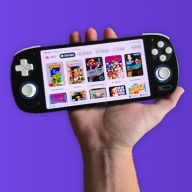
GBA DS Style — A Nintendo DS-Inspired Custom Kernel for EZ-Flash Omega & Omega DE

  • Thread starter Thread starter FrankieT19
  • Start date Start date
  • Views Views 23,263
  • Replies Replies 222
  • Likes Likes 23

FrankieT19

Well-Known Member
Member
Joined
Mar 22, 2026
Messages
104
Reaction score
110
Trophies
1
Age
26
Location
Earth
XP
258
Country
United Kingdom
Logo.png
Hi Game Boy fans!:gba:

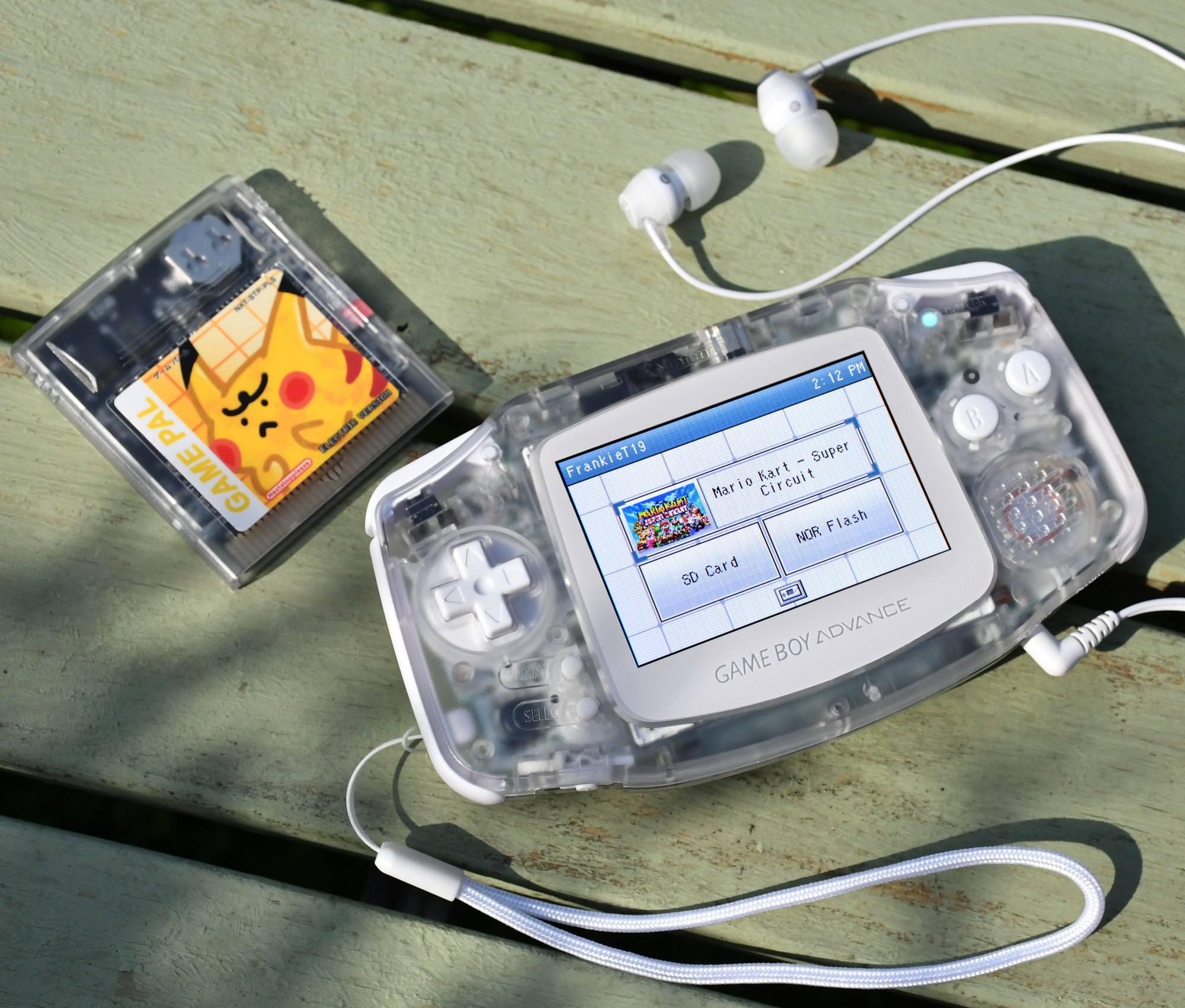
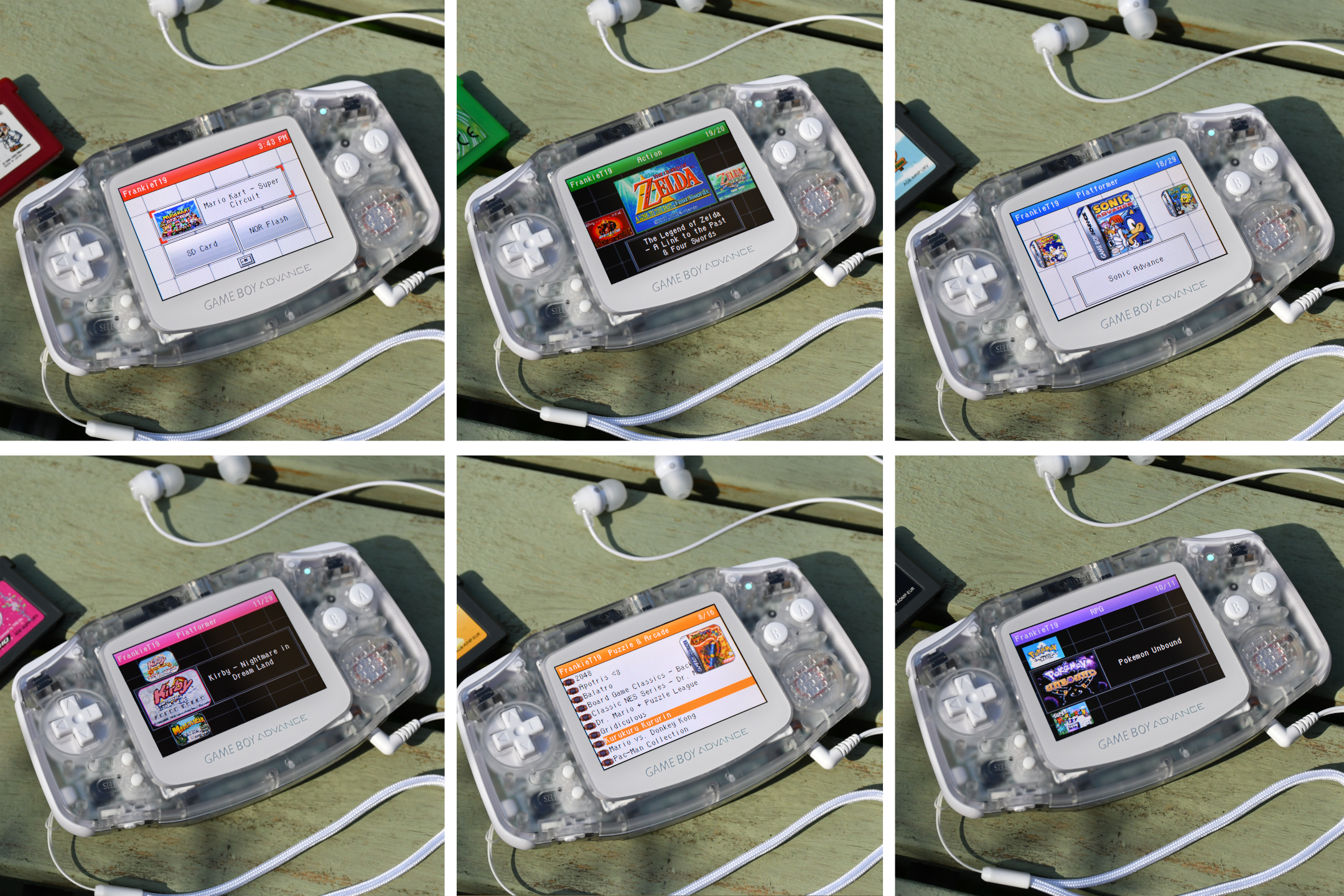
I present to you DS Style—a custom kernel for the EZ-Flash Omega and Omega Definitive Edition to celebrate the GBA's 25th anniversary:toot:. This is a complete overhaul of the menu system for the flashcarts, introducing many new features and a fresh new look inspired by the Nintendo DS's operating system.

Hope you enjoy :D

Everything you need to install this and the instructions are included in the download below.


Features.png

  1. Nintendo DS inspired UI :nds: with a faithful animated start screen
  2. All 16 colour options from the DS
  3. Dark mode 🌛
  4. Modern front-end with two view modes, horizontal and vertical carousels
  5. Title screen and box art thumbnails 🖼️
  6. Set your favourite games and launch them from the start screen
  7. Set a username to be displayed in the top left
  8. Toggleable UI sound effects 🔊
  9. Bypass the launch menu by setting your preferred boot mode
  10. Optionally boot to your last played game
  11. Launch your last played games quickly from the start screen or by using the Quick start hotkey
  12. Includes all features from the Simple theme
    • PogoShell plugin support
    • Save backups
  13. Retains all functionality and features of the official kernel
  14. UI refinements and QoL additions providing a polished user experience throughout 🔧
  15. Customise with the DS Style Customiser! 🎨
  16. Load your own artwork & add artwork for homebrew games with the DS Style Thumbnail Scraper
  17. Multiple language options included! 🌍
    • English (UK)
    • English (US)
    • Spanish
    • French
    • Portuguese
    • German
    • Turkish
    • Italian
    • Dutch
    • Swedish
    • Finnish
    • Chinese

For all features, and instructions, please read usage instructions text file included with the download.


Gallery.png


GreyBlueShowcase.JPG

combinedoverview.JPG

DS Style Customiser.png

DS Style Thumbnail Scraper.png

*DS Style comes pre-packed with thumbnail sets, the tools above are for further customisation.

Video showcase and installation + customisation tutorial


DS Style for the Omega Definitive Edition
Download.png

DS Style for the original Omega
Download.png

DS Style Customiser
Download.png

DS Style Thumbnail Scraper
Download.png

DS Style Omega Definitive Edition Source

DS Style original Omega Source

Buy Me a Coffee.pngBuy me a coffee
 
Last edited by FrankieT19,
So I flashed this onto my EZFlash Omega (non-DE) not noticing it was for the DE and it *seems* to be working fine?
Kinda interesting, hopefully I don't run into problems in the future x)
Thanks for the cool skins!

Edit: Okay yeah nevermind, it doesn't allow me to save properly unfortunatelly :(
Is there any chance we could have a non-DE version of these skins?
In particular I was really looking forward to using an Orange or Teal one
 
Last edited by Lolight4,
  • Like
Reactions: FrankieT19
So I flashed this onto my EZFlash Omega (non-DE) not noticing it was for the DE and it *seems* to be working fine?
Kinda interesting, hopefully I don't run into problems in the future x)
Thanks for the cool skins!

Edit: Okay yeah nevermind, it doesn't allow me to save properly unfortunatelly :(
Is there any chance we could have a non-DE version of these skins?
In particular I was really looking forward to using an Orange or Teal one
Just made you some non-DE versions! They've been added to the original post. Hope you like them :)
 
  • Like
Reactions: Lolight4
Just wondering is this based off of the newest build of Simple and SimpleDE that was just released?
 
Update 3.0 Brings a new theme switcher feature to 'DS Style'. Now you can swap colours on the go, no PC needed!
 
Maybe I'm missing something ...?

I installed it to a new EZ Flash Omega.

I see the abse DS theme after boot, but there is no THEMES directory visible in the SD card menu (despite there being a dir) and also the common simple light functionality such as the extended menu when pressing select are not available.
 
Maybe I'm missing something ...?

I installed it to a new EZ Flash Omega.

I see the abse DS theme after boot, but there is no THEMES directory visible in the SD card menu (despite there being a dir) and also the common simple light functionality such as the extended menu when pressing select are not available.

Try making a folder called something else, putting the themes inside it loading that up. If you can see that folder, delete the original THEMES folder and rename the new one to THEMES and it should display. Maybe the folder I uploaded was broken in some way, I'll see if I can fix it and will re-upload a working THEMES folder. Sorry about that.

Also, regarding the menu when pressing select, I believe this isn't currently working on the latest SimpleDE release that this theme is built on, rather than this theme itself being the issue. Does the select menu work for you on the latest SimpleDE version (released a few days ago)?

Edit: I've updated the file, the THEMES folder might work now

Edit2: Thank you MakiRoll for clarifying that the Select menu options are found within the second settings page on the Omega Definitive Edition
 
Last edited by FrankieT19,
Try making a folder called something else, putting the themes inside it loading that up. If you can see that folder, delete the original THEMES folder and rename the new one to THEMES and it should display. Maybe the folder I uploaded was broken in some way, I'll see if I can fix it and will re-upload a working THEMES folder. Sorry about that.

Also, regarding the menu when pressing select, I believe this isn't currently working on the latest SimpleDE release that this theme is built on, rather than this theme itself being the issue. Does the select menu work for you on the latest SimpleDE version (released a few days ago)?

Edit: I've updated the file, it might work now


Okay, this is interesting:
So with the latest SimpleDE (I didnt try any other version on this new Omega DE) the select button also only toggles the box art on/off.

I created a new folder called THEMES2 and copied all the THEME bin files in there but pressing A just quickly flashes the screenm, then nothing happens.
 
Okay, this is interesting:
So with the latest SimpleDE (I didnt try any other version on this new Omega DE) the select button also only toggles the box art on/off.

I created a new folder called THEMES2 and copied all the THEME bin files in there but pressing A just quickly flashes the screenm, then nothing happens.
Yes the theme picker functionality expects the themes to be in the THEMES folder to prevent accidentally loading random bin files. If you rename the THEMES2 folder to THEMES (delete the original THEMES folder first) hopefully it will show and function correctly. I think the original folder corrupted somehow.
 
Yes the theme picker functionality expects the themes to be in the THEMES folder to prevent accidentally loading random bin files. If you rename the THEMES2 folder to THEMES (delete the original THEMES folder first) hopefully it will show and function correctly. I think the original folder corrupted somehow.
Ah I see.

I tried it with your updated zip. No joy.

I then created the folder myself, putting in all the bins directly. Then the EZ flash woulnd't boot, hanging at the weird looking Nintendo log after the EZ-Flash logo.

Then I re-flashed your kernel.bin after a restart and now the folder is showing as expected and applying themes works as intended. However, select still only toggles the box art for me. Really weird.
Post automatically merged:

There is the solution:


Select is not supposed to do anything on the Omega DE. It is all in the DE specific menu tab.

So thank you for the cool theme and the support.
 
Last edited by MakiRoll,
  • Like
Reactions: FrankieT19
Will try this out on my non-DE sometime, thanks! I like that you built in theme switching on the fly, as I'd probably want to change colours depending which console I had the Omega in. Great job!
Thanks! Hope you enjoy it.
Post automatically merged:

Update v3.1 Fixed the THEMES folder not showing - I believe Microsoft OneDrive was changing my file system format
If someone could confirm it's working on their end I would greatly appreciate it <3
 
  • Love
Reactions: hippy dave
Thanks! Hope you enjoy it.
Post automatically merged:

Update v3.1 Fixed the THEMES folder not showing - I believe Microsoft OneDrive was changing my file system format
If someone could confirm it's working on their end I would greatly appreciate it <3

Maybe I had the wrong zip downloaded but I think it did not work for me previously.
 
Maybe I had the wrong zip downloaded but I think it did not work for me previously.
The latest file shares the same version number as one I uploaded a few hours ago as it is for the same bug. I uploaded the new one 10 minutes ago, is that the one you tried?
 
I tried it a lot earlier (when we were originally discussion the issue), I was under the imporession that you had updated it earlier already.
 
I tried it a lot earlier (when we were originally discussion the issue), I was under the imporession that you had updated it earlier already.
Apologies for the confusion with the version numbers.

Update v3.2 Fixed incorrect information in the Help menu regarding the Select button's function for the Definitive Edition
 
  • Like
Reactions: supersonic124

Site & Scene News

Popular threads in this forum