Feedback Review Tutorial
Updated
My 2026 Setup (Guide with links and Capabilities)
Hello team!
I got an "enhanced" Switch Lite for almost 2 years now, but just recently decided to update it to latest CFW and OFW versions (as I was stuck in 19.0.0 and many titles are not compatible with so old release).
During the update I found that most of the homebrew apps also needed an upgrade, and on the way found out more uses for the Switch (that makes this system fully a "all terrain" beast).
Will split this text in sections, containing a brief explanation and resources I used to have it working, will not comment on the native game execution for obvious reasons, but stay with me on this, there so much more to the Switch.
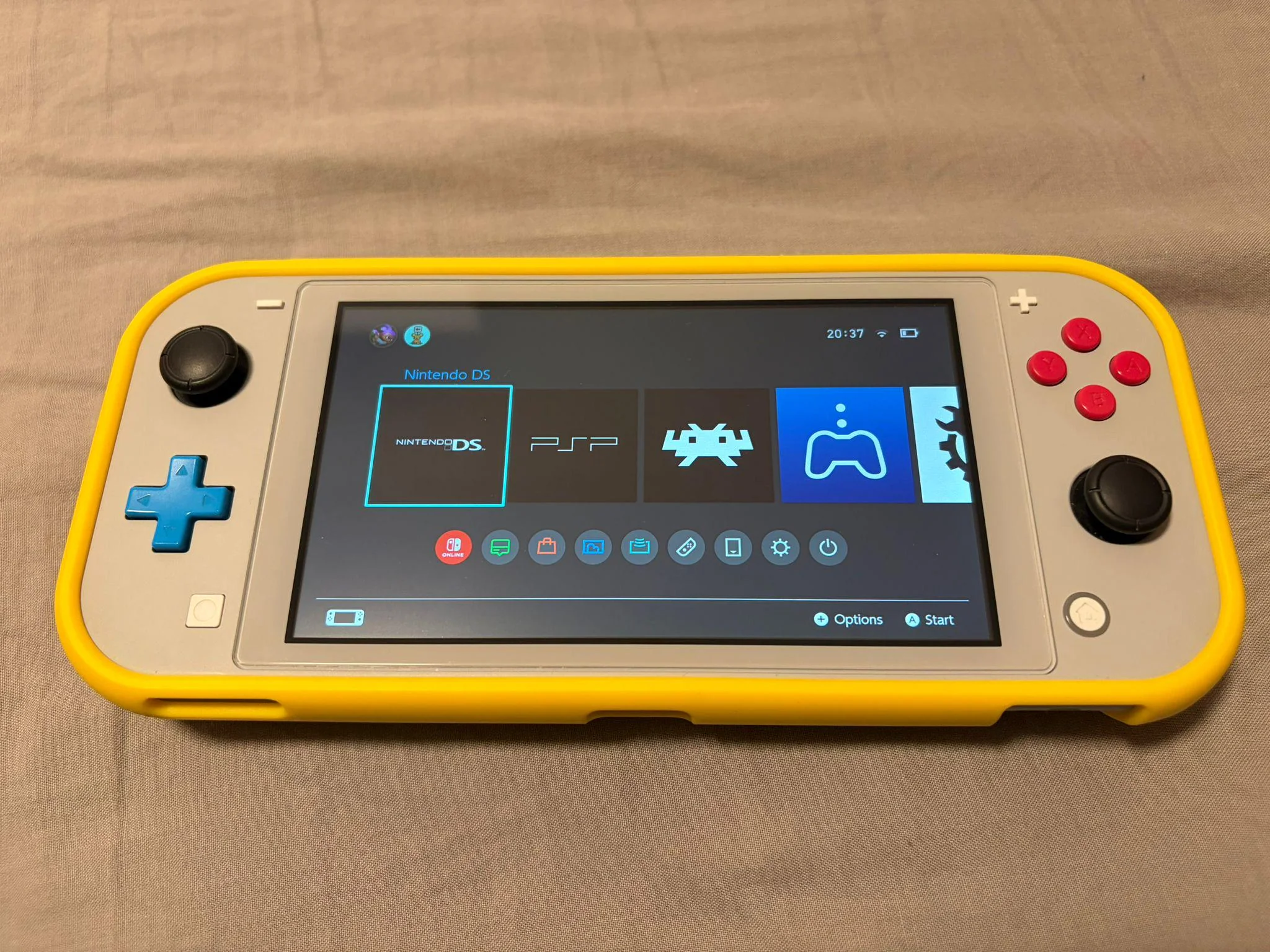
First of all a bit about the setup, it's a Switch Lite, hardware wise I've installed a Hall effect joystick (to prevent drifting over time), it runs latest Firmware (21.2.0), on top sthetix HATS:
https://github.com/sthetix/HATS/releases
Emulation
One of the main reasons to rock a modded switch it's the emulation capability, thanks to RetroArch we have all of the most popular systems, running games well up to N64 / Dreamcast, with no issue thanks to standalone apps for NDS and PSP.
The RetroArch on 21.2.0 runs no issue on the Nightly release (the update for real broke a lot in compatibility with homebrew apps), and you can get it here:
https://buildbot.libretro.com/nightly/nintendo/switch/libnx/
(use the file that has no dates)
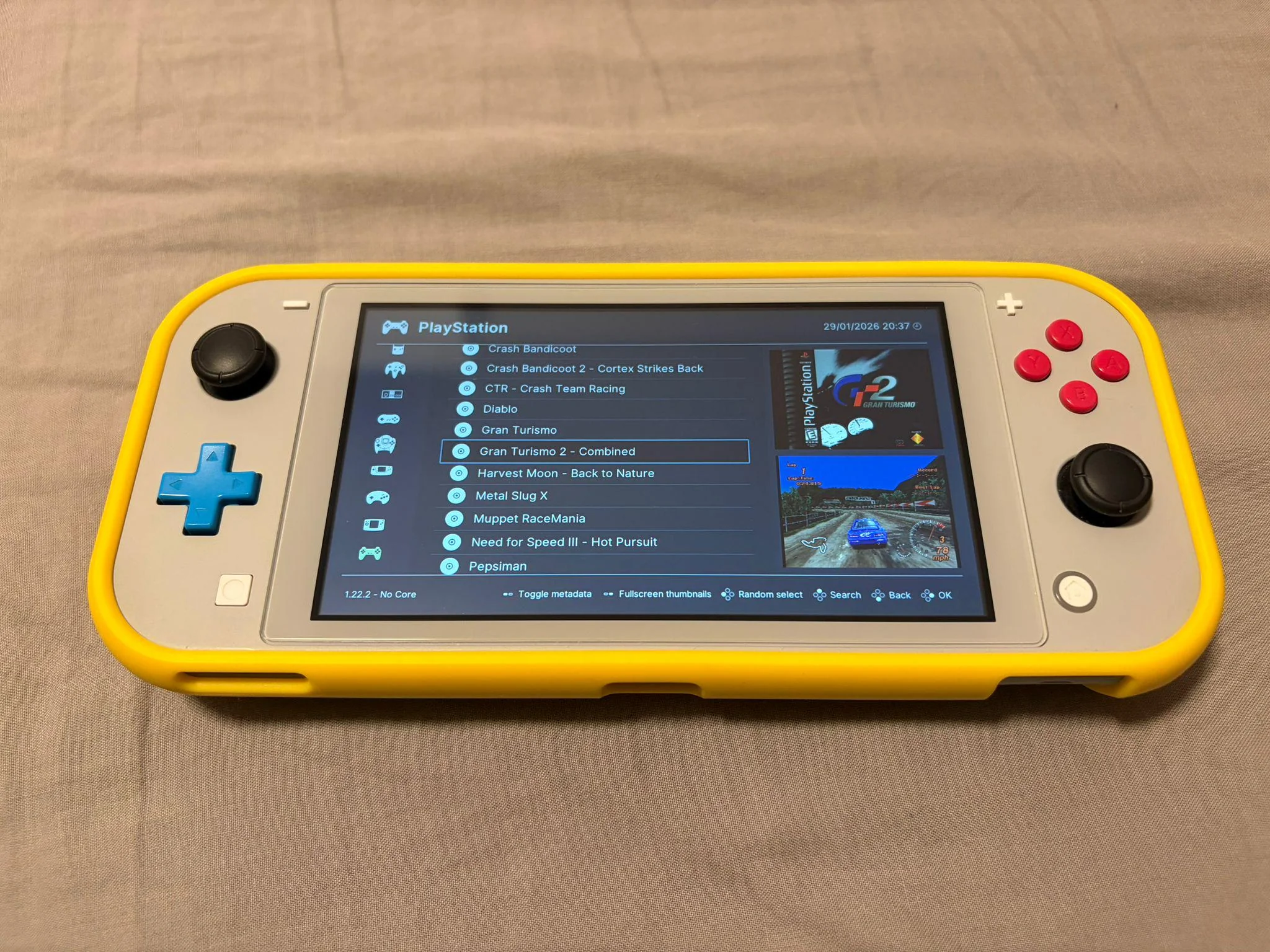
I have a curated list of titles, compatible with RetroAchievements, and also artboxes and screenshots for better presentation.
The only system that as of today (January 2026) have issues running is Dreamcast, neither RetroArch core or standalone FlyCast app open games making the console crash.
For the FlyCast crashing, you actually just have to grab the 1.20.0 RetroArch core version:
https://buildbot.libretro.com/stable/1.20.0/nintendo/switch/libnx/
And replace only the FlyCast core (under cores folder) from the nightly build.
For NDS I strongly recommend NooDS, very easy interface, has 0 performance issues, games like Mario Kart or Animal Crossing run max fps. Actually out of all handhelds I have (Vita, Anbernic, Miyoo) the Switch is the best for NDS emulation thanks to its screen size and touchscreen capability. So you can put both screens alongside and don't miss any info.
https://github.com/Hydr8gon/NooDS/releases/tag/release
And lastly, for PSP there is the standalone PPSSPP app, I don't recommend the RetroArch core as it's a bit slower, and also there is an extra "cool feature" we can use the PPSSPP for, and it's the AdHoc PRO.
Sadly the firmware update also made the "old" PPSSPP incompatible, we have a "not fully tested" release on this ticket:
https://github.com/hrydgard/ppsspp/issues/21063#issuecomment-3773277346
But for the games I had chance to run 0 issues.
PPSSPP AdHoc setup.
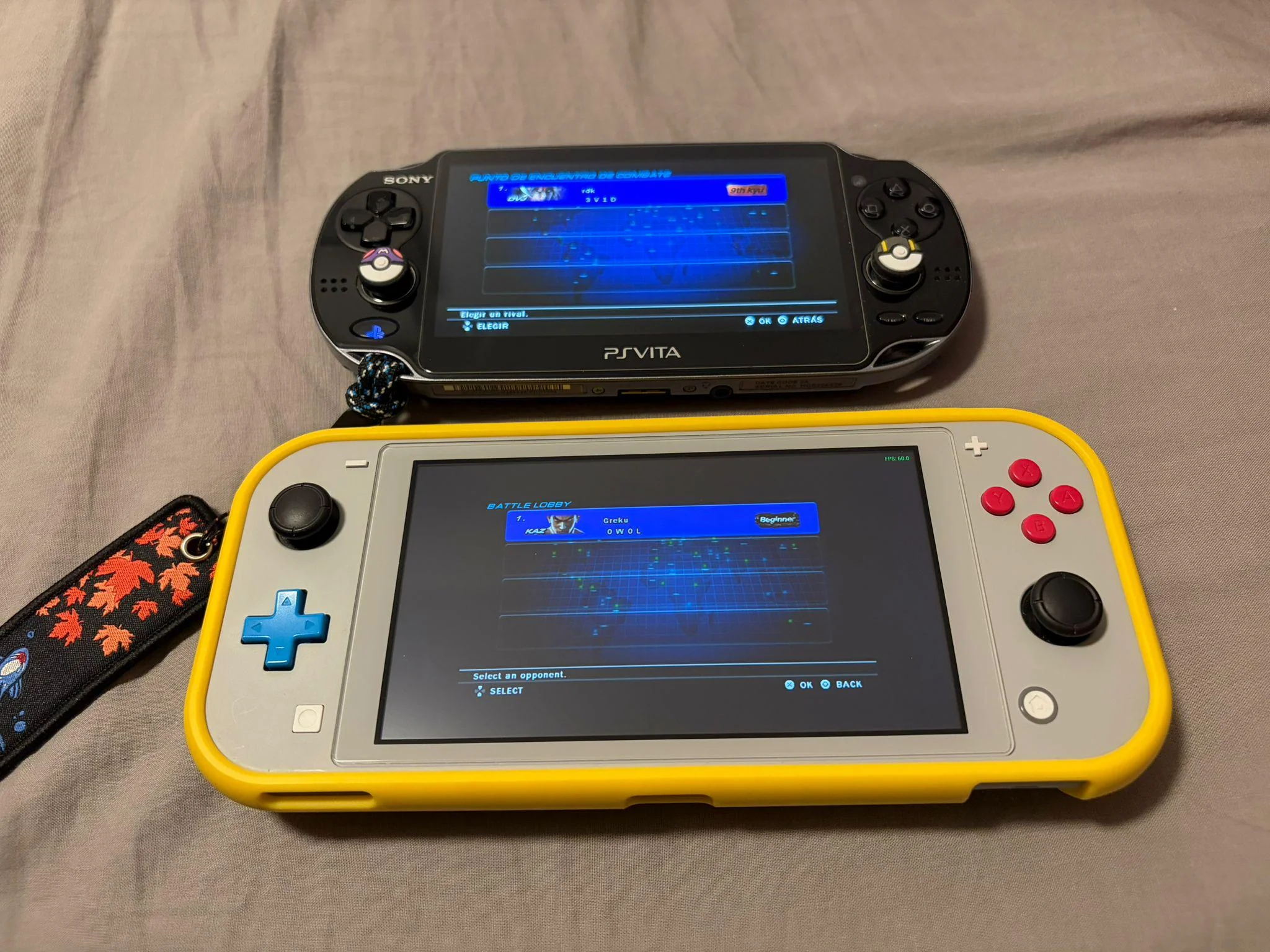
Now staying in the PSP topic, if you are rocking a real PSP or PSVita, you have a way to setup crossplay with PPSSPP and the other devices (on Vita thanks to Adrenaline).
You need to install on the PSP PRO Online plugin:
https://github.com/Kethen/aemu/releases
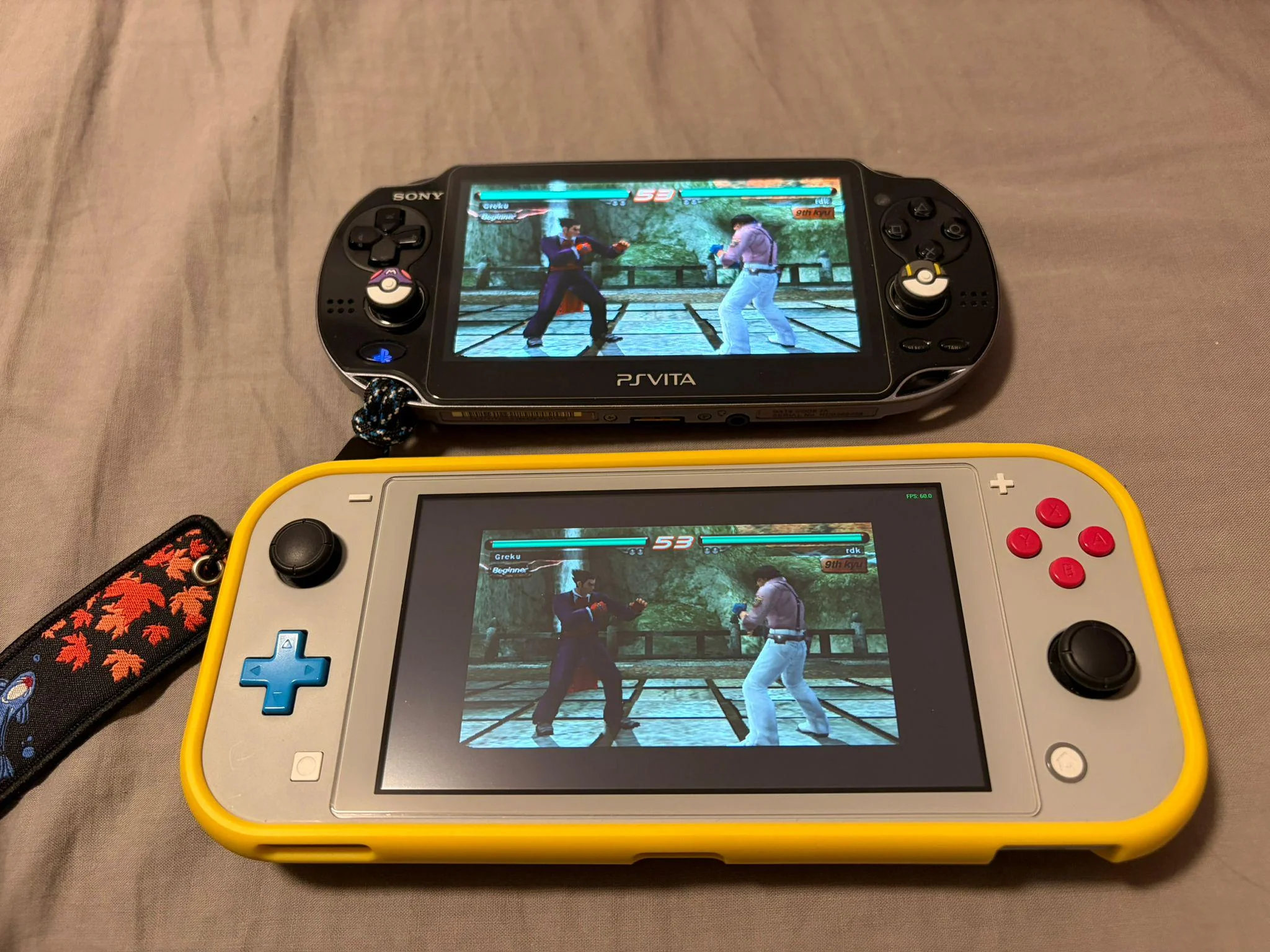
And point to the Switch IP address as server (when PPSSPP is running), Port offset on both set to 10000
PS4/PS5 Remote Play
Another very interesting feature on the Switch is the remote play capability, that makes possible to play even more games, and more powerful titles.
I'm using Akira, it's a fork of Chiaki but with new features like port forwarding and button remapping, also the setup is way easier as it fetches the PSN ID by itself:
https://github.com/xlanor/akira
(edit: pasting the project homepage because people can’t read before requesting help)
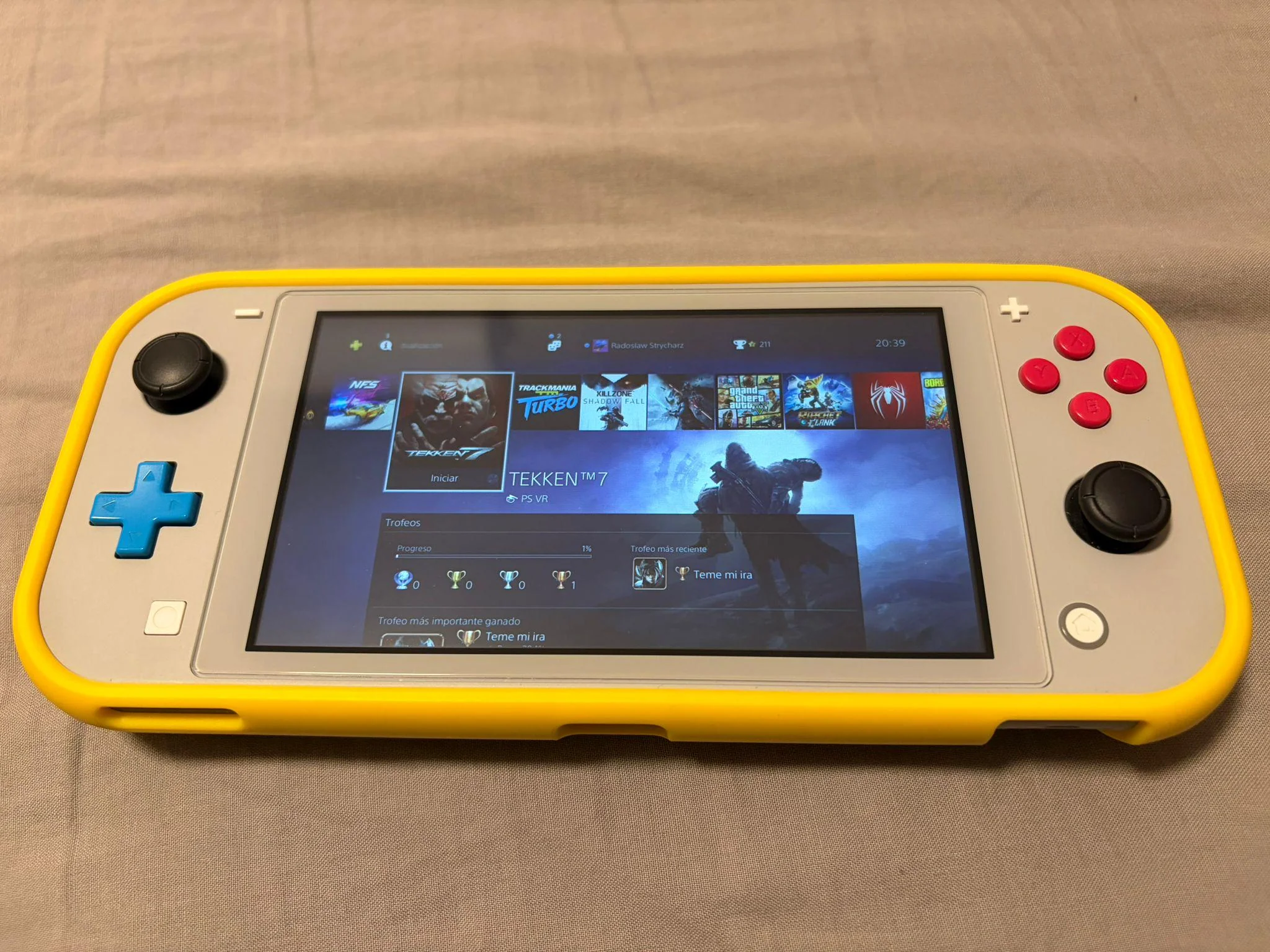
Thanks to this setup, I can play remotely just like a PS Portal, the overall experience is great, maybe not possible to play precision games like Super Meat Boy or Trackmania (because of the small input lag), but titles like Diablo 4, AC Valhalla are totally playable.
Also comparing to the Remote Play on Vita, the input lag is a bit bigger on Switch, but having all of the controls (R2L2R3L3) makes it the perfect system for Remote Play.
Software recommendations
Lastly some homebrew apps to recommend, for starters Sphaira, an all-in-one menu app that brings MTP connection, FTP server, Installing games from files, file explorer, homebrew apps updater and so on:
https://github.com/ITotalJustice/sphaira
(using Sphaira I totally ditched DBI at last)
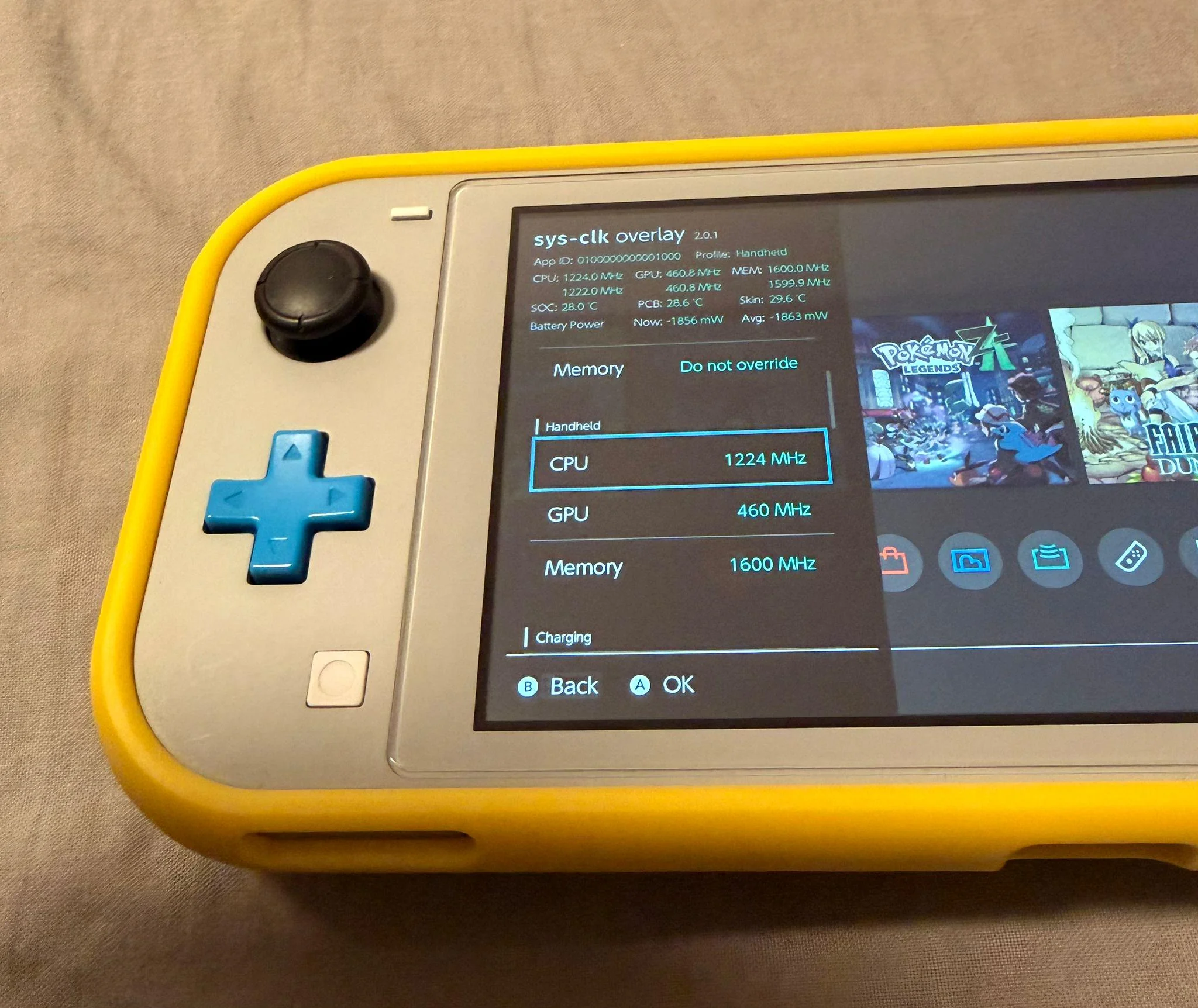
sys-clk for overclocking, I try not to overclock the Switch much (battery draining), but for some more advanced games like Borderlands 3, Witcher 3 or even Zeldas, the game performance can improve very much:
https://github.com/retronx-team/sys-clk
Final thought
I'd be updating this guide if anything new related to 21.2.0 compatibility wise arise. And also for formatting the post (reddit editor is a bit limited).
Don't hesitate on asking me anything! Will try to answer any kind of doubts!
I got an "enhanced" Switch Lite for almost 2 years now, but just recently decided to update it to latest CFW and OFW versions (as I was stuck in 19.0.0 and many titles are not compatible with so old release).
During the update I found that most of the homebrew apps also needed an upgrade, and on the way found out more uses for the Switch (that makes this system fully a "all terrain" beast).
Will split this text in sections, containing a brief explanation and resources I used to have it working, will not comment on the native game execution for obvious reasons, but stay with me on this, there so much more to the Switch.
First of all a bit about the setup, it's a Switch Lite, hardware wise I've installed a Hall effect joystick (to prevent drifting over time), it runs latest Firmware (21.2.0), on top sthetix HATS:
https://github.com/sthetix/HATS/releases
Emulation
One of the main reasons to rock a modded switch it's the emulation capability, thanks to RetroArch we have all of the most popular systems, running games well up to N64 / Dreamcast, with no issue thanks to standalone apps for NDS and PSP.
The RetroArch on 21.2.0 runs no issue on the Nightly release (the update for real broke a lot in compatibility with homebrew apps), and you can get it here:
https://buildbot.libretro.com/nightly/nintendo/switch/libnx/
(use the file that has no dates)
I have a curated list of titles, compatible with RetroAchievements, and also artboxes and screenshots for better presentation.
For the FlyCast crashing, you actually just have to grab the 1.20.0 RetroArch core version:
https://buildbot.libretro.com/stable/1.20.0/nintendo/switch/libnx/
And replace only the FlyCast core (under cores folder) from the nightly build.
For NDS I strongly recommend NooDS, very easy interface, has 0 performance issues, games like Mario Kart or Animal Crossing run max fps. Actually out of all handhelds I have (Vita, Anbernic, Miyoo) the Switch is the best for NDS emulation thanks to its screen size and touchscreen capability. So you can put both screens alongside and don't miss any info.
https://github.com/Hydr8gon/NooDS/releases/tag/release
And lastly, for PSP there is the standalone PPSSPP app, I don't recommend the RetroArch core as it's a bit slower, and also there is an extra "cool feature" we can use the PPSSPP for, and it's the AdHoc PRO.
Sadly the firmware update also made the "old" PPSSPP incompatible, we have a "not fully tested" release on this ticket:
https://github.com/hrydgard/ppsspp/issues/21063#issuecomment-3773277346
But for the games I had chance to run 0 issues.
PPSSPP AdHoc setup.
Now staying in the PSP topic, if you are rocking a real PSP or PSVita, you have a way to setup crossplay with PPSSPP and the other devices (on Vita thanks to Adrenaline).
You need to install on the PSP PRO Online plugin:
https://github.com/Kethen/aemu/releases
And point to the Switch IP address as server (when PPSSPP is running), Port offset on both set to 10000
PS4/PS5 Remote Play
Another very interesting feature on the Switch is the remote play capability, that makes possible to play even more games, and more powerful titles.
I'm using Akira, it's a fork of Chiaki but with new features like port forwarding and button remapping, also the setup is way easier as it fetches the PSN ID by itself:
https://github.com/xlanor/akira
(edit: pasting the project homepage because people can’t read before requesting help)
Thanks to this setup, I can play remotely just like a PS Portal, the overall experience is great, maybe not possible to play precision games like Super Meat Boy or Trackmania (because of the small input lag), but titles like Diablo 4, AC Valhalla are totally playable.
Also comparing to the Remote Play on Vita, the input lag is a bit bigger on Switch, but having all of the controls (R2L2R3L3) makes it the perfect system for Remote Play.
Software recommendations
Lastly some homebrew apps to recommend, for starters Sphaira, an all-in-one menu app that brings MTP connection, FTP server, Installing games from files, file explorer, homebrew apps updater and so on:
https://github.com/ITotalJustice/sphaira
(using Sphaira I totally ditched DBI at last)
sys-clk for overclocking, I try not to overclock the Switch much (battery draining), but for some more advanced games like Borderlands 3, Witcher 3 or even Zeldas, the game performance can improve very much:
https://github.com/retronx-team/sys-clk
Final thought
I'd be updating this guide if anything new related to 21.2.0 compatibility wise arise. And also for formatting the post (reddit editor is a bit limited).
Don't hesitate on asking me anything! Will try to answer any kind of doubts!
Last edited by GitMage,