Portable PegaScape (Win32)

Portable PegaScape (Win32) - Tutorial with prebuilt binaries

1. Download & extract PegaScape-master.zip to c:\PegaScape-master.
2. Download & install python-2.7.15, node-v9.11.2, portableGit-2.44.0.
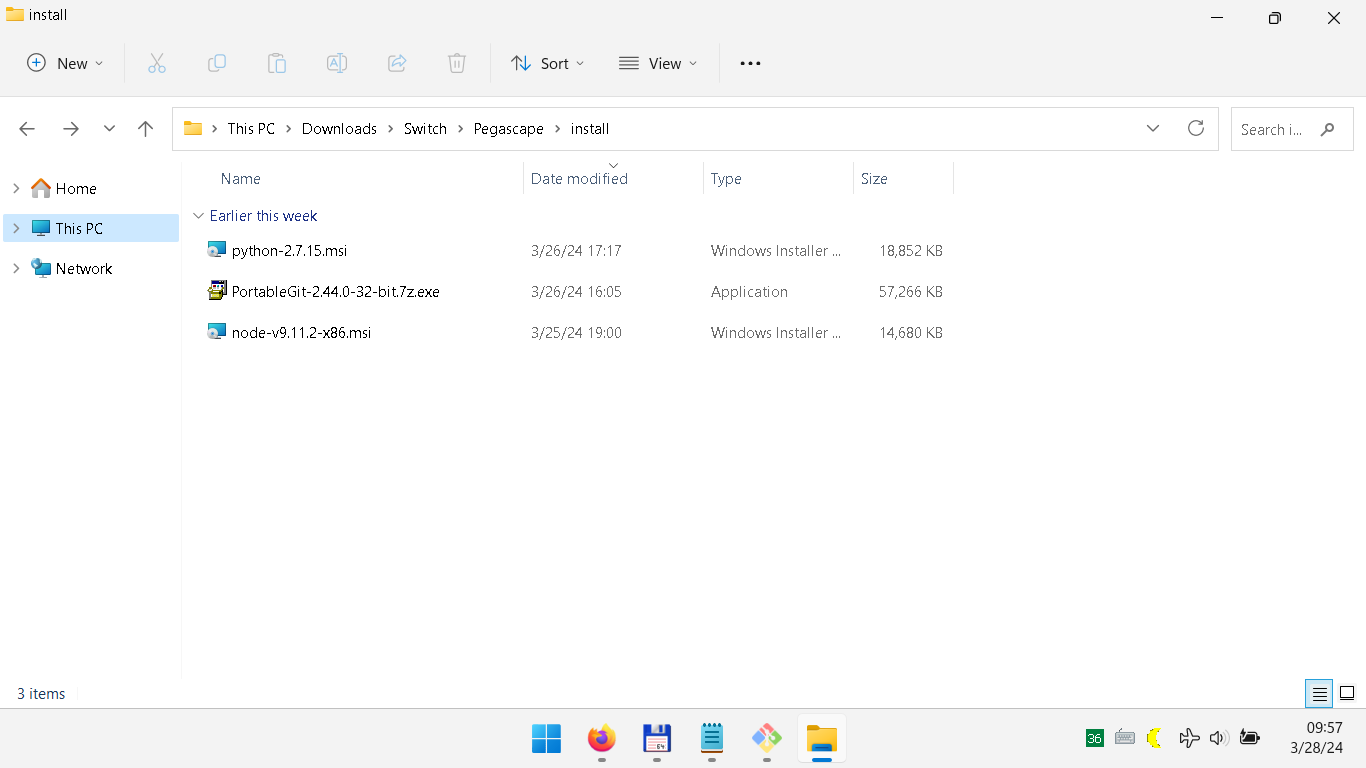
1711623443407.png


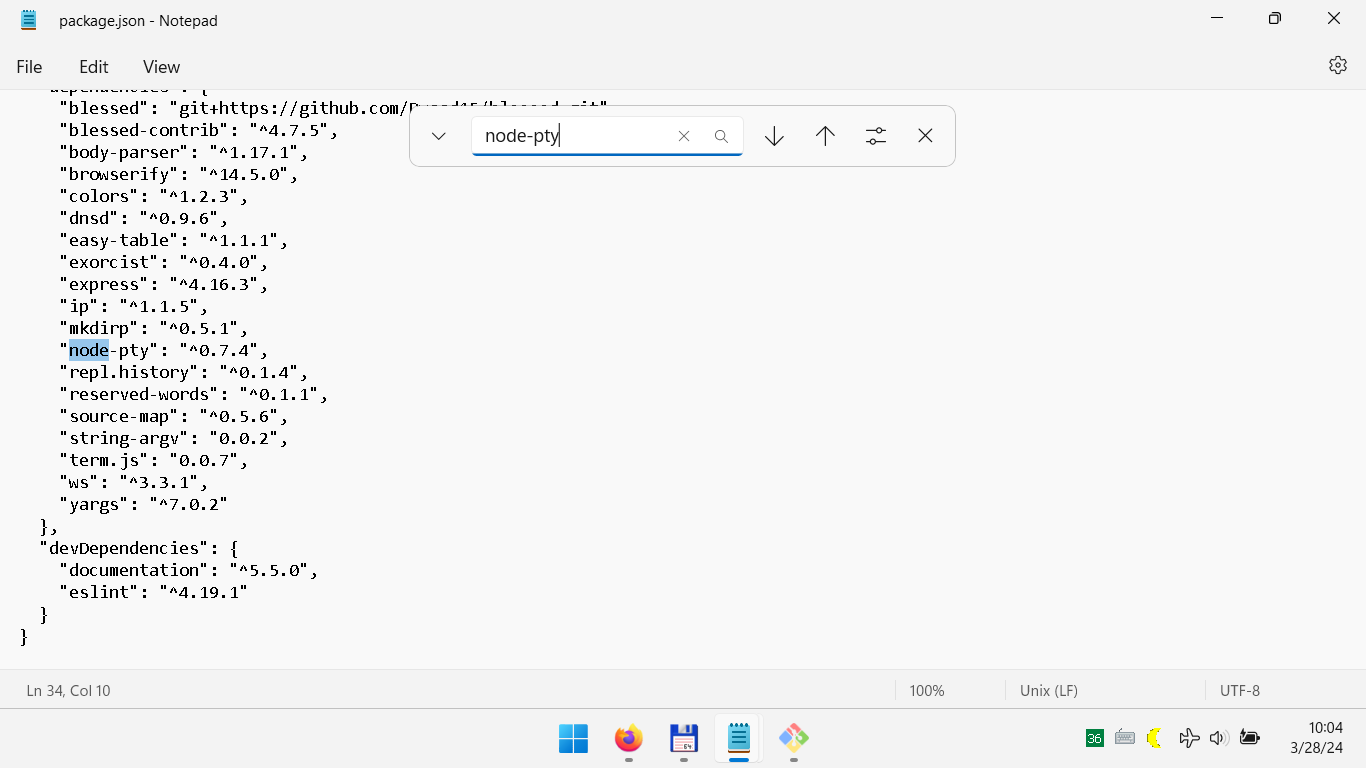
3. Edit c:\PegaScape-master\package.json.
- change "node-pty" to "node-pty-prebuilt"
1711623866049.png


4. Go to portable Git, find git-cmd.exe & run as Administrator.
5. In git-cmd.exe change the directory to c:\PegaScape-master.
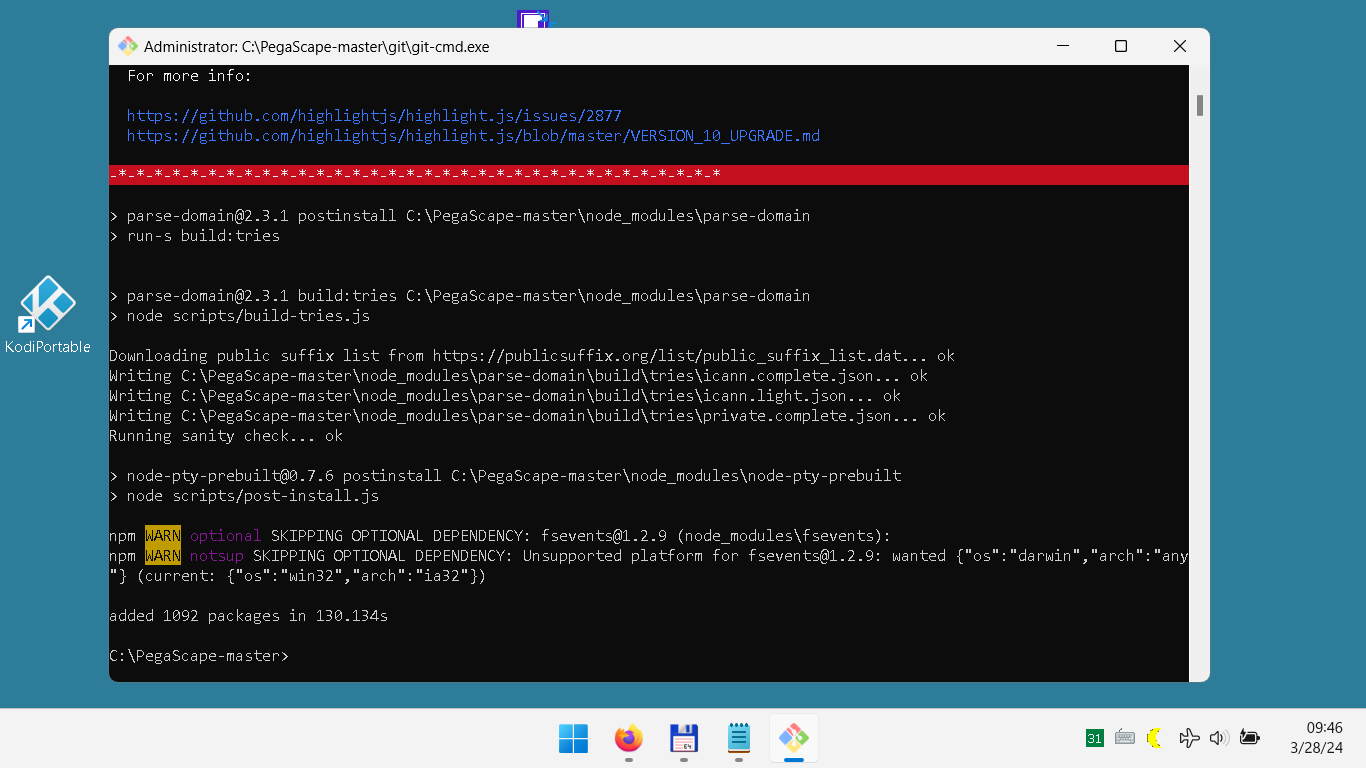
6. Type npm install & hit enter, wait to finish installation without error.
1711622832305.png


7. Edit c:\Pega...\node_modules\blessed\lib\widgets\terminal.js.
- change "node-pty" to "node-pty-prebuilt"
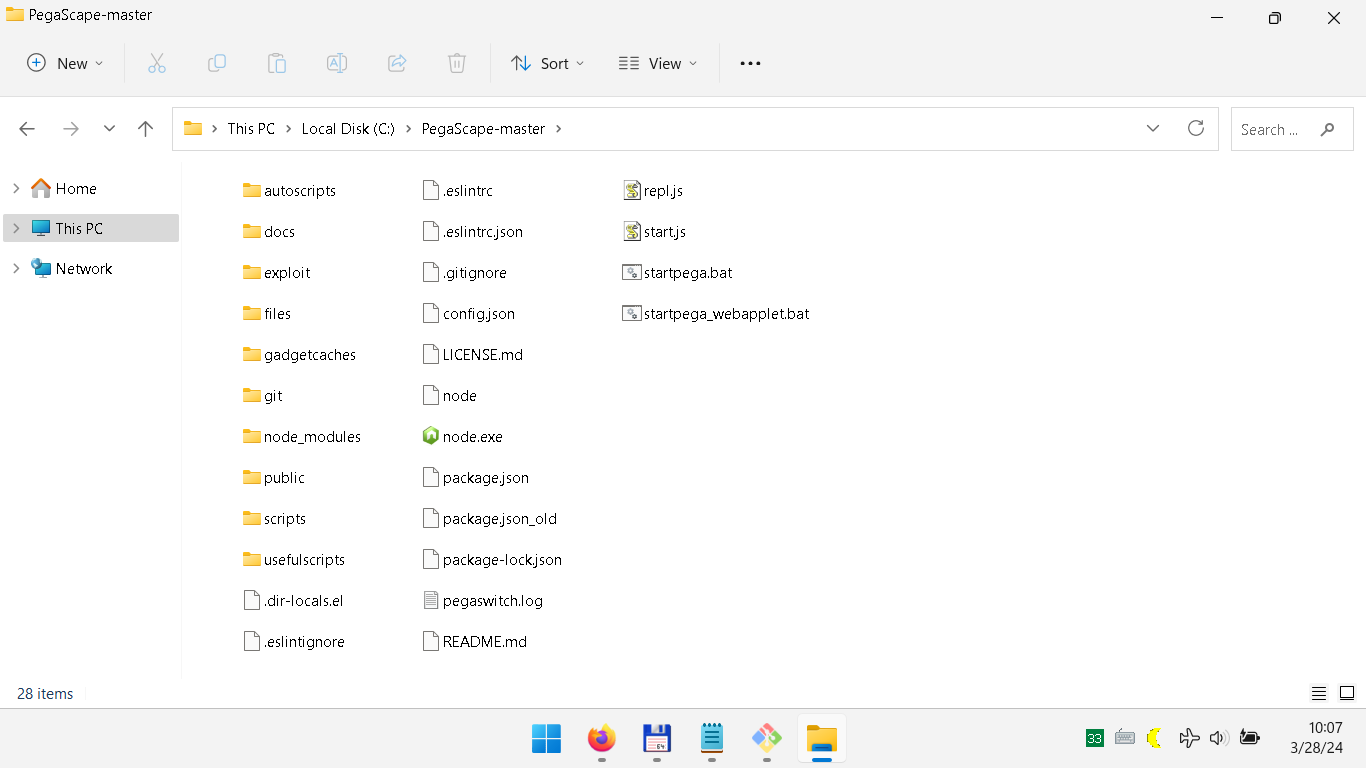
8. Copy c:\Program Files (x86)\nodejs\node.exe to c:\PegaScape-master.
1711624061815.png


9. Uninstall python-2.7.15, node-v9.11.2, portableGit-2.44.0.
10. Now, you have a Portable PegaScape in c:\PegaScape-master.

Usage
1. Edit c:\PegaScape-master\startpega_webapplet.bat.
- change --ip 192.168.0.11 --host 192.168.0.11 to your computer IP Address
- or use only "node start.js --webapplet" command for auto IP & DNS

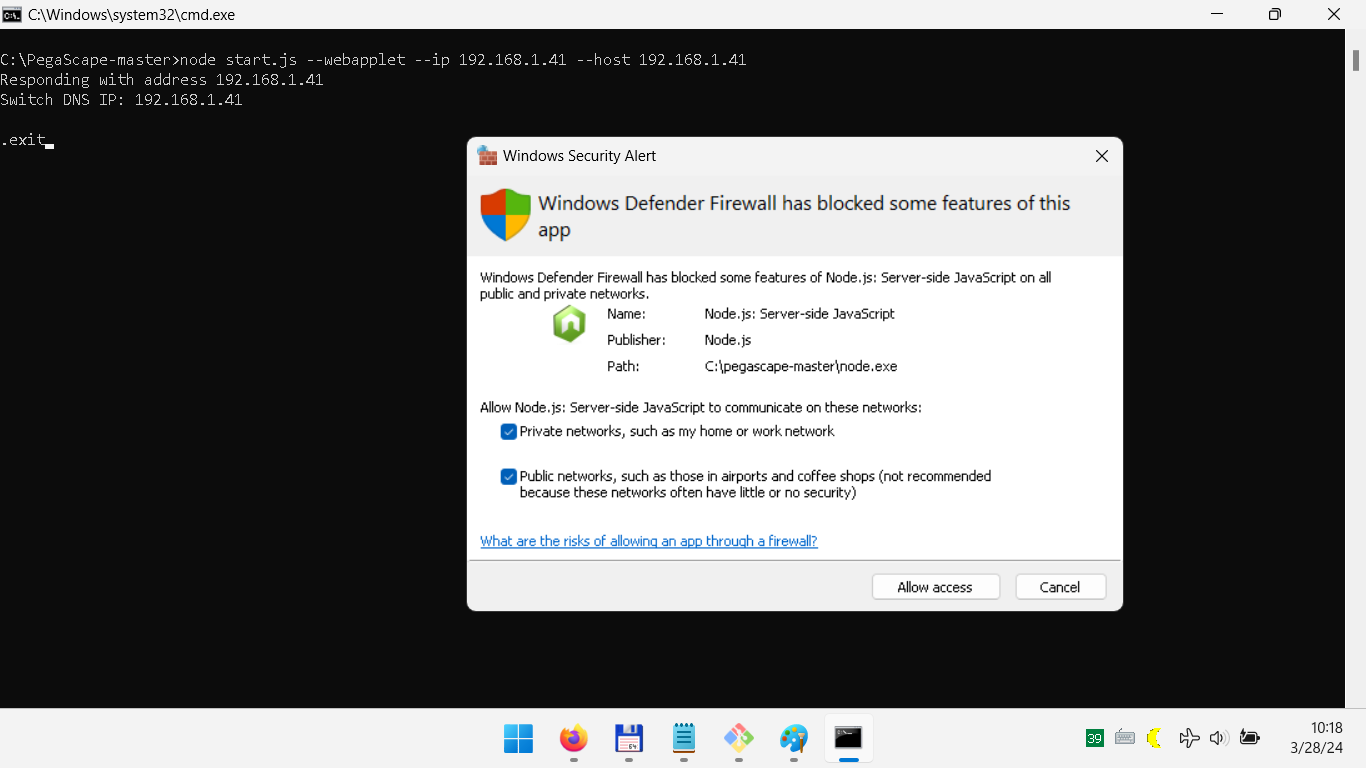
2. Run the startpega_webapplet.bat & allow access all networks in Firewall.
1711624821686.png


3. Set Primary DNS of Nintendo Switch to your IP Address, Switch & PC should be in same network.
- set connect automatically to network to avoid Internet connection test fail
4. Open Fake News & load the exploit just like before.
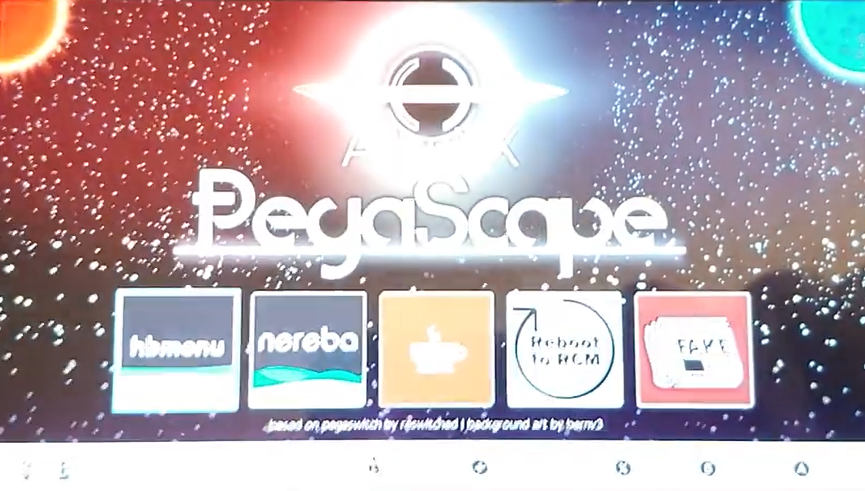
1711626396475.png


Download Links:
https://codeload.github.com/noahc3/PegaScape/zip/refs/heads/master
https://nodejs.org/dist/v9.11.2/node-v9.11.2-x86.msi
https://www.python.org/ftp/python/2.7.15/python-2.7.15.msi

https://github.com/git-for-windows/....0.windows.1/PortableGit-2.44.0-32-bit.7z.exe

Download Portable PegaScape & Node below & merge them, if you want to ignore the tutorial. :)
 

Attachments

Last edited by tataniko,
6. Type npm install & hit enter, wait to finish installation without error.
I am getting an error still around the end of the npm install phase.

1711786594483.png


I tried ignoring it, but when running the .bat file I get the same exact error as it tries to run it. What could be wrong?

If anything, I am using both nvm and pyenv instead of directly installing node and python, as I am using different versions of node and python for other things. Does it make that much of a difference? Also I cloned the repository instead of downloading it as zip.

1711786719856.png


EDIT: Another question, will setting my DNS to the machine's IP running PegaScape avoid supernag? I just realized now after switching my network settings that supernag might accidentally come in, I'm not sure if installing FakeNews beforehand would prevent it so I need to make sure.
 
Last edited by ZGD,
I made this tutorial on a clean Windows, there is something wrong with your system.

If you follow the tutorial step by step, if you create the proper (python, node, npm, git) environment, it will work without any error.

1711622832305-png.428256


Use 90DNS as secondary DNS, but PegaScape has fake internet, so you don't need any internet connection. :)
 
Damn, thank you so much, bro! This tutorial saved me. It worked for me
 

Attachments

  • IMG_20240402_010320.jpg
    IMG_20240402_010320.jpg
    2.6 MB · Views: 125
  • IMG_20240402_010022.jpg
    IMG_20240402_010022.jpg
    2.4 MB · Views: 127
  • Love
Reactions: tataniko
  • Like
Reactions: Skullink120
I'm somewhat tech savvy but I get pretty lost when doing anything command prompt, terminal, or linux related. I was able to follow this tutorial and get Pegascape Self Hosting working on Windows 10. I made some adjustments on what I needed to get it working, you can follow the original post and refer to my reply to see my adjustments. B-)

https://gbatemp.net/threads/pegascape-self-hosting-in-windows-10.652216/post-10392861
 
Thank you for your work.
Precompiled portable version works perfectly on Windows 11 with both 1.0.0 unit (Nereba) and 4.1.0 unit (Caffeine).
 
  • Love
Reactions: tataniko
You have two entry points in PegaScape

1. Webapplet entry point (Fake News, JP Puyo Puyo Tetris)
node start.js --webapplet

2. Wifi Authentication Prompt (Connection Test, eShop NNID Link, Game Update)
node start.js

I don't use the Wifi Authentication Prompt, here is the Fake News injector, that works great. :)
 

Attachments

Last edited by tataniko,
You have two entry points in PegaScape

1. Webapplet entry point (Fake News, JP Puyo Puyo Tetris)
node start.js --webapplet

2. Wifi Authentication Prompt (Connection Test, eShop NNID Link, Game Update)
node start.js

I don't use the Wifi Authentication Prompt, here is the Fake News injector, that works great. :)
Buenas tardes amigo hay problema si mi consola es version 4.1.0 . ??
Me entere que esta version no teconoce fake news. ademas no he podido autohospedaje ya intente todos los tutoriales pero al compilar me salen muchos errores ,cualquier ayuda lo agradeceria mucho
Post automatically merged:

lo logre amigos use la version portable de tataniko solo que no combine los archivos si no que edite el archivo starpega a la ip de mi pc y luego de di iniciar a su vez en la nintendo cambie mi dns a los de mi pc. prueba de internet y me inicio el pegascape para la opcion cafeine supongo que esto es para los que no tenemos fake news por la version 4.1.0
amigo tataniko mil y mil gracias de nor ser por tus tutoriales estaba perdido el portable funciona perfectamente gacias gracias
 
Last edited by joseivanzambrano,
  • Love
Reactions: tataniko
Thank you for your work.
Precompiled portable version works perfectly on Windows 11 with both 1.0.0 unit (Nereba) and 4.1.0 unit (Caffeine).
I'm on Windows 10, Switch 1.0.0.
Can get to the PegaScape screen, but Nereba keeps loading and nothings happens..
Tried several times with no luck.
Did you change anything?

------------

Nevermind, my fault, it's working now!
 
Last edited by kassio69,
  • Like
Reactions: tataniko
How do you use the WIFI Authenticator? I can't get the Webapplet to work. When I push the power button. I just get a black screen and nothing else.

**Update

I removed the --applet command after node,js. I run the connect to network I had setup. It says, "Registration is required to use this network." Which is what it used to do and then takes me right to Pegascape after clicking Next. I click on Caffeine tab. It pauses a while after a short bit and then pops up the empty dialog box. I tap the field and wait a few seconds, then press the power button. It is a black screen, but does nothing. The HB tab goes to a while screen. I am not sure what is going on, any ideas?

Thanks
Post automatically merged:

I went back through all my backups and logically reasoned I could have a corrupt Atmosphere file that is preventing me from loading exploit. Since the last time I had to restore my Switch was through a power loss and battery not charging. I deleted the switch and atmoshere folders and re-added 1.7.0 Atmosphere back onto the SD card. Bam, the exploit worked this time. Thanks for the guides!
 
Last edited by Luc20100,
  • Love
Reactions: tataniko
Hello and thank you very much for your effort!

I downloaded Portable PegaScape & Node and merged it. Pegascape starts like a charm. Unfortunately, it seems that the Caffeine (Deja Vu) exploit no longer triggers on my console, although it worked for me in the past.

Edit: Solved.
Issue was caused by the larger SD card I’ve been using.
The card works fine once in Hekate, but with that card inserted the Pegascape/Caffeine exploit never triggers, even though the contents are identical.
Switching to a different (smaller) SD card fixes the issue.
 
Last edited by silberfisch,

Site & Scene News

Popular threads in this forum