Hacking Firmware for the M3 Micro SD / Movie Player

  • Thread starter Thread starter beauchampy
  • Start date Start date
  • Views Views 3,233
  • Replies Replies 3

beauchampy

Well-Known Member
Newcomer
Joined
Apr 29, 2007
Messages
76
Reaction score
0
Trophies
1
XP
83
Country
Anyone know where I can find the latest firmware for this beast?

Got a feeling it might be here; http://www.linfoxdomain.com/nintendo/ds/

But not too sure what I'm supposed to download!

Thanks

P.s, pic of it here (card at the bottom);
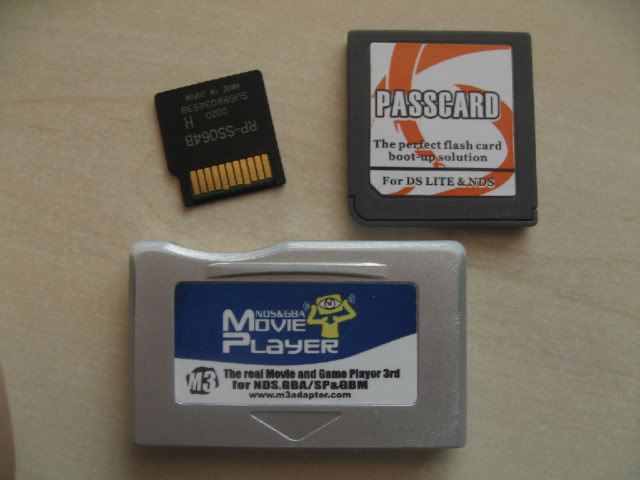
IMG_0193-1.jpg
 
then what was it, i want to know
You bumped a 17yr old thread, and that annoys some people here. But I'll help you out, as a fellow M3 SD owner.

Use this file to update to the latest firmware.
https://www.linfoxdomain.com/nintendo/ds/dl/updagcsd.e35.rar

"To update the firmware:

Once you have the correct firmware version, place the file in the root (right at the top, not in any folders) on your memory card.
Then put it in your DS and turn it on. The M3 should find the update file and prompt you to update.
Press Start to initiate the updating process. When it says the update has completed, turn off the ds and delete the firmware file from the memory card.

And that's it! Remember to get the latest Game Manager too."
 
Last edited by ASSASSIN-Z,
  • Like
Reactions: Nephiel

Site & Scene News

Popular threads in this forum