Tutorial
Updated
How to Activate and share Dev Mode on Xbox One (Up to 3 Devices)
Prerequesites - Xbox One (Any Model), $19.99, (One Time Fee for dev account) PC
I've gotten several requests to do this tutorial so today I am going to show you not only how to activate developer mode on your Xbox One but in addition I will show you how you can share it across two other Xbox Ones as well.

[1.] Go to the Xbox One store and search for Dev Mode Activation. Once you find it download it.
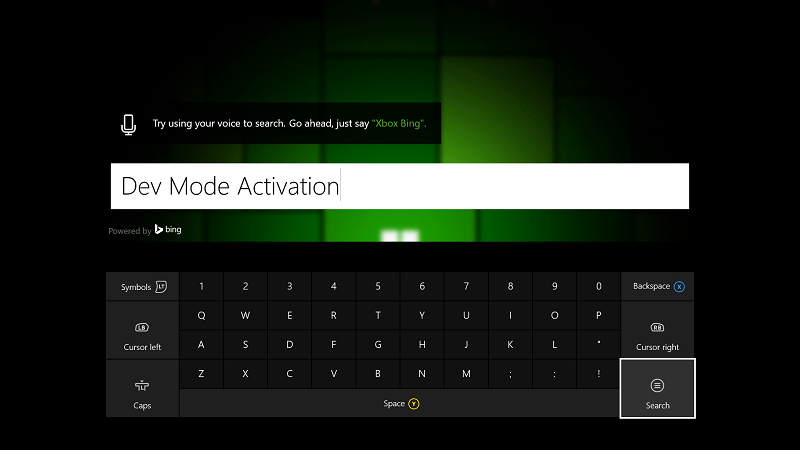
[2.] Once finished go to my games and apps and select "Dev Mode Activation"
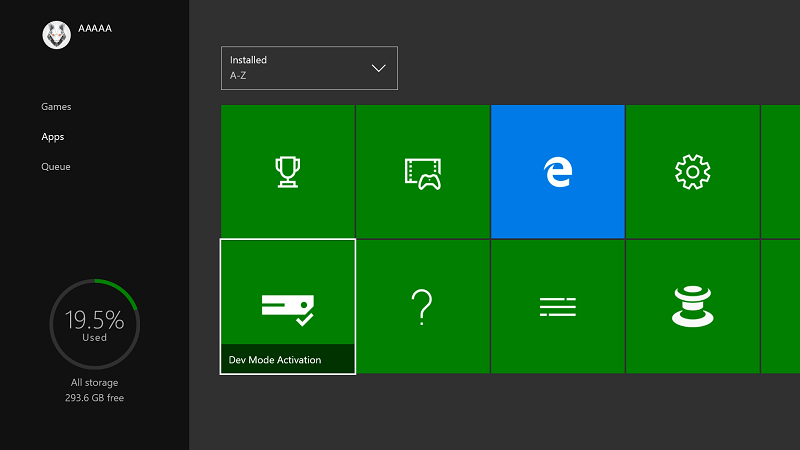
[3.] Take special note of the code that is displayed
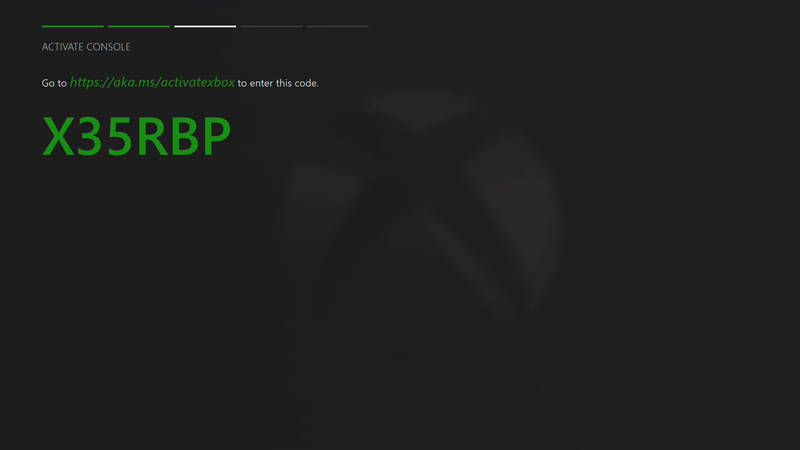
[4.] Go to http://aka.ms/activatexbox and enter the code displayed when prompted.
Note - If you do not already have a developer account you must purchase one now. You can do that here https://developer.microsoft.com/en-us/store/register
It's only $19.99 and it's a one time fee. You are able to activate up to three Xbox One consoles.
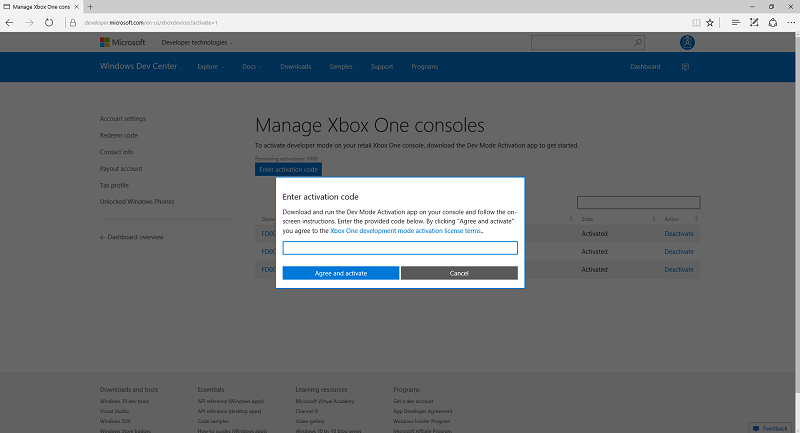
[5.] After entering the code click "Agree and Activate". You Xbox One will now display a progress screen for a bit wait for it to finish. Once Activation is finished you will now go to your Dev Mode Activation app and click "Switch and Restart"
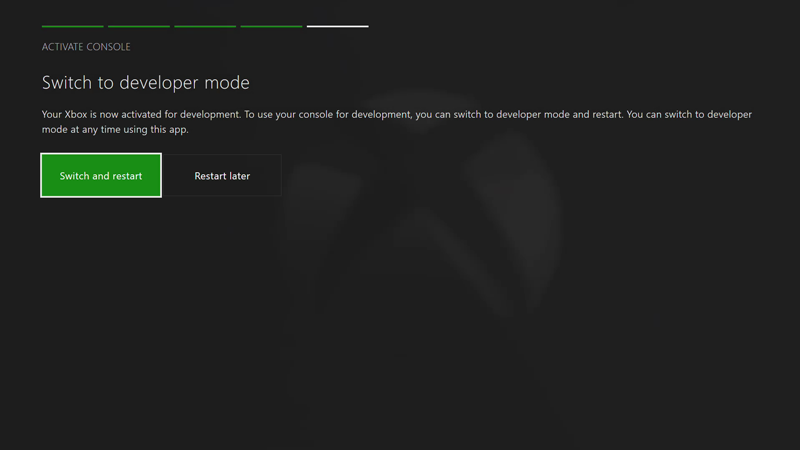
Congratulations, Your Xbox One will now restart into Developer Mode
In order to add more Xbox One devices just download the "Dev Mode activation app" on that console and then when you are activating you will log to your developer account and navigate to dashboard --> Settings and under Devices click "Xbox One development Consoles". It will look like this
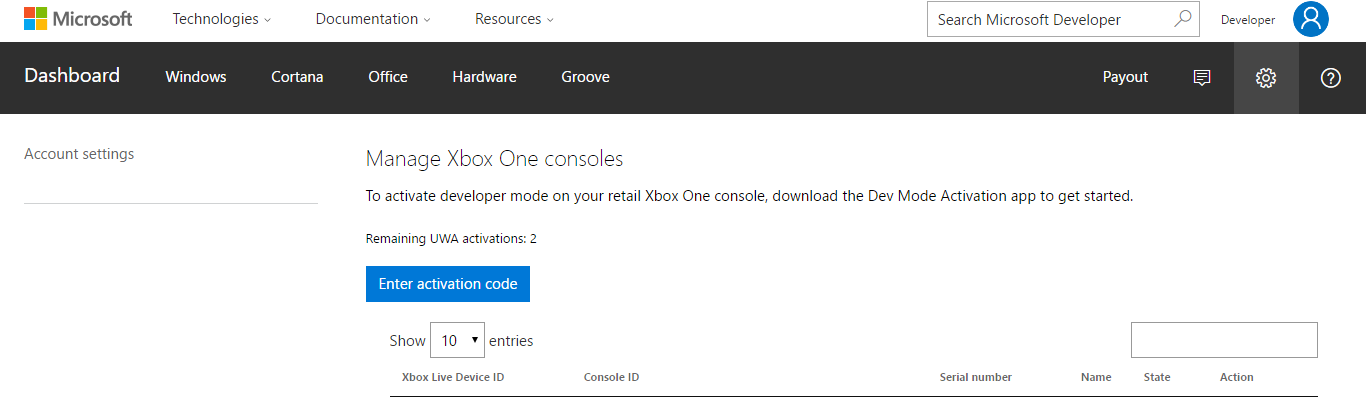
From there just enter your activation code displayed on the Xbox One and this Xbox One will be activated along with any additional ones you would like to activate. Like i said you get a total of 3 activations per account so if you have family members or friends who want Emulators or homebrew on their Xbox One then it's a great deal for them too.
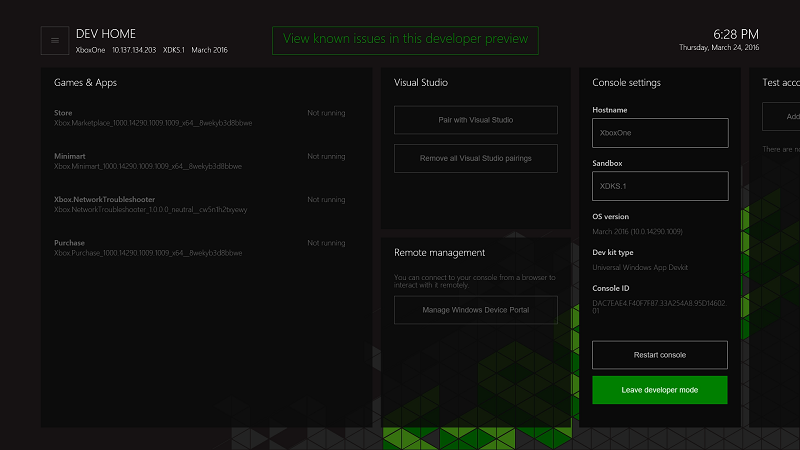
Any time you wish to go back to retail mode just navigate to Dev Home and select "Leave Developer Mode". When you are leaving Dev Mode you will always be asked if you want to delete sideloaded apps. Make sure and deselect the checkbox so you can keep all of your homebrew. Also alot of people have the common misconception that Developer Mode will erase their retail games or apps. I'm here to tell you that's complete Bullshit. All of your retail games and apps will be unaffected.
I hope I have been thorough enough in detailing all of the steps one needs to take. If you have any questions let me know.
Enjoy
I've gotten several requests to do this tutorial so today I am going to show you not only how to activate developer mode on your Xbox One but in addition I will show you how you can share it across two other Xbox Ones as well.
[1.] Go to the Xbox One store and search for Dev Mode Activation. Once you find it download it.
[2.] Once finished go to my games and apps and select "Dev Mode Activation"
[3.] Take special note of the code that is displayed
[4.] Go to http://aka.ms/activatexbox and enter the code displayed when prompted.
Note - If you do not already have a developer account you must purchase one now. You can do that here https://developer.microsoft.com/en-us/store/register
It's only $19.99 and it's a one time fee. You are able to activate up to three Xbox One consoles.
[5.] After entering the code click "Agree and Activate". You Xbox One will now display a progress screen for a bit wait for it to finish. Once Activation is finished you will now go to your Dev Mode Activation app and click "Switch and Restart"
Congratulations, Your Xbox One will now restart into Developer Mode
In order to add more Xbox One devices just download the "Dev Mode activation app" on that console and then when you are activating you will log to your developer account and navigate to dashboard --> Settings and under Devices click "Xbox One development Consoles". It will look like this
From there just enter your activation code displayed on the Xbox One and this Xbox One will be activated along with any additional ones you would like to activate. Like i said you get a total of 3 activations per account so if you have family members or friends who want Emulators or homebrew on their Xbox One then it's a great deal for them too.
Any time you wish to go back to retail mode just navigate to Dev Home and select "Leave Developer Mode". When you are leaving Dev Mode you will always be asked if you want to delete sideloaded apps. Make sure and deselect the checkbox so you can keep all of your homebrew. Also alot of people have the common misconception that Developer Mode will erase their retail games or apps. I'm here to tell you that's complete Bullshit. All of your retail games and apps will be unaffected.
I hope I have been thorough enough in detailing all of the steps one needs to take. If you have any questions let me know.
Enjoy
Last edited by wiired24,