Animanatee v1.4a

Another World

Emulate the Planet!
Former Staff
Joined
Jan 3, 2008
Messages
10,582
Solutions
15
Reaction score
2,074
Trophies
2
Age
50
Location
From Where???
Website
wiki.gbatemp.net
XP
5,668
Country
Colombia
homebrew.gif
Animanatee v1.4a
Update
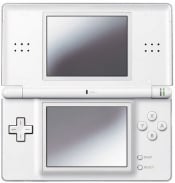
dslite.jpg

After a long delay Animanatee has received some updates. The app has had parts recoded to fix old crashes, as well as updates to enhance drawing features for both animated and still doodles.


Change Log said:
v1.4:
• Full undo system rewrite to fix bugs.
• Zoom (1x, 2x, 4x, 8x).
• Copy/paste.
• Brush size up to 16 pixels, plus pressure sensitivity.
• Calibration tweak, if the draw position feels a couple pixels off.
• 1 and 2 pixel gap tolerance for fill, because tiny gaps are annoying.
• Layer visibility controls.
• Scroll (offsets a layer, handy for moving backgrounds over time).
• Top screen preview for load/save menus.
• Mask/remask (mask=don't draw on a specific color, remask=don't draw on any other).
• Fix for Save As not setting the selected save slot unless exporting an AVI.
• Frames before/frames after, to loop a small portion of the animation near the current frame. Much quicker to check movement when working on a long animation.

v1.4a:
• Fixed crash when trying to preview an empty slot.
• Added an OK button to load/save menu, so you click a slot to preview, then OK to actually load/save.
• Fixed frame corruption when drawing at the bottom of the BG layer with a large brush.

1.4a has just been released, it fixes some bugs already discovered in the previous build. The download link has been changed.

download.gif
Download
icon11.gif
Source
discuss.png
Discuss
 
Yeeeah! I've tried it, it's awesome. Here's a changelog taken from the first page of the gbadev thread:
Code:
The controls are explained in the program, but here are the basic features:
- 2 layers ("BG" and "frame"). BG gets copied over when you create a new frame, so you can have a persistent background, or modify it as you go.
- 60 color palette, which can all be modified.
- Brush size up to 16 pixels, with optional pressure sensitivity.
- Up to 10000 frames, or until memory runs out.
- Undo/redo. Up to 32 levels, or until it fills its 128KB buffer.
- Onion skinning (sort of, only shows one previous frame).
- Copy/paste (currently only copies full layers).
- Zoom up to 8x.

NEW in v1.4
- Full undo system rewrite to fix bugs.
- Zoom (1x, 2x, 4x, 8x).
- Copy/paste.
- Brush size up to 16 pixels, plus pressure sensitivity.
- Calibration tweak, if the draw position feels a couple pixels off.
- 1 and 2 pixel gap tolerance for fill, because tiny gaps are annoying.
- Layer visibility controls.
- Scroll (offsets a layer, handy for moving backgrounds over time).
- Top screen preview for load/save menus.
- Mask/remask (mask=don't draw on a specific color, remask=don't draw on any other).
- Fix for Save As not setting the selected save slot unless exporting an AVI.
- Frames before/frames after, to loop a small portion of the animation near the current frame. Much quicker to check movement when working on a long animation.

There's also a program now available for PC which converts .anm into .gif: http://deku.rydia.net/program/animanateeconverter.zip
 
does this work on the ez flash vi? because the older version didn't, unless i need to dldi it. If so can someone show me because i don't know how to do it on the ez flash vi.
 

Site & Scene News

Popular threads in this forum