Homebrew Wii U Bricked help...

  • Thread starter Thread starter bluefox9er
  • Start date Start date
  • Views Views 3,835
  • Replies Replies 8

bluefox9er

Member
Newcomer
Joined
Jul 7, 2006
Messages
21
Reaction score
5
Trophies
1
XP
77
Country
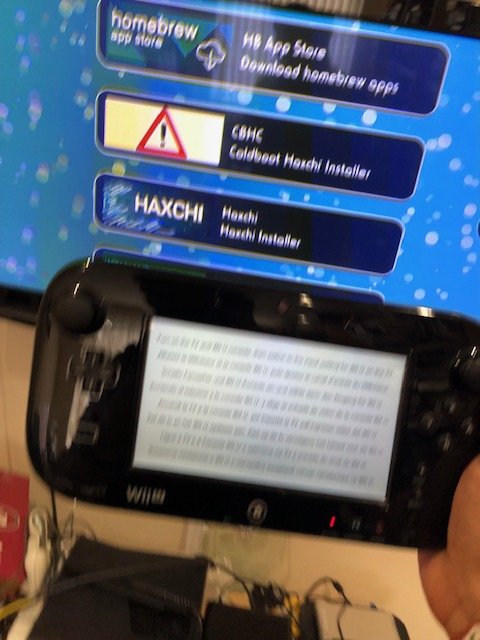
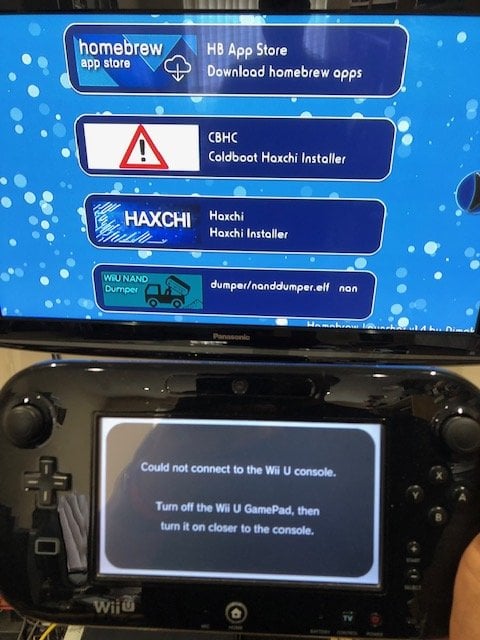
Hi..I picked up a free WiiU which I thought was 'bricked' but had a '-3' error on a black screen. I have managed to get the console to boot up, but it boots to the home brew screen and I have no ways of controlling the menu to reinstall CBHC where installing CBHC is an option. I have tried with 2 different Wii U controllers and a Wii controller but I just cannot get anything to communicate with the console.

is there any way I can salvage this console?

thanks!
IMG_1446.jpg
IMG_1445.jpg
IMG_1445.jpg
 
I may be wrong, but I don't think you can sync the controller while being in the homebrew channel. You'd have to be in the Wii U home menu. Also be sure the controller is the same region as the console (should be).
 
  • Like
Reactions: godreborn
it might be the wifi/bluetooth antennae that's messed up. see if it's secure or replace it.

--------------------- MERGED ---------------------------

press home then when it says "autobooting." though, you need to have something synced.
 
Hi..I picked up a free WiiU which I thought was 'bricked' but had a '-3' error on a black screen. I have managed to get the console to boot up, but it boots to the home brew screen and I have no ways of controlling the menu to reinstall CBHC where installing CBHC is an option. I have tried with 2 different Wii U controllers and a Wii controller but I just cannot get anything to communicate with the console.

is there any way I can salvage this console?

thanks!View attachment 275391View attachment 275392View attachment 275392
Looking at the third picture the gamepad appears to not be synced. Try spamming the sync button on the console while it boots (and don't stop unless it already has reached the HBL) and you should be able to bring to the sync menu. In the sync menu press the sync button again and you should be able to pair the gamepad.

Edit: If you have one on hand you could also sync a Wii Remote to the console. Once either the GamePad or the Remote is paired restart the console and Spam the HOME button while the console is booting, if done right you will enter the CBHC menu and from there you can either disable autoboot into the HBC or change the autoboot option "System Menu" which will then always boot the Wii U menu.
 
Last edited by EnterpriseFreak,
Looking at the third picture the gamepad appears to not be synced. Try spamming the sync button on the console while it boots (and don't stop unless it already has reached the HBL) and you should be able to bring to the sync menu. In the sync menu press the sync button again and you should be able to pair the gamepad.

Edit: If you have one on hand you could also sync a Wii Remote to the console. Once either the GamePad or the Remote is paired restart the console and Spam the HOME button while the console is booting, if done right you will enter the CBHC menu and from there you can either disable autoboot into the HBC or change the autoboot option "System Menu" which will then always boot the Wii U menu.

thanks so much. by 'spamming' do you mean keep pressing the sync button whilst it boots?
 
thanks so much. by 'spamming' do you mean keep pressing the sync button whilst it boots?
Yeah and if that does not work I've got another trick you cold try: Some homebrew such as SDCafiine return to to the Wii U Menu once they have applied their patches to the OS so if the sync button method does not work you could just replace the homebrew launcher elf on your SD card with the one of SDCafiine or another homebrew that returns to the menu and retry from there.
 
You won't be able to sync the gamepad in the homebrew loader if the 2 haven't been synced together already. But I think you may be able to sync a Wiimote or Wii U pro controller while you're in there. It may be unlikely that you have the version of the homebrew loader that can communicate with the Wii U pro controllers, so my advice would be to try and sync a wiimote with your Wii U while you're in the homebrew loader.
 
I'm wondering if you could use the gamecube controller adapter in Homebrew Channel as well? Maybe give that a try if you have one and a GCN controller?
 

Site & Scene News

Popular threads in this forum