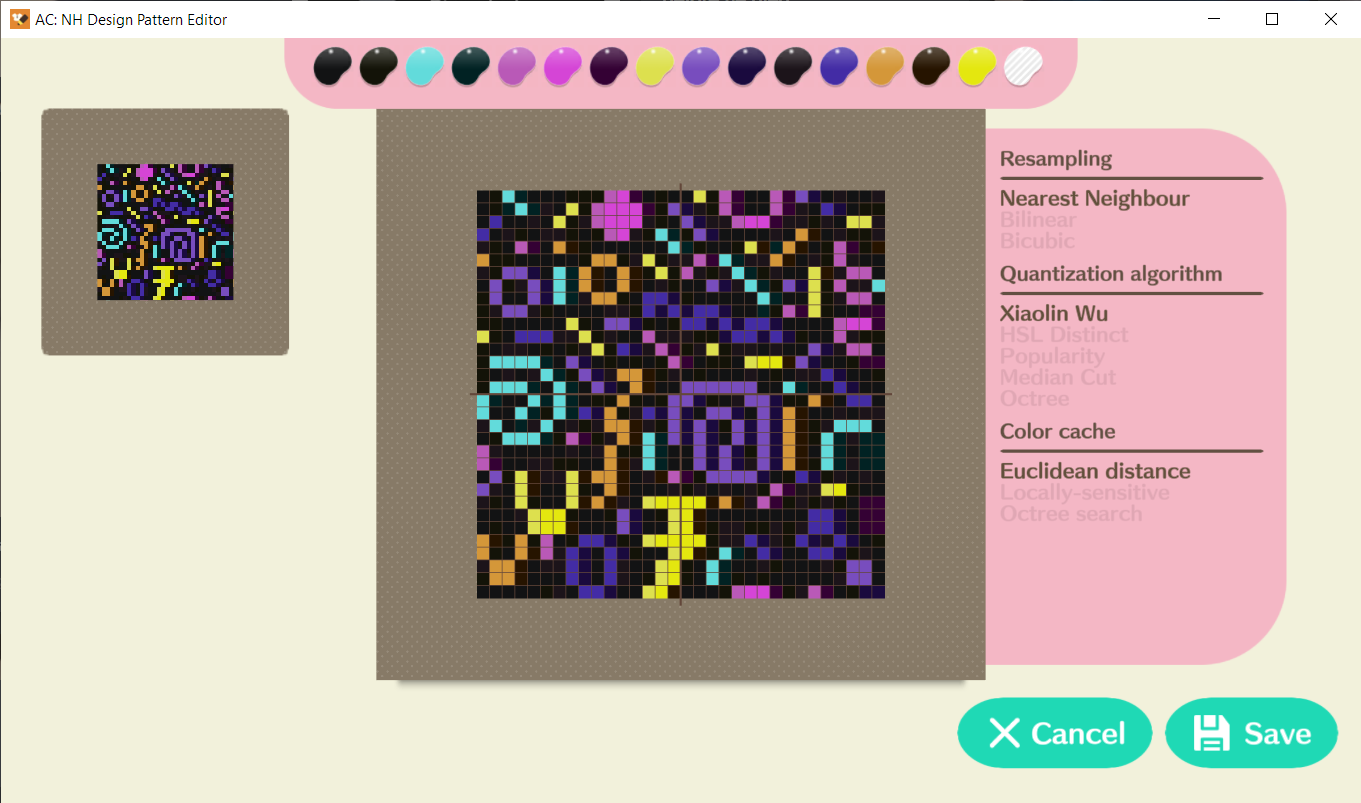
ROM Hack RELEASE Animal Crossing: New Horizons - Design Pattern Editor

Is there a way for me to load my save in here without using custom firmware or other hacks? I want to create some custom designs from base images and then transfer them legitimately to my save file via QR code.
There's no official way to dump your save. You need cfw and homebrew like JKSV to dump/restore it.
You might try to "trace" the image you want - i.e. pixelize desired image into 32x32 pattern and just draw it inside the game ;)
 
Last edited by Therises,
Therises said:
There's no official way to dump your save. You need cfw and homebrew like JKSV to dump/restore it.
You might try to "trace" the image you want - i.e. pixelize desired image into 32x32 pattern and just draw it inside the game ;)

The thought crossed my mind as well, but it seems like such a waste when there are so many great tools available. I really don't want to risk a ban though, so for now that seems to be my best option. I was hoping I could just read the save into this tool from an sdcard backup or something like that.

It sounds like a fairly low risk option is to load up JKSV and dump my save from airplane mode, then clean up before enabling wifi again... but I'm not sure if low risk is low enough for me. I really enjoy online play for ACNH.

Assuming that I was somehow able to load my save into this tool though, could I achieve what I'm looking for? Legitimate QR code imports from this tool to my clean unmodified save via Nintendo Online, which I can then further edit at any later time ingame (as if I'd created the design ingame)?
 
Is there a way to get paterns on the switch game if you can't link to the nintendo account?
 
vree said:
Is there a way to get paterns on the switch game if you can't link to the nintendo account?

You can use this tool in conjunction with custom firmware to add new patterns directly into your save file. However, if you go online with CFW and/or a modified save file, there's a risk of being banned from online play by Nintendo.
 
It sounds like a fairly low risk option is to load up JKSV and dump my save from airplane mode, then clean up before enabling wifi again... but I'm not sure if low risk is low enough for me. I really enjoy online play for ACNH.
So, why do you even need this tool for? I can't import someone's design as I don't have a Nintendo Online account and as I bought my Switch already hacked - I don't thinks it's safe to go online and, moreover, as I've heard - you need to pay some fee to go online and that's a no-no for me and that's why I'm waiting for Professional Designs support ;)
 
  • Like
Reactions: BerserkLeon
Hello. I got a problem. When I changed the PlayerHouse1, the mailbox was left from it's original position. Is there a way to fix this?
 
I feel like I screwed something up.
I managed to corrupt the entire game after applying the backup. anyway to uh, fix this?
 
I feel like I screwed something up.
I managed to corrupt the entire game after applying the backup. anyway to uh, fix this?
What do you mean you've corrupted the game? You can try to restore *clean* save backup and if that wouldn't help - just delete game and install it anew.

Hello. I got a problem. When I changed the PlayerHouse1, the mailbox was left from it's original position. Is there a way to fix this?
What's PlayerHouse1? I didn't see such option in this app.
 
Last edited by Therises,

If you guys are still having problems with importing New Leaf Pro designs properly from images with QR codes from the beta release in the Discord I suggest using the "Animal Xing Designer" Android app which lets you scan New Leaf QR codes (and supports everything including Pro designs) and as long as you can steady your hand it can scan any QR codes and will give you the option to create the QR codes again but much cleaner so the tool has a better time reading it. Also, if you're making cleaner QR codes for the Pro Designs which require 4 QR codes it's actually better to cram all 4 QR codes into one image so the tool scans it. Support for scanning multiple files that have the 4 QR codes that make up a New Leaf Pro design isn't added yet, so you'll have to make do like I am. @FabolousPotatoePet worked hard on adding all these new features and the best we can do for anything that is missing right now is to make do and look for workarounds. I have imported tons of New Leaf Pro designs with the latest beta release already. Have fun
 
  • Like
Reactions: HinaNaru Cutie
Update: Just to let ya'll know potato just released the 'full' release for the program to finally read qr codes on pro pattern :D so you can all import ya'll clothes onto the game if you like. I highly advice to check out his/her discord server to get the download.
 
Update: Just to let ya'll know potato just released the 'full' release for the program to finally read qr codes on pro pattern :D so you can all import ya'll clothes onto the game if you like. I highly advice to check out his/her discord server to get the download.
Where?? Where is the Discord server link? This is the feature I've been waiting for :D

Edit: Wow, nevermind just checked the OP. That's embarassing
 
Last edited by vgplayer54,
  • Like
Reactions: HinaNaru Cutie
As of now, there is no way to add in a pattern from a custom design code, right?
I'm looking for a way to get this design in my game:
https://i.imgur.com/VBE9Ibw.png

Yeah no, not yet but potato is working on it apparently from what I checked. Although it's giving him/her a bit of a difficulty from the looks of it -it has something to do with the code if I am correct.

If you wanna learn more it's best to go to the discord channel -just create an account and get the updates on there. Also do read the comments and the faq because people kept spamming about the same question on about what you are asking and it's getting to be annoying lol. No offense, I get that you don't know at all but it's just best to always read the comments/faq. His discord link is on the description of the post itself -like the first page where you download his program at xD
 
As of now, there is no way to add in a pattern from a custom design code, right?
I'm looking for a way to get this design in my game:
https://i.imgur.com/VBE9Ibw.png
Have you tried cropping and importing it into the app?
VBE9Ibw - Imgur crop 2.png
 
  • Like
Reactions: HinaNaru Cutie
Will it ever be possible to use this without a hacked Switch? Something like exporting a QR code?
 

Site & Scene News

Popular threads in this forum