Team-Xecuter Presents SX OS v2.3 BETA

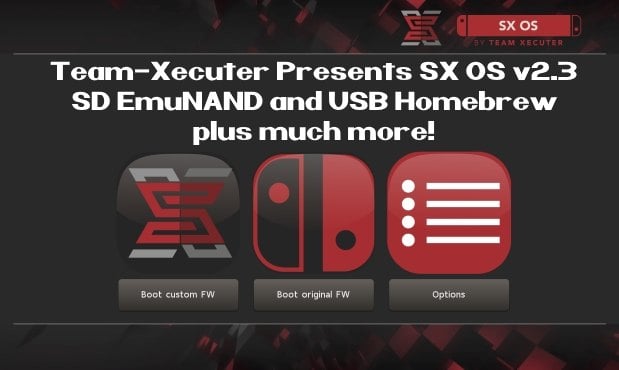
TX is on roll, release after release, and today's big release is brand-new SX OS v2.3 BETA
SX23.jpg

As you read thru TX's announcement below, you will quickly see that is jam-packed with all the features you have been requesting recently like SD EmuNAND and USB Homebrew, so check it out below:
Your favorite superheroes from Team Xecuter are back with another SX OS update.

In v2.3 beta of SX OS we have some exciting new functionality that you, the community, has been requesting a lot. As you know, we value your feedback and support.. so your wishes are our command!

Let's have a look at the changelog:
  • SD emuNAND support
    Since the introduction of our emuNAND feature we got a lot of comments about our initial decision to make the emuNAND data live on the actual system NAND. After lots of hard work we are happy to say we now have a workable solution for storing your emuNAND partition data on your microSD card. This has the upside of not using up any space on your Switch. In order to use the new microSD emuNAND system you will *not* have to format your microSD card. Simply enter the TX boot menu by holding Volume-+ while powering on your switch. Head into the options menu and select emuNAND on the left. Users of our existing emuNAND solution will see an option to migrate their existing emuNAND data. The migration process also cleans up the old emuNAND from the system NAND. Painless! We're interested in hearing your feedback about this exciting new functionality.
  • The 'Emutendo' folder
    In addition to the new microSD emuNAND system we also introduce the 'Emutendo' folder on your microSD card. As you've probably noticed, the Switch saves various data to a 'Nintendo' folder on your microSD card. To completely decouple this data between your Original Firmware and your EmuNAND enabled firmware we have made EmuNAND enabled systems use this differently named folder. If you want keep using your old SD card data with your emuNAND, simply copy/rename the 'Nintendo' folder to 'Emutendo'.
  • Added more directories to scan for content
    By popular demand we have added yet another list of subdirectories that will be scanned on your microSD card (or USB harddisk) for XCI/NSP/homebrew. The directories that have been added are:
    • – /sxos/updates
    • – /sxos/dlc
    • – /switch/updates
    • – /switch/dlc
  • Homebrew menu takeover of any title by holding R
    Homebrew is usually launched from either the TX menu or the Homebrew Launcher menu. Both of these applications run as an 'applet' on the Switch. Applets do not have access to all of the system's memory, and thus any homebrew apps or games launched from here are affected by this as well. The only way to allow full use of the system's memory was to build and install homebrew NSP files. But now we have added another way to give homebrew applications full memory access! You can now hold the (R) button while launching any regular title, and this will launch the Homebrew Launcher Menu. Any homebrew launched from here will run with the same capabilities as a regular Switch game/app. Enjoy!
  • Loading homebrew from USB
    More good news for homebrew lovers. You can now copy homebrew NRO files to your USB harddisk as well, and launch them directly from our SX OS menu.
  • Stability improvements
    Overall stability of many components has been improved. This includes LayeredFS and USB incompatibilities. We have also fixed a bug which would prevent people from launching more than 32 titles.
  • libusbfs update
    Last but not least a small update for developers. We've squashed a small bug in libusbfs pertaining the stat() function. If you had issues with this, grab an updated copy of libusbfs from our website!
The year 2018 is entering its final months. That does not mean we're taking a break from working on our beloved SX OS though. And yes, also those new 'unhackable' consoles are high up on the agenda. Don't worry, we will deliver.

Keep sending your feedback and ideas, they're very welcome.

See you all in the next update!

--< Team-Xecuter - Rocking the Switch in 2018 and beyond! >--

:arrow: Source: MaxConsole
 
Using the emunand. However I also don't recommend SX OS in general but you do you.

--------------------- MERGED ---------------------------


That and (since TX didn't make a partition for some reason I hope garyopa explains.) It can also delete everything for as something as simple as a homebrew crash.

FYI, I reject the SD hotplug every single day, full of error logs from crashed homebrew. Trial and error a lot but haven't encountered a single problem using exfat yet. I don't use emulators or homebrew games at all.
 
"32GB = Size of emunand" ... 'fraid not. Maybe double check that bud. I really do despair. However, by all means continue embarrassing yourself! I'm enjoying this!
Well. I'm fully embarrassed.

Looks like I was wrong.

The emmc NAND inside the Nintendo Switch isn't 32gb after all.

You had better go and share your revelation with team xecutor and team restitched. And Nintendo of Japan.

Sorry landlord!
 
How's "backing up everything" bad advice? Even if it doesn't do anything you'll still have a backup if something goes wrong later on.
"Don't use SX" is the rhetoric they're aiming for, here. If you're against it, that's cool, but you're spreading propaganda with your "red flag" shtick.
 
  • Like
Reactions: jakkal
Well. I'm fully embarrassed.

Looks like I was wrong.

The emmc NAND inside the Nintendo Switch isn't 32gb after all.

You had better go and share your revelation with team xecutor and team restitched. And Nintendo of Japan.

Sorry landlord!
Can you read ... or have you forgotten what you just posted. . . you quoted "32GB = Size of """EMUNAND""" copied and pasted from your post... That is plain wrong ! You quoted it was 32GB .. its not .. your wrong! DUH!!
 
"Don't use SX" is the rhetoric they're aiming for, here. If you're against it, that's cool, but you're spreading propaganda with your "red flag" shtick.
I'm not pointing that out at all (ok I did say to someone I don't generally recommend TX but I didn't force him to switch or anything.) I'm only cautious about the emunand.
 
I can’t get the emunand on sd to work at all I just keep getting a black screen any help? Thanks.
 
Can you read ... or have you forgotten what you just posted. . . you quoted "32GB = Size of """EMUNAND""" copied and pasted from your post... That is plain wrong ! You quoted it was 32GB .. its not .. your wrong! DUH!!
Oops... You are quite correct. 5 x 4gb (maybe 6... I forget) files or there abouts if my memory serves in my emuNAND folder. Whats that, 20GB?

Hate to break it to you... But 4 is actually less than 20.

Lets make this a little simpler...

Put 4 fingers up, now keep putting fingers up until you get to 20. If you use all 10 fingers, put them down one at a time.

How many fingers did you put up / down?

If your answer is 16, then give yourself a clap. A bit like a child having their first dry night...

Hoorah!!!

EDIT: Fukkywit2003, you had me questioning myself. 8 x 4GB files... As Jakkal said, is 32. I thought it maybe expanded dynamically for a minute hence 5 or 6 files...

You have to be a troll. Nobody who can supposedly read and write can be that stupid.
 
Last edited by mattytrog,
Oops... You are quite correct. 5 x 4gb (maybe 6... I forget) files or there abouts if my memory serves in my emuNAND folder. Whats that, 20GB?

Hate to break it to you... But 4 is actually less than 20.

Lets make this a little simpler...

Put 4 fingers up, now keep putting fingers up until you get to 20. If you use all 10 fingers, put them down one at a time.

How many fingers did you put up / down?

If your answer is 16, then give yourself a clap. A bit like a child having their first dry night...

Hoorah!!!
8 files
4GB each
8 x 4 = 32

:gun:
 
To those who would like create a clean sysnand. There are 2 ways to do.

1. Factory resstore settings while being offline

2. Mount SYSTEM using HacDiskMount
> Open save folder
> Delete everything except 80....120
> Turn off and turn on the Switch to initial setup.

Mount USER
> Delete all files in folders (but don't delete the folders)

Profit.
 
Last edited by thaikhoa,
8 files
4GB each
8 x 4 = 32

:gun:
Shot down in flames by the jakkas! ;) Love u really.

I said it was a 32GB emuNAND. Its got to be!

I didn`t count the files. Thought there were only 5.

Any chance you can drill it into that idiots head?

@fluggy2003 You are in imbicile until further notice.
 
Last edited by mattytrog,
  • Like
Reactions: fluggy2013


tried it still black screen i also tried to make a backup of boot0/1 with hekate to use but still no luck.

In this case, I don't know just yet as the solution fixes the issue on my side.

Try to recreate emunand using sx os 2.2.1 for 5 or 10GB of emunand size. And use sx 2.3 to move to SD.
 

Site & Scene News

Popular threads in this forum