



So I just bought a new ram kit, it's a 2x4GB DDR3-1333MHz PC3-10600 DIMM by a company called A-TECH. It was brand new off of ebay for about $30, and for that price I just couldn't resist.
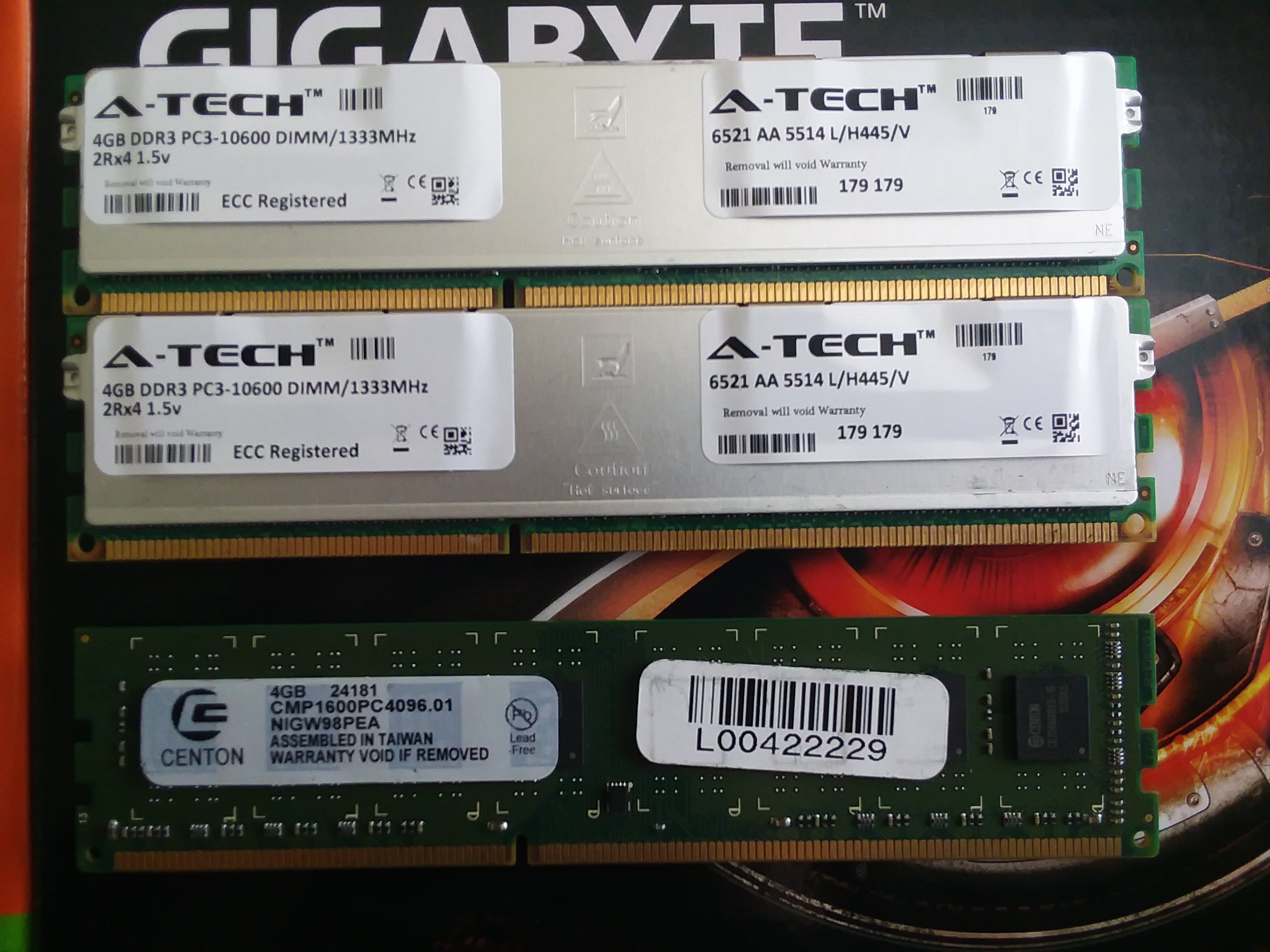
In the picture I have the 2 new sticks (top) and my original stick (bottom).
My problem with these is that when I install them to my pc, the pc doesn't start, it doesn't even recognize it as being RAM (error codes and beeps). I've checked the A-Tech site, and the Centon site to compare the RAM, and they seem to be the exact same thing, yet they just don't work. Using just the original Centon stick always works though.
So far I've: Tested every DIMM slot, tried every stick 1 by 1, checked the BIOS menu for errors, and checked for compatibility.
The computer I'm trying to install these onto is a Dell Optiplex 790 Small Form Factor. And because I always see one, the answer I'm looking for is NOT "that's what you get for buying such a crappy computer"
Any help would be appreciated (unless you came just to insult my computer)
In the picture I have the 2 new sticks (top) and my original stick (bottom).
My problem with these is that when I install them to my pc, the pc doesn't start, it doesn't even recognize it as being RAM (error codes and beeps). I've checked the A-Tech site, and the Centon site to compare the RAM, and they seem to be the exact same thing, yet they just don't work. Using just the original Centon stick always works though.
So far I've: Tested every DIMM slot, tried every stick 1 by 1, checked the BIOS menu for errors, and checked for compatibility.
The computer I'm trying to install these onto is a Dell Optiplex 790 Small Form Factor. And because I always see one, the answer I'm looking for is NOT "that's what you get for buying such a crappy computer"
Any help would be appreciated (unless you came just to insult my computer)





