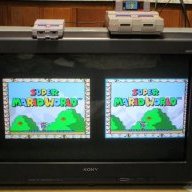
Any shader experts in the house?
Pulled these out of canoe - completely ignorant about shaders, so can anyone a) understand why there are five different ones, and b) how to convert the CRT shader code to one that Retroarch can handle? (My objective is basically to make Retroarch as indistinguishable as possible from canoe, rather like was done for the NESCE.)
Pulled these out of canoe - completely ignorant about shaders, so can anyone a) understand why there are five different ones, and b) how to convert the CRT shader code to one that Retroarch can handle? (My objective is basically to make Retroarch as indistinguishable as possible from canoe, rather like was done for the NESCE.)
#version 100
precision mediump float;
varying vec2 vTexCoord;
varying vec2 vScanline;
uniform sampler2D uTexture;
void main()
{
vec4 col = texture2D(uTexture, vTexCoord);
gl_FragColor = (vScanline.x + vScanline.y * col) * col;
}
-----
#version 100
precision mediump float;
attribute vec2 aPos;
attribute vec2 aTexCoord;
attribute vec2 aScanline;
varying vec2 vTexCoord;
varying vec2 vScanline;
void main()
{
gl_Position = vec4(aPos, 0.0, 1.0);
vTexCoord = aTexCoord;
vScanline = aScanline;
}
-----
#version 100
precision lowp float;
//---------- Definitions
#define M_PI 3.1415926535897932384626433832795
#define input_width 256.0
#define input_height 224.0
#define screen_width 1280.0
#define screen_height 720.0
//---------- Parameters
varying vec2 vTexCoord;
uniform sampler2D sampler_input;
uniform int applyTint;
uniform float hue;
uniform float saturation;
uniform int applyLuminosity;
uniform float luminosity;
//---------- Conversion methods
vec3 rgb2yuv(vec3 c)
{
vec3 o;
o.x = 0.299 * c.r + 0.587 * c.g + 0.114 * c.b;
o.y = 0.492 * (c.b - o.x);
o.z = 0.877 * (c.r - o.x);
return o;
}
vec3 yuv2rgb(vec3 c)
{
vec3 o;
o.r = c.x + 1.14 * c.z;
o.g = c.x - 0.395 * c.y - 0.581 * c.z;
o.b = c.x + 2.032 * c.y;
return o;
}
//---------- Shader
void main()
{
gl_FragColor = texture2D(sampler_input, vTexCoord);
vec3 yuv;
yuv.x = gl_FragColor.x;
yuv.y = 2.0 * (gl_FragColor.y - 0.5);
yuv.z = 2.0 * (gl_FragColor.z - 0.5);
if (applyTint > 0)
{
float chue = cos(hue);
float shue = sin(hue);
vec3 yuv_shifted;
yuv_shifted.x = yuv.x;
yuv_shifted.y = saturation * (yuv.y * chue + yuv.z * shue);
yuv_shifted.z = saturation * (yuv.z * chue - yuv.y * shue);
gl_FragColor.rgb = yuv2rgb(mix(yuv, yuv_shifted, gl_FragColor.a));
}
else
{
gl_FragColor.rgb = yuv2rgb(yuv);
}
if (applyLuminosity > 0)
{
gl_FragColor = mix(1.0, luminosity, gl_FragColor.a) * gl_FragColor;
}
}
-----
#version 100
precision lowp float;
//---------- Parameters
varying vec2 vTexCoord;
uniform sampler2D uTexture;
uniform vec4 uColor;
uniform vec2 uDstSize;
uniform vec2 uSrcSize;
uniform vec2 uInvSrcSize;
//---------- Shader
void main()
{
vec2 k = uInvSrcSize*floor(uSrcSize*vTexCoord + 0.5);
vec2 texCoord = k + uInvSrcSize*clamp(uDstSize*(vTexCoord - k), -0.5, 0.5);
gl_FragColor = uColor * texture2D(uTexture, texCoord);
}
-----
#version 100
precision lowp float;
//---------- Parameters
varying vec2 vTexCoord;
uniform sampler2D uTexture;
uniform vec4 uColor;
//---------- Shader
void main()
{
gl_FragColor = uColor * texture2D(uTexture, vTexCoord);
}
-----
#version 100
precision mediump float;
attribute vec2 aPos;
attribute vec2 aTexCoord;
varying vec2 vTexCoord;
void main()
{
gl_Position = vec4(aPos, 0.0, 1.0);
vTexCoord = aTexCoord;
}
precision mediump float;
varying vec2 vTexCoord;
varying vec2 vScanline;
uniform sampler2D uTexture;
void main()
{
vec4 col = texture2D(uTexture, vTexCoord);
gl_FragColor = (vScanline.x + vScanline.y * col) * col;
}
-----
#version 100
precision mediump float;
attribute vec2 aPos;
attribute vec2 aTexCoord;
attribute vec2 aScanline;
varying vec2 vTexCoord;
varying vec2 vScanline;
void main()
{
gl_Position = vec4(aPos, 0.0, 1.0);
vTexCoord = aTexCoord;
vScanline = aScanline;
}
-----
#version 100
precision lowp float;
//---------- Definitions
#define M_PI 3.1415926535897932384626433832795
#define input_width 256.0
#define input_height 224.0
#define screen_width 1280.0
#define screen_height 720.0
//---------- Parameters
varying vec2 vTexCoord;
uniform sampler2D sampler_input;
uniform int applyTint;
uniform float hue;
uniform float saturation;
uniform int applyLuminosity;
uniform float luminosity;
//---------- Conversion methods
vec3 rgb2yuv(vec3 c)
{
vec3 o;
o.x = 0.299 * c.r + 0.587 * c.g + 0.114 * c.b;
o.y = 0.492 * (c.b - o.x);
o.z = 0.877 * (c.r - o.x);
return o;
}
vec3 yuv2rgb(vec3 c)
{
vec3 o;
o.r = c.x + 1.14 * c.z;
o.g = c.x - 0.395 * c.y - 0.581 * c.z;
o.b = c.x + 2.032 * c.y;
return o;
}
//---------- Shader
void main()
{
gl_FragColor = texture2D(sampler_input, vTexCoord);
vec3 yuv;
yuv.x = gl_FragColor.x;
yuv.y = 2.0 * (gl_FragColor.y - 0.5);
yuv.z = 2.0 * (gl_FragColor.z - 0.5);
if (applyTint > 0)
{
float chue = cos(hue);
float shue = sin(hue);
vec3 yuv_shifted;
yuv_shifted.x = yuv.x;
yuv_shifted.y = saturation * (yuv.y * chue + yuv.z * shue);
yuv_shifted.z = saturation * (yuv.z * chue - yuv.y * shue);
gl_FragColor.rgb = yuv2rgb(mix(yuv, yuv_shifted, gl_FragColor.a));
}
else
{
gl_FragColor.rgb = yuv2rgb(yuv);
}
if (applyLuminosity > 0)
{
gl_FragColor = mix(1.0, luminosity, gl_FragColor.a) * gl_FragColor;
}
}
-----
#version 100
precision lowp float;
//---------- Parameters
varying vec2 vTexCoord;
uniform sampler2D uTexture;
uniform vec4 uColor;
uniform vec2 uDstSize;
uniform vec2 uSrcSize;
uniform vec2 uInvSrcSize;
//---------- Shader
void main()
{
vec2 k = uInvSrcSize*floor(uSrcSize*vTexCoord + 0.5);
vec2 texCoord = k + uInvSrcSize*clamp(uDstSize*(vTexCoord - k), -0.5, 0.5);
gl_FragColor = uColor * texture2D(uTexture, texCoord);
}
-----
#version 100
precision lowp float;
//---------- Parameters
varying vec2 vTexCoord;
uniform sampler2D uTexture;
uniform vec4 uColor;
//---------- Shader
void main()
{
gl_FragColor = uColor * texture2D(uTexture, vTexCoord);
}
-----
#version 100
precision mediump float;
attribute vec2 aPos;
attribute vec2 aTexCoord;
varying vec2 vTexCoord;
void main()
{
gl_Position = vec4(aPos, 0.0, 1.0);
vTexCoord = aTexCoord;
}