Hardware Rough docking of Switch (DEFINITIVE PROOF)

  • Thread starter Thread starter Mr. Wizard
  • Start date Start date
  • Views Views 3,266
  • Replies Replies 19

Mr. Wizard

Ending the spread of bullshit one thread at a time
Member
Joined
Mar 20, 2015
Messages
1,814
Reaction score
776
Trophies
0
Location
E8 lattice
XP
1,554
Country
Canada
Here is your proof! Most likely a couple people have had issues but the rest of the 99% of us should not be scared to dock the switch even when the dock looks as bent as mine do. I was wary of docking it myself but said piss on it, going to see if it's an issue with mine once and for all instead of not using the dock.

I've been docking like this for a week and my switch is spotless. The worst damage seems to be from oily fingerprints and smudges from the rubber feet, but those easily buff out with a soft cloth.

Hopefully everyone can now start using and enjoying their Switch as it was intended.


The after math, dusty but not one scratch!


What my dock looks like:

IMG_20170309_130124.jpg

20170309_110423.jpg


Oh and for all the lame comments that will undoubtedly ensue, sorry I'm not feeding the trolls today...

ChEy0LkW0AAB4aP.png
 
Last edited by Mr. Wizard,

I thought I had a scratch but it also wiped off with a nice fiber cloth. This dock thing was made into a huge non existent issue.

Edit:
You may want to do this in all one continuos shot. Commenters will suggest the Aftermath Switch is a different unit than the tested one.
 
Last edited by Haymose,
  • Like
Reactions: natinusala
since people were complaining about scratches, I just grabbed some cloth for cleaning glasses, cut it to size, and blu-tacked it into the switch doc to protect the screen from scratches. Perfect solution and only cost about 1€
 
I thought I had a scratch but it also wiped off with a nice fiber cloth. This dock thing was made into a huge non existent issue.

Edit:
You may want to do this in all one continuos shot. Commenters will suggest the Aftermath Switch is a different unit than the tested one.

I didn't make this video for "those" people, I couldn't give 2 shits about them. I made this for the intelligent people who are afraid to use their dock because of all the negative hype. Take it for what it is, believe it or not, personally I do not care. I will now go enjoy my Switch in it's dock the way it was intended to be used. Thank you very much, have a nice day.
 
Mine has not one scratch, but I will still be careful until I put some screen protector on it.
PS: On the other hand, and I will stress this point until it's fixed, the left joycon synching problems are driving me crazy.
 
Last edited by sarkwalvein,
Mine has not one scratch, but I will still be careful until I put some screen protector on it.
PS: On the other hand, and I will stress this point until it's fixed, the left joycon synching problems are driving me crazy.

I had that problem but it has been miraculously fixed, no more issues here. I do not know what I did to fix it but it was one of these 3 things for sure.

Have you tried rebooting (power off) several times or rotating the dock slightly so it maybe picks up the signal better? The only other thing I have done is used a pro controller then the joycons then the pro controller then the joycons and each time it asks me to press L + R when I change controllers.

It will be interesting to see all the screens getting damaged from the screen protector adhesives. I have not applied mine for that reason, I'm unsure if it's safe or not being a plastic screen on the Switch, and plastics do not react well to the VOCs in adhesives. Just look what happened to the Switches that used skins and have been damaged already.

http://nintendoeverything.com/adhesive-backed-skins-damage-switch-joy-con-and-system-coating/
 
Last edited by Mr. Wizard,

I am going now to get a Pro controller, later I will try if switching it and the joycons solves the problem for me.
Regarding the films, I don't know, but the screen plastic looks quite normal, I don't think it will get damaged.
 
I had that problem but it has been miraculously fixed, no more issues here. I do not know what I did to fix it but it was one of these 3 things for sure.

Have you tried rebooting (power off) several times or rotating the dock slightly so it maybe picks up the signal better? The only other thing I have done is used a pro controller then the joycons then the pro controller then the joycons and each time it asks me to press L + R when I change controllers.

It will be interesting to see all the screens getting damaged from the screen protector adhesives. I have not applied mine for that reason, I'm unsure if it's safe or not being a plastic screen on the Switch, and plastics do not react well to the VOCs in adhesives. Just look what happened to the Switches that used skins and have been damaged already.

http://nintendoeverything.com/adhesive-backed-skins-damage-switch-joy-con-and-system-coating/

do modern screen protectors even use adhesives anymore?
 
Last edited by Mr. Wizard,

I didn't make this video for "those" people, I couldn't give 2 shits about them. I made this for the intelligent people who are afraid to use their dock because of all the negative hype. Take it for what it is, believe it or not, personally I do not care. I will now go enjoy my Switch in it's dock the way it was intended to be used. Thank you very much, have a nice day.
Woah I'm not sure what part of my comment came off as an attack. I was just making a suggestion to save you some headaches but clearly you enjoy the confrontation so cool man you're all set.
 
The only thing touching the screen on mine is the rubbers that leave scuffs/marks I've not tried buffing them out yet tho. This has literally been removed four times with the fourth being to take the pics.


The only thing touching the screen on mine is the rubbers that leave scuffs/marks I've not tried buffing them out yet tho. This has literally been removed four times with the fourth being to take the pics.


That's the straightest dock I've ever seen for the Switch yet!

I have had the best luck rubbing the scuffs off with my finger then buffing the finger prints off with a shammy. Works great!
 
Last edited by Mr. Wizard,
@Mr. Wizard , regarding the joycon issue miracle fix I think you are on the money.
I bought a Pro Controller, synched it to the console. Then disconnected all controller from the console, then resynched all controllers to the console.
After this the left joycon that was having problems minutes before, has been working flawlessly for the last hour.
I don't know exactly what part of the process fixed it, but I think I will post this around anyway.
 
  • Like
Reactions: Mr. Wizard
@Mr. Wizard , regarding the joycon issue miracle fix I think you are on the money.
I bought a Pro Controller, synched it to the console. Then disconnected all controller from the console, then resynched all controllers to the console.
After this the left joycon that was having problems minutes before, has been working flawlessly for the last hour.
I don't know exactly what part of the process fixed it, but I think I will post this around anyway.

Glad it worked!

 
Last edited by Mr. Wizard,
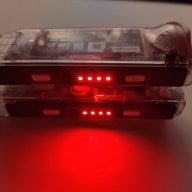
This is a odd thread, are you saying the people claiming docking scratches are lying. Surely this isn't another thread of "Its not happening to me, so its not possible."
I think many people are failing to make the distinction between actual scratches and grease marks. You're handling the thing all the time, so you're bound to get fingerprint residue on it which then is smeared by the alignment tabs. And even if you avoid touching the screen, the plastic part below the screen could be dirty or something, and upon insert it leaves some residue on the alignment tabs which is then spread onto the screen. Anoyying if you let it bother you, but not a problem.

I really think you don't have to worry that much about the screen... As long as it's a hardfer grade of plastic than the dock's tabs they cannot scratch it - however they cannot go with felt or a very soft material for the tabs as otherwise it dirt particles like silicate would imbed themselves in it - and that WILL scratch the screen. I sincerely believe that everyone worrying about this and putting in little microfiber tabs and such are actually making their system more likely to scratch, not less.
 
  • Like
Reactions: da1e85
Of course it's possible. It's also highly possible that most people who have "problems" are creating their own, and don't know how to handle electronics carefully. Probably a lot of children on here who just throw the thing around, or people who think it has gorilla glass on the front.
 

Site & Scene News

Popular threads in this forum