Homebrew PCHex - Homebrew PKHex

  • Thread starter Thread starter Stracker
  • Start date Start date
  • Views Views 329,137
  • Replies Replies 669
  • Likes Likes 61
That bug would be my bad, I did that so that I could easily make a bunch of cloned Pokemon that seemed unique, originally it shuffled their IVs as well. I just took that out and finalized my Pokebank type upgrade. Last time it was just two slots, now there are nine boxes of online space. All you need is an internet connection. PLEASE remember your password, as there is currently no way to recover them and they are encrypted. You will have the option to log in only if you want to, so if you prefer to ignore the upgrade, feel free to. I know I said I gave up, but I couldn't help it, just had to finish.

Note: Please be patient as it takes about a minute to load and save online boxes:
 

Attachments

  • Like
Reactions: VaiCorinthians
And this is how PCHex++ looks like on citra after the last commit, thanks to the design ideas and textures provided by @Guy50570

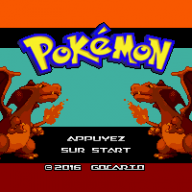
I thought a lot about the possibility to implement the box like in @Gocario 's PHBank but i realized that it was too much of an effort to implement that code in my program at this stage (although his code is well commented) but i think that at some point in his future PCHex++ will steal plenty of Gocario's design ideas.

After some polishment of the top screen i will start the real challenge with the design of the bottom screen.

6cdc46a349.jpg
 
And this is how PCHex++ looks like on citra after the last commit, thanks to the design ideas and textures provided by @Guy50570

I thought a lot about the possibility to implement the box like in @Gocario 's PHBank but i realized that it was too much of an effort to implement that code in my program at this stage (although his code is well commented) but i think that at some point in his future PCHex++ will steal plenty of Gocario's design ideas.

After some polishment of the top screen i will start the real challenge with the design of the bottom screen.

6cdc46a349.jpg
I have built the package. I need some help on usage. How would I go about exporting my save after editing? Thanks for this whole package. Appreciate the addition and help. Have a good one.
 
I have built the package. I need some help on usage. How would I go about exporting my save after editing? Thanks for this whole package. Appreciate the addition and help. Have a good one.

As of now using PCHex++ should be a real pain because it lacks direct savefiles exporting/importing. I suggest you to stick with the original PCHex for now for fast editing. If you are interested in testing or curios anyway: build the program, create a folder named PCHex++ in the root of your sd and place your MAIN savefile in it. Then re-inject it into the game with your favourite save data manager. It should even create an automatic backup in that folder in case something goes wrong.

[EDIT]Please note that the clone function obviously deletes the pokemon if you choose a non-empty box as the destination of cloning. It happens instantly when you press A. Stay alert.
 
Last edited by Slashcash,
  • Like
Reactions: Alex Spady
Last edited by Slashcash,
  • Like
Reactions: VaiCorinthians
As of now using PCHex++ should be a real pain because it lacks direct savefiles exporting/importing. I suggest you to stick with the original PCHex for now for fast editing. If you are interested in testing or curios anyway: build the program, create a folder named PCHex++ in the root of your sd and place your MAIN savefile in it. Then re-inject it into the game with your favourite save data manager. It should even create an automatic backup in that folder in case something goes wrong.
Okay. Thanks for your help. Much appreciated.
 
Will the "import" button be used for importing pk6 files eventually? That would be a neat feature. With testing the new commit, if your nicknamed pokemon has, for me, more than 11 characters, it will go out of the box. I nicknamed my Deoxys: Space Ebola. Empty spaces appear as large black squares that go out of the yellow rectangle. And for me, I have several boxes that have the black box with the name "egg" labled on them. All the things I have noticed and can report back. Thanks.
 
Will the "import" button be used for importing pk6 files eventually? That would be a neat feature. With testing the new commit, if your nicknamed pokemon has, for me, more than 11 characters, it will go out of the box. I nicknamed my Deoxys: Space Ebola. Empty spaces appear as large black squares that go out of the yellow rectangle. And for me, I have several boxes that have the black box with the name "egg" labled on them. All the things I have noticed and can report back. Thanks.
Those are the plans for it. The pk6 import/export of course
 
The pk6 import already works! If you are curious to try it out place a pk6 file in your PCHex++ folder called "mew.pk6" and press Y in the desired place. It will automatically be imported! if you are asking why mew...it is my favourite pokemon.

I'm aware of the bug with large names and with empty boxes. It will be an easy fix!
 
Last edited by Slashcash,
The pk6 import already works! If you are curious to try it out place a pk6 file in your PCHex++ folder called "mew.pk6" and press Y in the desired place. It will automatically be imported! if you are asking why mew...it is my favourite pokemon.

I'm aware of the bug with large names and with empty boxes. It will be an easy fix!
Alright! Thanks. I really appreciate all the help you have been giving me. If I find any other anomalties, I'll be sure to let you know.

[EDIT] I was reading the "savemanager.h" file in the source and wondered if it could be possible to change what directory the "commit()" command saves the edited file. Just a thought. My plan would be to have the save exported to the "savedatabackup" folder for easy injection.
 
Last edited by Alex Spady,
Alright! Thanks. I really appreciate all the help you have been giving me. If I find any other anomalties, I'll be sure to let you know.

[EDIT] I was reading the "savemanager.h" file in the source and wondered if it could be possible to change what directory the "commit()" command saves the edited file. Just a thought. My plan would be to have the save exported to the "savedatabackup" folder for easy injection.

Yes, you can of course change the path where the modified file gets saved. Just change the commit() function with the path you desire and rebuild. A somewhat automatic import/export function will of course come
 
Last edited by Slashcash,

Site & Scene News

Popular threads in this forum