Hacking How to convert .3ds to .3dz with save?

  • Thread starter Thread starter xtreme1
  • Start date Start date
  • Views Views 4,518
  • Replies Replies 11
  • Likes Likes 1

xtreme1

Well-Known Member
Member
Joined
Nov 14, 2008
Messages
639
Reaction score
57
Trophies
1
XP
1,687
Country
United States
I must be blind, because I cannot find how to do this anywhere. Anyone know how to extract the save out of a .3ds file for use with a .3dz file?
 
  • Like
Reactions: MarkDarkness
the process of making a .3ds rom online compatible involves changing it's header data, that alone makes the .3ds saves incompatible with .3dz roms, for now there is no solution to this, someone would have to create a way to decrypt, edit and re-encrypt saves and then share it
gateway mentioned, they are working on their save system, maybe future updates will make it possible, for now you can't use your .3ds rom save on a .3dz rom

 
  • Like
Reactions: MarkDarkness
still not possible.

Wait for a gateway release with Savegame feature in its changelog.
or wait for hackers/developers to release homebrew or a method to decrypt/re-encrypt savegames.
 
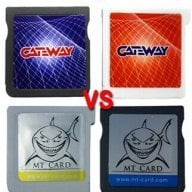
I'm using MT-Card sav to zav function to convert save from no header .3ds rom to be able to play with .3dz.
 
There's a computer tool to do it, or only using the launcher.dat from MT-Card, or does it require MT-Card's flashcart?

A tutorial would be useful for lot of users.
 
Using launcher v2.3 from MT-Card and choose either SAV TO ZAV or ZAV TO SAV to convert .3ds rom save or 3dz rom save. BUT you need MT-Card for this to work because it needs to access your micro SD Card where the roms is.

*I'm testing it using save .3ds from Gateway without header and rename the save from SAV to ZAV, when loading the .3dz game it says the save file is corrupted and erase the save file. After that I try using MT-Card launcher v2.3 to convert from SAV TO ZAV and start loading the .3dz game, it load the save file fine. I just own MT-Card not Gateway but I can use save file from Gateway :yaysp:.
 
Can't you use savedatafiler to extract the save from the .3ds file, convert it, then import the save file back into the .3dz?
 
Can't you use savedatafiler to extract the save from the .3ds file, convert it, then import the save file back into the .3dz?

I imagine that will only work for CARD2 games. However, I believe I've heard of a way to convert CARD1 to CARD2, so it may be possible through that.
 

Site & Scene News

Popular threads in this forum