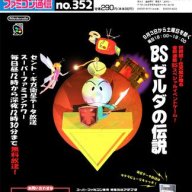

Third-party auxiliary tool for Chinese localized BS Zelda no Densetsu, restoring the 1995 Satellaview live satellite broadcast experience by syncing audio streams and linking with Mesen emulator.
Existing MSU-1 patched builds only combine static ROM + media assets into a standalone static game, lacking the live timed broadcast logic of the original hardware.
This tool reconstructs the full 1995 satellite runtime system: scheduled data push, synchronized broadcast cutscenes, live memory stat tracking, and post-game score settlement screens, fully recreating the episodic weekly broadcast experience unavailable in MSU-1 mods.
bash
pip install -r requirements.txt
BS-Satellaview-Terminal/
├─ main.py # Main program, Tkinter UI + OpenCV video renderer
├─ bs.lua # Emulator Lua core for memory read/write & signal communication
├─ requirements.txt # Python dependency manifest
├─ ui/
│ ├─ bg_result.png # Score result background image
│ └─ triforce_on.gif # Animated Triforce asset
└─ _internal/ # mpv runtime DLL & core libraries
full game
1. Project Introduction
Original Satellaview PSRAM runtime broadcast code is nearly permanently lost to physical media decay.Existing MSU-1 patched builds only combine static ROM + media assets into a standalone static game, lacking the live timed broadcast logic of the original hardware.
This tool reconstructs the full 1995 satellite runtime system: scheduled data push, synchronized broadcast cutscenes, live memory stat tracking, and post-game score settlement screens, fully recreating the episodic weekly broadcast experience unavailable in MSU-1 mods.
2. Core Features
- Auto BS-X emulator configuration for Mesen
- Virtual satellite timed data push (auto trigger at 18:00 broadcast start)
- mpv overlay masking to restore lost PSRAM cutscene videos
- Synchronized WAV broadcast audio with automatic Ganon battle mute logic
- Live memory monitor via Lua script: track total HP lost, death count, Triforce fragment progress
- Auto pop-up score result overlay after full playthrough with weekly stats
3. System & Environment Requirements
Supported OS
- Windows 10 / 11 (fully tested, recommended)
- macOS (experimental, use branch macos-attempt)
Mandatory Dependencies
- Python 3.9.13+ (for source run / compilation)
- Mesen 2.1.1 SNES Emulator
- Original Japanese BS-X BIOS: BS-X BIOS (Japan) [No DRM].sfc (self-provided)
- Localized asset pack (available in AcFun / YouTube video description & pinned comments)
Python Library Installation
Run in project root terminal:bash
pip install -r requirements.txt
4. Quick Start Guide
4.1 Emulator Pre-Setup
- Install Mesen 2.1.1, enable Store the data in same folder as the application
- DO NOT use any folders with Chinese characters in full path
- Close Mesen after setup
- Extract asset pack, place folder bszelda into Mesen root directory
4.2 Launch Terminal
Two entry points:- Source run: main.py
- Compiled binary: Satellaview-Terminal.exe
- Select your Mesen.exe path inside program UI
- First launch: import BS-X BIOS file
- Select game mode: Overworld / Map2 (Underworld)
- Choose target weekly episode, click Start
- Mesen auto-launches and loads broadcast data
- Wait virtual satellite clock hits 18:00 for data push
- Enter BS-X activity center inside emulator to download & play BS Zelda
- After ending cutscenes finish: click Reset button to load next week's content
5. Critical Notes
- All file paths must not contain Chinese characters
- Save data isolation: Overworld & Map2 saves overwrite each other. Complete all 4 weeks of one mode before switching.
- Do not force-close program / emulator mid-playthrough: causes incomplete stat save loss
- Never close or edit bs.lua script window during runtime
- Avoid launching other BS-X games while using this tool to prevent save corruption
- Program built-in Delete Save button wipes all BS-X related saves; use with caution
6. Reconstructed Logic (Speculative, based on vintage footage & community accounts)
Original PSRAM runtime code is lost; some mechanics reverse-engineered from player archives and oral history, subject to update if new primary source materials emerge:- Late arrival (few minutes): Skip opening cutscenes, only waiting screen displayed
- Severe late arrival: Direct boot into gameplay without pre-broadcast animations
Unrestored / Unnecessary Original Mechanics
- In-game download prompt popups at BS-X activity center
- Official seasonal broadcast rotation (custom seasons used in this tool for readability)
- Custom player name rendering in opening cutscenes
- Ending UI lottery panel, lottery password generation algorithm
- Partial Map2 cutscene text (insufficient historical records for full restoration)
7. Project File Structure
plaintextBS-Satellaview-Terminal/
├─ main.py # Main program, Tkinter UI + OpenCV video renderer
├─ bs.lua # Emulator Lua core for memory read/write & signal communication
├─ requirements.txt # Python dependency manifest
├─ ui/
│ ├─ bg_result.png # Score result background image
│ └─ triforce_on.gif # Animated Triforce asset
└─ _internal/ # mpv runtime DLL & core libraries
8. FAQ Troubleshooting
Program fails to launch / mpv DLL missing error
- Antivirus may quarantine mpv-1.dll (video core library), restore & whitelist the file
- Copy mpv-1.dll from _internal to project root directory
- Windows versions below Win10 lack modern mpv support; legacy DLL replacement not guaranteed stable
Emulator freezes after broadcast push / ending cutscenes
Random minor bug: restart program + emulator. Click Reset directly if continuing next week session.Audio / cutscene desync with broadcast timeline
- In Mesen BS-X clock settings: enable Use custom date and time, set time to 9:59 and confirm save
- Low-end hardware causing emulator frame drops will break synchronization; ensure full framerate operation
Program cannot communicate with Mesen
- Double-check no Chinese characters in all file paths
- Whitelist program in antivirus, run terminal as Administrator
- Confirm Mesen successfully loads bs.lua script
- Enable emulator permission: Allow access to I/O and OS functions
- Grant full read/write permissions to LuaScriptData/bs folder inside Mesen directory
UI display cropped / layout broken
Set Windows display scaling to 150% or lower.9. License & Copyright Statement
- Source Code License: MIT License
Free to use, modify and redistribute; original author copyright notice must be retained. - Font: Source Han Sans
Co-developed by Adobe & Google, licensed under SIL Open Font License 1.1
Copyright © 2014-2021 Adobe (http://www.adobe.com/), Reserved Font Name 'Source'. - Disclaimer
This tool is solely for technical research and retro gaming nostalgia.
The program itself contains no copyrighted assets (ROM, broadcast audio, cutscene videos).
Localized media asset packs are distributed separately; third-party asset copyright details are listed in README.txt inside the asset pack.
full game