


- Joined
- Nov 17, 2021
- Messages
- 475
- Reaction score
- 845
- Trophies
- 0
- Website
- alex-free.github.io
- XP
- 2,300
- Country

Long time ago I asked here and someone confirmed that you can in fact use the USB WiFi adapters meant for the phat consoles with the slim and E models that already have WiFi built in.
At first you may be asking, if a slim or E console already has WiFi, why would you do this? To “upgrade” to dual band and 5GHz connectivity of course.
I wanted to try this because:
* My router is basically on the other side of my apartment and my 360e is the furthest device from it in the bedroom. The 360E is “fine” in the living room right next to it but put any amount of distance or walls between it and the router and the WiFi performance drops severely…
* My apartment building has a “free” WiFi tier me and everyone else in the building is on, but the base speed/router isn’t great and the network is heavily congested.
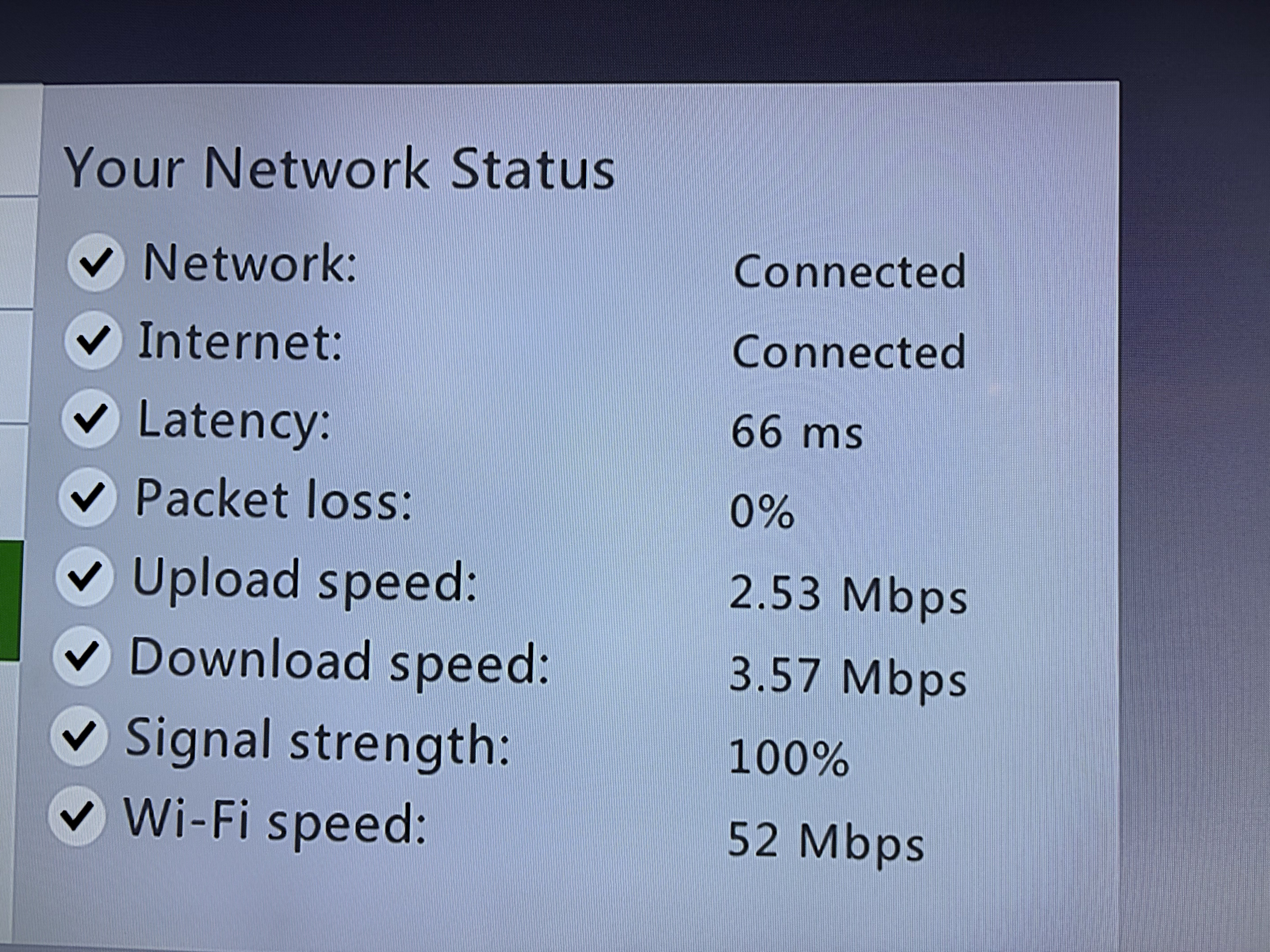
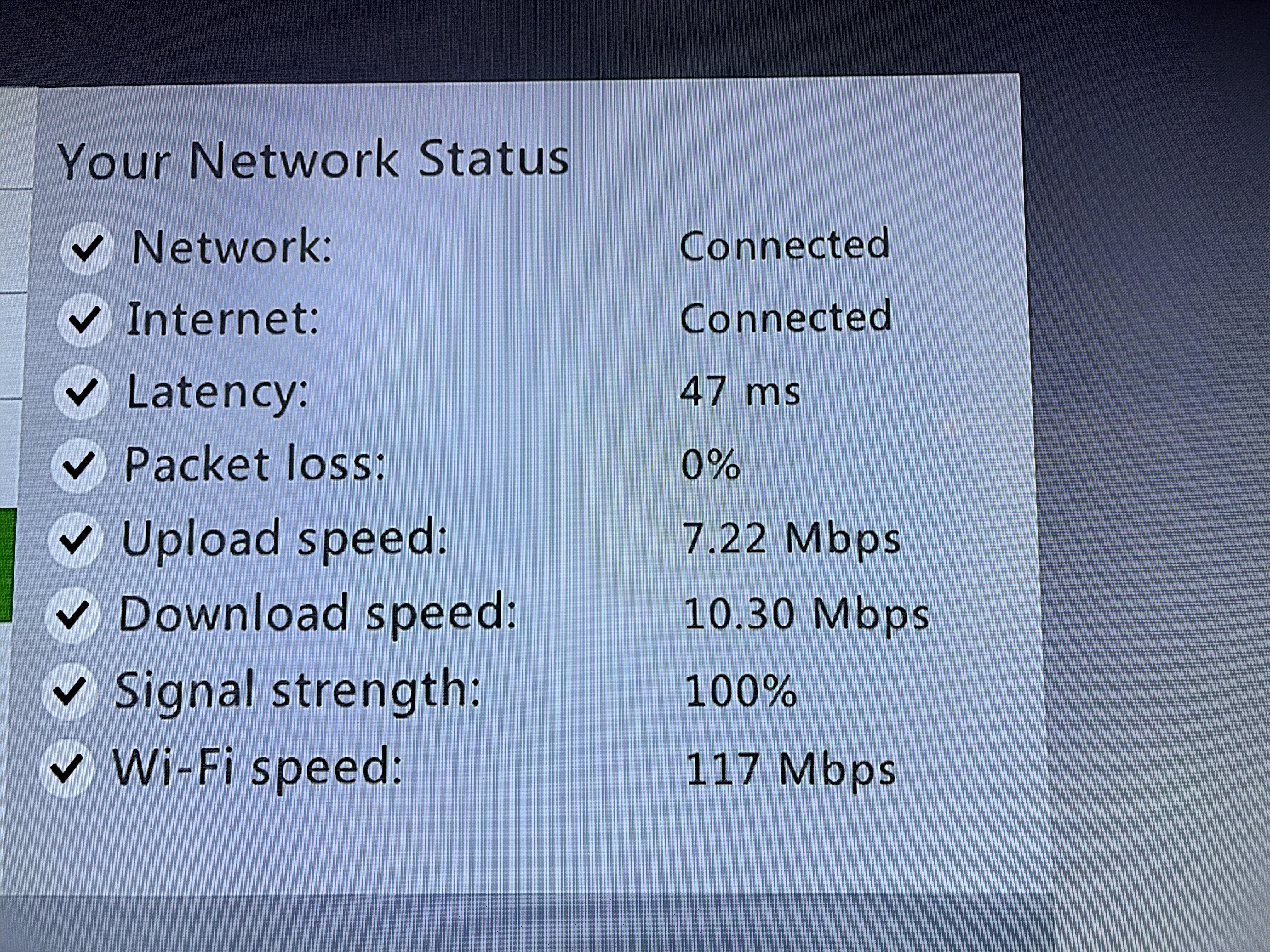
So here’s the results. I used the Network Statistics option built into the stock dash multiple times until I got the best results since they can vary for both scenarios (no wireless N 5ghz dual band adapter and built in WiFi). I also turned off the console before plugging in the usb WiFi adapter (not sure if it matters or not).
Built in WiFi (Best)
Microsoft Wireless N Dual Band 5GHZ USB (Best)
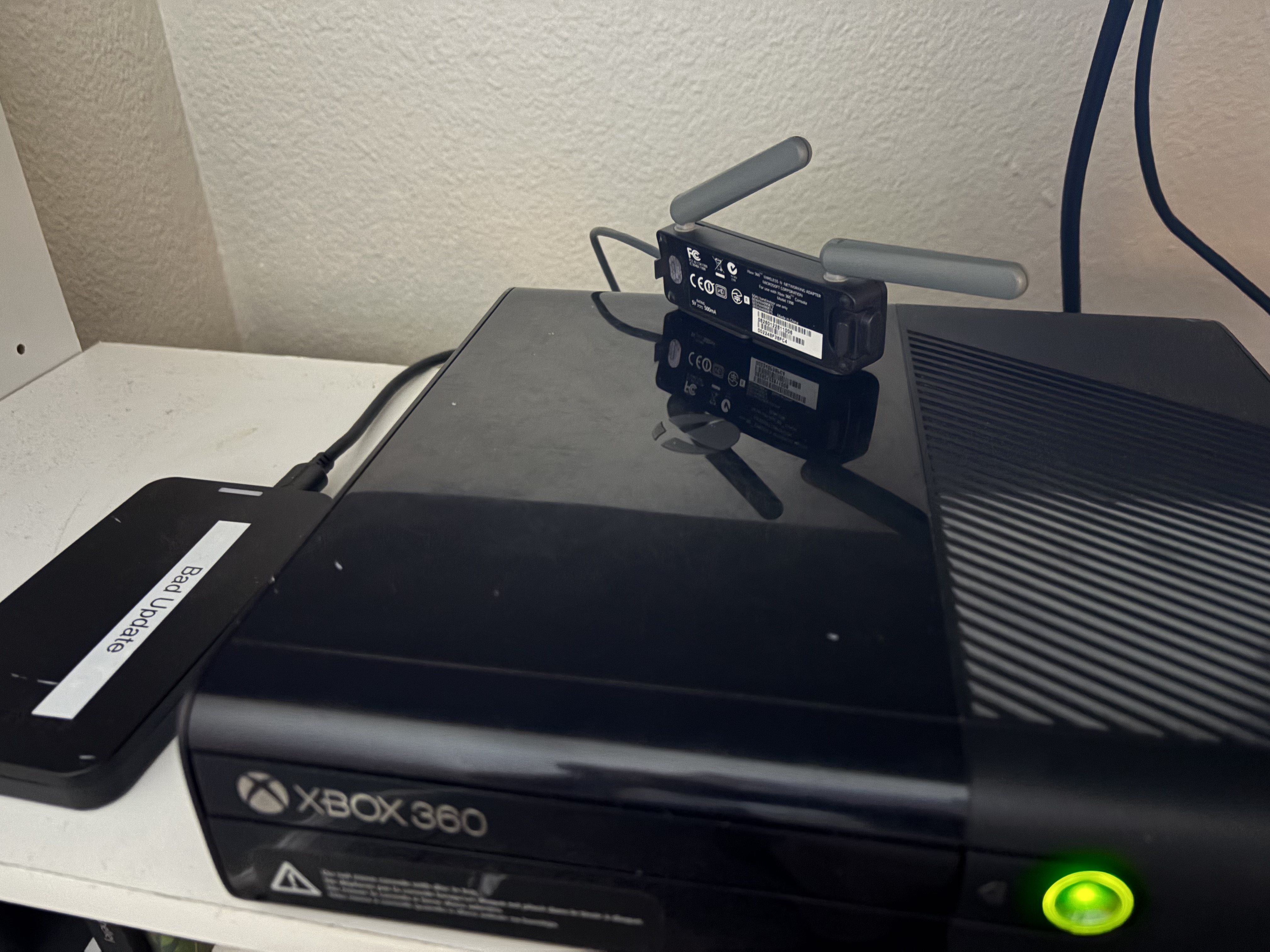
Setup:
This is the one you want (with 2 antennas, not 1!):
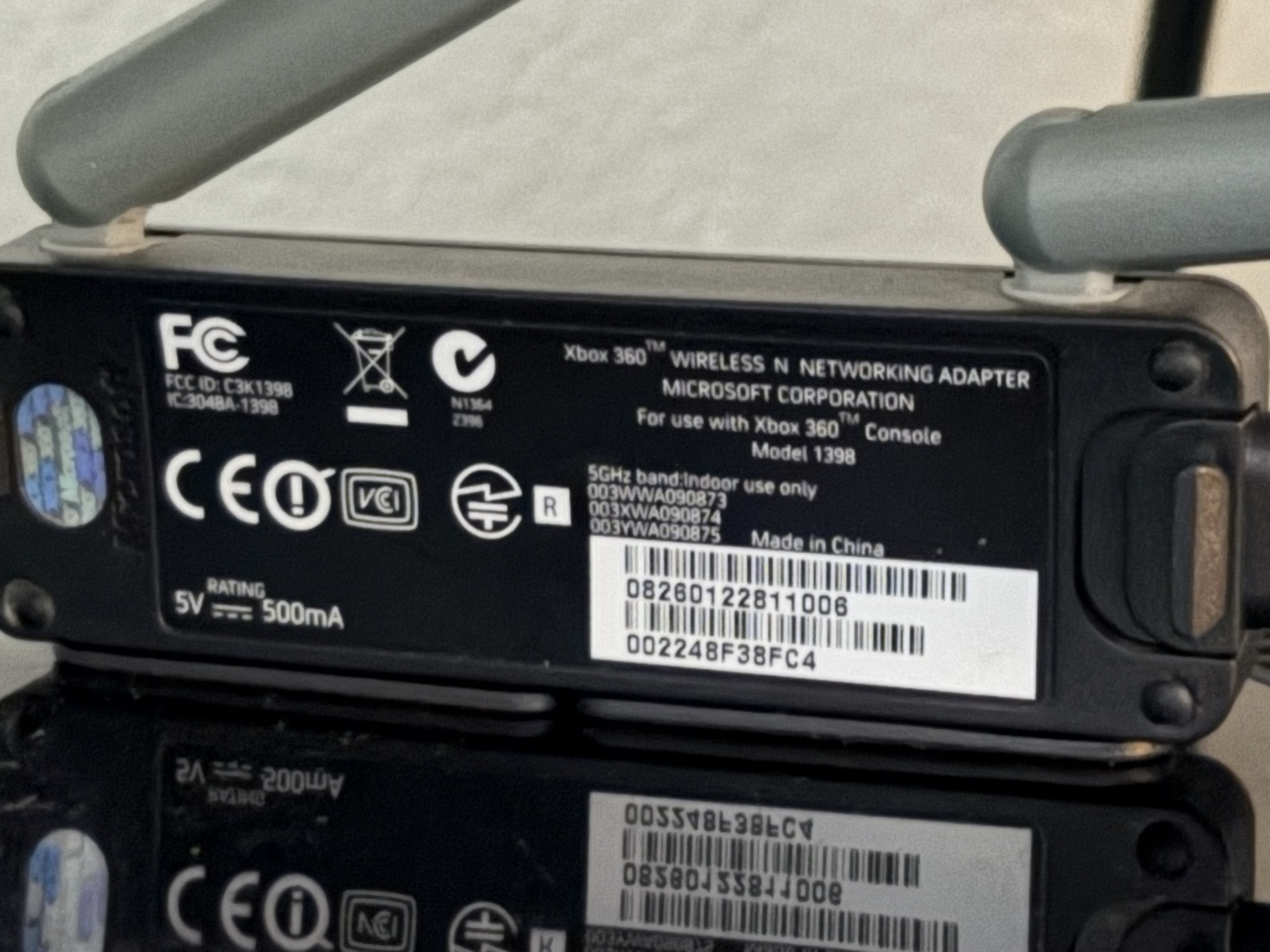
The grey one with one antenna is the older 2.4GHZ model that is the same as what is already in a slim or E console.
Moving the antennas towards the router tremendously helped to get to these speeds as well
At first you may be asking, if a slim or E console already has WiFi, why would you do this? To “upgrade” to dual band and 5GHz connectivity of course.
I wanted to try this because:
* My router is basically on the other side of my apartment and my 360e is the furthest device from it in the bedroom. The 360E is “fine” in the living room right next to it but put any amount of distance or walls between it and the router and the WiFi performance drops severely…
* My apartment building has a “free” WiFi tier me and everyone else in the building is on, but the base speed/router isn’t great and the network is heavily congested.
So here’s the results. I used the Network Statistics option built into the stock dash multiple times until I got the best results since they can vary for both scenarios (no wireless N 5ghz dual band adapter and built in WiFi). I also turned off the console before plugging in the usb WiFi adapter (not sure if it matters or not).
Built in WiFi (Best)
Microsoft Wireless N Dual Band 5GHZ USB (Best)
Setup:
This is the one you want (with 2 antennas, not 1!):
The grey one with one antenna is the older 2.4GHZ model that is the same as what is already in a slim or E console.
Moving the antennas towards the router tremendously helped to get to these speeds as well


