Switch 1 battery drain last resort

  • Thread starter Thread starter Oshae93
  • Start date Start date
  • Views Views 4,254
  • Replies Replies 34
  • Likes Likes 1

Oshae93

Laying Down The Law
Member
Joined
Jun 14, 2013
Messages
246
Reaction score
24
Trophies
1
XP
577
Country
United States
Hi I'm having issues with my switch's battery draining in standby. I've tried draining the battery and charging multiple times, disabling notifications, replacing the battery, disabling all internet access (even tried airplane mode), deleting every user profile, and even making a new one with access to NSO and accepting terms. None of that worked. So my final option is to recreate the emuMMC and reinstall all of my games. I wanted to know if there is a certain guide I should follow to recreate it or can I just pick up from this guide and start with the partition step to solve the issue. Also if anyone has been in my exact position lmk if any other fix worked.


Update:
So i found my solution and I'm upset it took me this long, but apparently one of my joycons does not work wirelessly. I generally never take my joycons off the switch and the last time they were off they worked. Currently testing now if the rail has issues charging the battery or if the battery is bad. I swapped another joycon's battery into the dead joycon and it did work so now im attempting to charge the dead one in another joycon. If it charges then the rail might be bad on the old one but if it doesnt i simply just need to buy a new battery.

Update 2:
Reseated some cables inside the joycon to ensure connection and cleaned the charging connection on the joycon and rail with some alcohol and it seems to be charging. Will give a final update whenever it max charges.

Update 3:
Charging is very slow as it stops charging and i have to manually remove/insert the joycon to start it again so ill buy a replacement charge piece for the joycon first and then deep dive into replacing the rail charger if necessary.

TLDR
My battery drain issue stemmed from a dead joycon constantly attempting to charge
 
Last edited by Oshae93,
  • Like
Reactions: themosteve
Was your firmware up to date?
About 8 months ago, more people started complaining about a battery drain in sleep mode.
It seems Nintendo broke something back then.
Although Nintendo remains silent, there is a change that they fixed the issue with the latest firmware update.
 
  • Wow
Reactions: cearp
Provide a hekate battery report.
Post automatically merged:

Was your firmware up to date?
About 8 months ago, more people started complaining about a battery drain in sleep mode.
It seems Nintendo broke something back then.
Although Nintendo remains silent, there is a change that they fixed the issue with the latest firmware update.
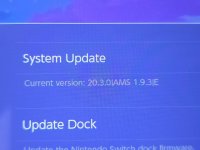
It was updated to the latest firmware before I modded it so it's currently on 20.3.0
 

Attachments

  • 20250825_182534.jpg
    20250825_182534.jpg
    2.3 MB · Views: 51
  • 20250825_183030.jpg
    20250825_183030.jpg
    1.7 MB · Views: 57
Battery looks normal, it is normal for it to drain a little in sleep mode
Yea this is the brand new battery which i installed in there. The switch although doesn't last a night. My other switch barely loses 20% when it's sleep for multiple days.
 
Does anybody found a real solution to battery drain/warming while on standby?
It was happening to mine on 20.1.1, going from 100% to 15% in a single night. Temps shot up to 55C when charging in sleep mode.

Upgraded to 20.3.0 and it barely loses 2% overnight. Also stays cool when plugged in [40C-ish].
 
  • Like
Reactions: impeeza
It was happening to mine on 20.1.1, going from 100% to 15% in a single night. Temps shot up to 55C when charging in sleep mode.

Upgraded to 20.3.0 and it barely loses 2% overnight. Also stays cool [40C-ish].
I upgraded from 19.0.3 to 20.3.0 and the console started to get warm on the dock while sleep. I am considerate to restore my 19.0.3 backup.
 
There are two working solutions to the battery drain issue:

- The first one I have tried and still works today after many firmware updates is to recreate your EmuNAND. A bit time-consuming but it solves it once and for all.

- The second one is to add these lines in the system_setting.ini file of atmosphere: https://github.com/Atmosphere-NX/Atmosphere/issues/2528#issuecomment-3054401265. This one is quick.
Post automatically merged:

my final option is to recreate the emuMMC and reinstall all of my games. I wanted to know if there is a certain guide I should follow to recreate it or can I just pick up from this guide and start with the partition step to solve the issue. Also if anyone has been in my exact position lmk if any other fix worked.
You can follow the usual process to recreate your emuMMC, just make sure you've accepted any pop up from Nintendo on the stock side before you start, maybe open all the online functions: NSO, News, Friends, etc. before you start to be sure, then the battery drain issue should be gone.
 
Last edited by XenoFredo,
There are two working solutions to the battery drain issue:

- The first one I have tried and still works today after many firmware updates is to recreate your EmuNAND. A bit time-consuming but it solves it once and for all.

- The second one is to add these lines in the system_setting.ini file of atmosphere: https://github.com/Atmosphere-NX/Atmosphere/issues/2528#issuecomment-3054401265. This one is quick.
Post automatically merged:


You can follow the usual process to recreate your emuMMC, just make sure you've accepted any pop up from Nintendo on the stock side before you start, maybe open all the online functions: NSO, News, Friends, etc. before you start to be sure, then the battery drain issue should be gone.
Yea i tried the atmosphere line and it didn't work but I've already made a fresh Nintendo account and accepted all pop ups in preparation to wipe it. I'll update if redoing emunand worked or not whenever i get time to try it.
 
Yea i tried the atmosphere line and it didn't work but I've already made a fresh Nintendo account and accepted all pop ups in preparation to wipe it. I'll update if redoing emunand worked or not whenever i get time to try it.
I know it's tedious to do but it's a guaranteed fix in my experience. If you want to speed it up a little, I suggest you temporarily (since it can mess up with controller connection) activate USB3 by adding this line in atmosphere \ config \ system_settings.ini:

[usb]
usb30_force_enabled = u8!0x1

That will allow you to reinstall everything much faster.
 
I noticed last night that the issue is also happening on my stock FW. So it might be best for me to factory reset the entire device and just start over from scratch.
Post automatically merged:

I know it's tedious to do but it's a guaranteed fix in my experience. If you want to speed it up a little, I suggest you temporarily (since it can mess up with controller connection) activate USB3 by adding this line in atmosphere \ config \ system_settings.ini:

[usb]
usb30_force_enabled = u8!0x1

That will allow you to reinstall everything much faster.
Will do once i reset everything.
Post automatically merged:

Also noticed my switch has this on its launch screen in Hekate and I haven't noticed anyone else with it . The NS.Notification option
 

Attachments

  • 20250827_135716.jpg
    20250827_135716.jpg
    1.9 MB · Views: 54
Last edited by Oshae93,
  • Like
Reactions: XenoFredo
There are two working solutions to the battery drain issue:

- The first one I have tried and still works today after many firmware updates is to recreate your EmuNAND. A bit time-consuming but it solves it once and for all.

- The second one is to add these lines in the system_setting.ini file of atmosphere: https://github.com/Atmosphere-NX/Atmosphere/issues/2528#issuecomment-3054401265. This one is quick.
Post automatically merged:


You can follow the usual process to recreate your emuMMC, just make sure you've accepted any pop up from Nintendo on the stock side before you start, maybe open all the online functions: NSO, News, Friends, etc. before you start to be sure, then the battery drain issue should be gone.
thank you the system ini lines worked i have now solved my battery drain that i did not until recently know i had my internet now shuts off when in sleep mode which is awesome thanks again
 
  • Like
Reactions: XenoFredo
Update:
So i found my solution and I'm upset it took me this long, but apparently one of my joycons does not work wirelessly. I generally never take my joycons off the switch and the last time they were off they worked. Currently testing now if the rail has issues charging the battery or if the battery is bad. I swapped another joycon's battery into the dead joycon and it did work so now im attempting to charge the dead one in another joycon. If it charges then the rail might be bad on the old one but if it doesnt i simply just need to buy a new battery.

Update 2:
Reseated some cables inside the joycon to ensure connection and cleaned the charging connection on the joycon and rail with some alcohol and it seems to be charging. Will give a final update whenever it max charges.

Update 3:
Charging is very slow as it stops charging and i have to manually remove/insert the joycon to start it again so ill buy a replacement charge piece for the joycon first and then deep dive into replacing the rail charger if necessary.


TLDR
My battery drain issue stemmed from a dead joycon constantly attempting to charge
 
Last edited by Oshae93,

There are two working solutions to the battery drain issue:

- The first one I have tried and still works today after many firmware updates is to recreate your EmuNAND. A bit time-consuming but it solves it once and for all.

- The second one is to add these lines in the system_setting.ini file of atmosphere: https://github.com/Atmosphere-NX/Atmosphere/issues/2528#issuecomment-3054401265. This one is quick.
Post automatically merged:


You can follow the usual process to recreate your emuMMC, just make sure you've accepted any pop up from Nintendo on the stock side before you start, maybe open all the online functions: NSO, News, Friends, etc. before you start to be sure, then the battery drain issue should be gone.
hey for the second solution, i dont have system_ini in my config file, but it does in config_templates folder. is it the same? or i have to make on on config folder?

and on system_ini on config folder, every row has ";" on the first word, do have to erase it or no?

i have switch lite
firmware 20.1.1|AMS 1.9.4|E
 
  • Like
Reactions: laz305
hey for the second solution, i dont have system_ini in my config file, but it does in config_templates folder. is it the same? or i have to make on on config folder?

and on system_ini on config folder, every row has ";" on the first word, do have to erase it or no?
Read the Atmosphère documentation on the github.

the config_templates folder as the name tell you ARE TEMPLATES. you copy the template to the config folder, and edit it to the values you need.

The values indicated :

Code:
[ns.notification]
enable_download_task_list = u8!0x0
enable_download_ticket = u8!0x0
enable_network_update = u8!0x0
enable_random_wait = u8!0x0
enable_request_on_cold_boot = u8!0x0
enable_send_rights_usage_status_request = u8!0x0
enable_sync_elicense_request = u8!0x0
enable_version_list = u8!0x0
retry_interval_min = u32!0x7FFFFFFF
retry_interval_max = u32!0x7FFFFFFF
version_list_waiting_limit_bias = u32!0x7FFFFFFF
version_list_waiting_limit_min = u32!0x7FFFFFFF

yo need to append them to the file, they are not present on the template.


I did apply that values to my console and after a restar seems the battery drain is gone, tomorrow will confirm.
 

Site & Scene News

Popular threads in this forum